Template details
Gadget Template
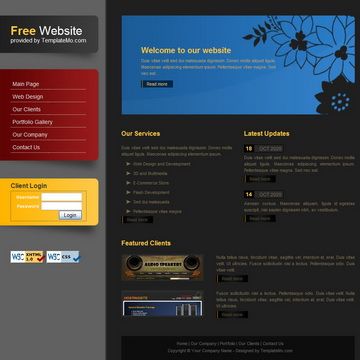
A simple, clean free HTML/CSS website template with light gray, light blue, and white colors and a JavaScript product thumbnails slider.
About this template
Gadget Template is a free HTML/CSS website template from TemplateMo built around a light gray, light blue, and white color scheme and a JavaScript product thumbnails slider for displaying electronics and gadgets.
What is Gadget Template?
Gadget Template is a free, static HTML/CSS website template added to TemplateMo on 23 February 2010. Its core function is to provide a ready-made page layout for presenting products, with a JavaScript thumbnail slider that lets visitors switch between product images. The template takes placeholder HTML, CSS, and JavaScript files as input; users edit the content and styling to produce a complete static website. Because it uses only client-side technologies, it runs on any web server or file host without databases or build steps.
Key Features
- JavaScript product thumbnails slider — Built-in interactive slider that cycles or switches product images, driven by a small JavaScript file included in the download.
- Light gray, light blue, and white palette — A very light visual scheme that keeps product photos prominent and the layout clean.
- Free commercial license — 100% free to download, edit, and use for both commercial and non-commercial websites, as stated on the TemplateMo download page.
- Plain HTML and CSS structure — No frameworks, dependencies, or server-side requirements; just static files that can be edited in any text editor and uploaded directly.
- Proven download history — Over 108,000 views and 27,000 downloads since its release, indicating wide usage among TemplateMo users.
Who should use Gadget Template?
- Electronics and gadget retailers — Set up a product showcase page with a thumbnail slider to display items such as phones, cameras, or accessories without building the layout from scratch.
- Small business owners — Launch a simple, free website for a product-based business using a clean, modern look and minimal maintenance.
- Web design students — Study a hand-coded HTML/CSS layout with a working JavaScript slider to learn how static sites are structured.
- Freelance developers — Use the template as a starting point for client projects that need a quick, no-framework product gallery.
What can you do with Gadget Template?
- Product showcases: Display a catalog of gadgets with thumbnails that users can click to view larger product images.
- Portfolio galleries: Adapt the slider to show design work, photography, or creative projects instead of products.
- Learning projects: Modify the HTML and CSS to practice web development, then host the finished page on any static host.
Pricing
Gadget Template is completely free. TemplateMo allows anyone to download, edit, and use it for both personal and commercial projects without charge.
FAQ
Is Gadget Template free to use?
Yes, Gadget Template is 100% free to download and use. TemplateMo states that you are allowed to download, edit, and use the layout for commercial or non-commercial sites, and it is not required to pay any fee.
What technology does Gadget Template use?
The template is built with plain HTML, CSS, and JavaScript. It includes a JavaScript product thumbnails slider, and there are no frameworks or server-side dependencies, so it runs in any modern web browser.
Can I use Gadget Template for my business?
Yes, the free license explicitly permits use on commercial websites. You can replace the placeholder text and images with your own content, add your product information, and publish the page on your domain.
How do I customize Gadget Template?
Download the ZIP file, extract it, and open the HTML and CSS files in a text editor. Change the text, swap in your own product images for the thumbnails, and adjust colors in the CSS. Then upload the files to any web host to go live.