Template details
Hugo Hero
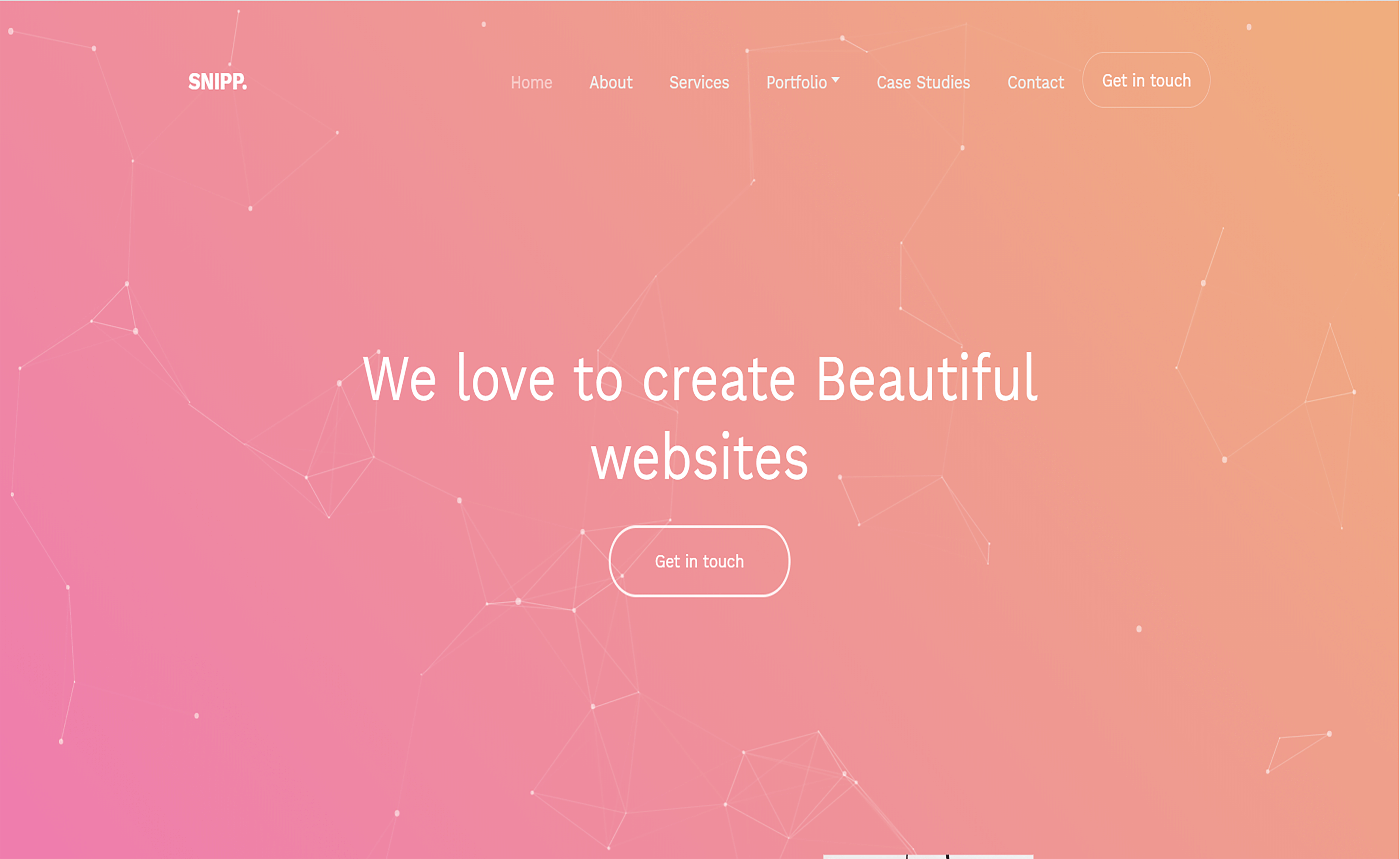
A multi-page Hugo theme with fullscreen hero images and fullwidth sections.
About this template
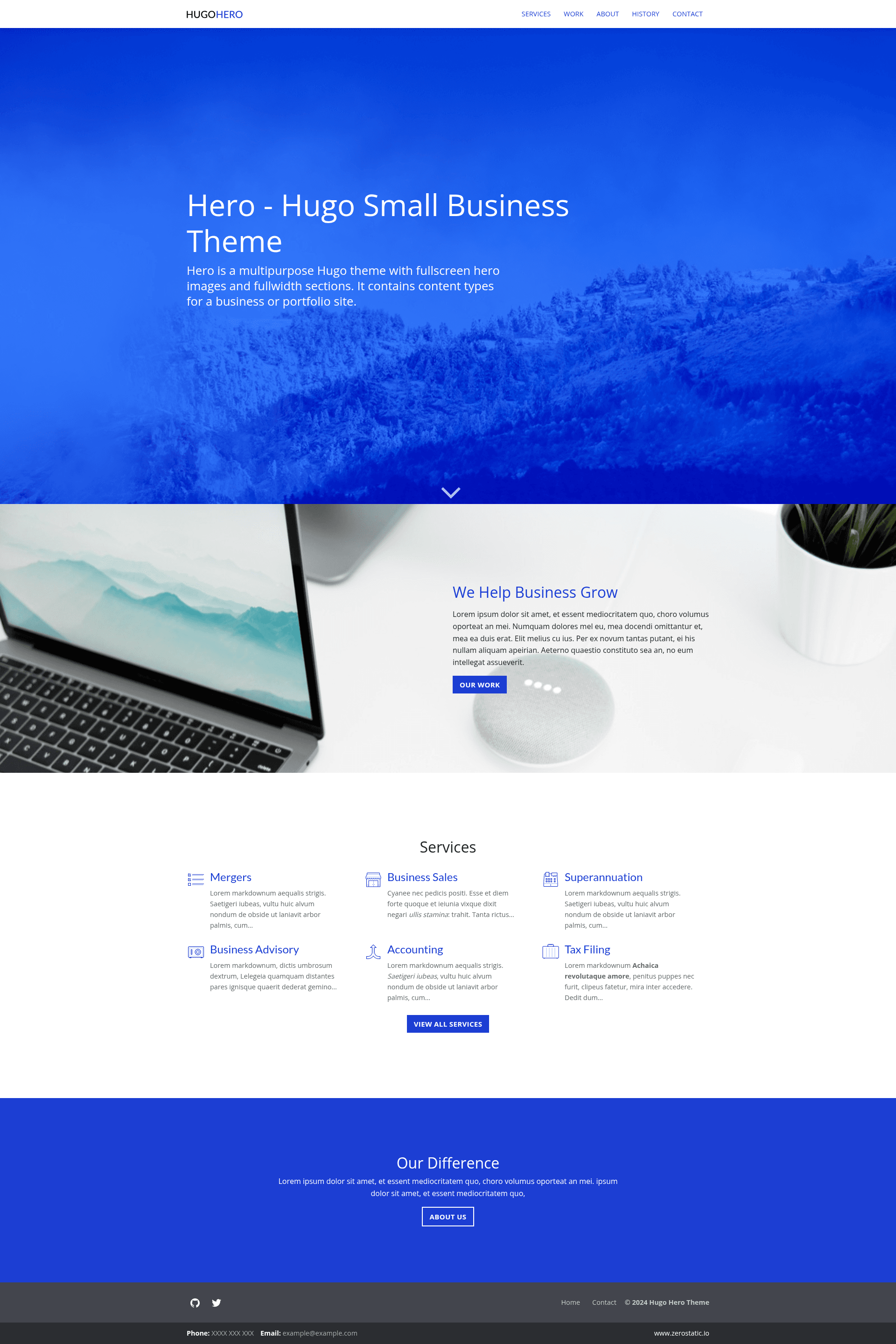
Hugo Hero is an open-source multi-page business theme for the Hugo static site generator from Zerostatic Themes, built around fullscreen hero images and fullwidth section layouts.
What is Hugo Hero Theme?
Hugo Hero is a Hugo theme that generates a multi-page business website from markdown content files, with a full-screen hero image on the homepage and full-width sections throughout. It takes markdown content organized into content types — Services, Work/Portfolio, Features, About, and Homepage — and outputs a static HTML site via Hugo's build process. The theme is developed by Zerostatic Themes, requires Hugo Extended because it compiles SCSS via Hugo Pipes, and has been starred 394 times on GitHub.
Key Features
- Full-screen hero partial — A full-width and full-height hero image section that dominates the homepage, built as a reusable Hugo partial.
- Markdown-driven content types — Services and Work/Portfolio pages are authored as markdown files with list, single, and summary layouts; Features are defined as data files.
- Headless bundles for the homepage — The homepage sources multiple markdown files in a single layout using Hugo headless bundles, letting each section appear at different positions in the HTML.
- Leaf bundles and shortcodes for About — The About page combines multiple markdown files via leaf bundles and Hugo shortcodes for flexible section composition.
- SCSS via Hugo Pipes — Styling uses SCSS compiled with Hugo Pipes; the theme includes Bootstrap 4 grid and media queries, with the rest of Bootstrap commented out but available to import from
style.scss. - Vanilla JS and small assets — JavaScript is plain vanilla (no framework), and minified CSS and JS each stay under 20KB; the theme scores 100/100 on Google Lighthouse Speed and SEO.
- Configurable SEO and analytics — Set Google Analytics ID in
config.tomlor via theHUGO_GOOGLE_ANALYTICS_IDenvironment variable (Netlify-compatible), and configure homepage meta tags and OG tags inconfig.toml. - Responsive menu and example content — The main menu is defined in
config.toml, mobile navigation uses an animated hamburger menu, and the theme ships with complete example content and royalty-free illustrations from Icons8, stock images from Unsplash, and feature icons from Noun Project.
Who is it for?
- Small business owners — Launch a company website with services, portfolio, and about pages without writing custom CSS or JS, using the included sample content as a starting point.
- Hugo developers — Build custom multi-page business sites quickly by repurposing the theme's headless and leaf bundle patterns for sectioned layouts.
- Agencies and freelancers — Use the Work/Portfolio content type to present case studies and projects, with fullwidth sections for visual impact.
- Netlify users — Deploy a static business site to Netlify using the bundled
netlify.tomlconfiguration and environment-variable Google Analytics setup.
What can you do with Hugo Hero?
- Service businesses: Create a Services page using markdown list/single layouts to describe each offering, with summary views on index pages.
- Portfolio sites: Use the Work content type to display projects with images and fullwidth sections, perfect for agencies showcasing case studies.
- Company homepages: Assemble a homepage from multiple markdown sections (hero, features, testimonials, etc.) via headless bundles, each positioned exactly where you want in the layout.
- Documentation-style marketing sites: Adapt the About page's leaf-bundle and shortcode pattern to create any multi-section page with mixed content blocks.
How does Hugo Hero work?
Install Hugo Extended, create a new Hugo site with hugo new site, clone the theme into the themes folder, copy the exampleSite contents to your site root, then run hugo server to preview at localhost:1313. The theme compiles SCSS and minifies assets through Hugo Pipes, and you configure navigation, analytics, and meta tags in config.toml.
Pros and cons
- Pros: 100/100 Google Lighthouse Speed and SEO scores out of the box; minified CSS and JS each under 20KB; no front-end framework dependency (vanilla JS only); headless and leaf bundle patterns give editorial control over page structure.
- Cons: Requires Hugo Extended specifically — the standard Hugo binary will not compile the SCSS; Bootstrap is mostly commented out by default, so you must @import the parts you want from
style.scss.
Pricing
The theme is free and open-source. Its license states that you may not create ports or new versions without asking the author, and you can't redistribute or resell it as your own template.
Alternatives
- Hugo Serif — Another Zerostatic business theme for Hugo, focused on clean serif typography.
- Hugo Whisper — A Zerostatic documentation theme, if you need a technical docs site instead of a business site.
- Hugo Winston — A Zerostatic blog theme for building editorial or personal blogs with Hugo.
FAQ
Does Hugo Hero require Hugo Extended?
Yes. The theme uses Hugo Pipes to compile SCSS, which is only available in Hugo Extended. Run hugo version and confirm the output includes /extended after the version number.
Is Hugo Hero free?
Yes, the theme is free and open-source. The custom license prohibits creating ports of the theme without permission and restricts redistribution or resale as your own template, but allows normal use for your own sites.
How do I deploy Hugo Hero to Netlify?
The theme includes a netlify.toml that is configured to deploy from the exampleSite folder. If you copy or remove the exampleSite, you should delete netlify.toml. You can also use the built-in Deploy to Netlify button on the theme's GitHub page.
Can I customize meta tags per page?
Yes. Each layout can include a meta_tags block that injects custom HTML meta tags, such as a per-page meta description. Homepage-level OG and Twitter tags are configured in config.toml.
What content types does Hugo Hero include?
It includes Services (markdown), Work/Portfolio (markdown), Features (data), About (markdown with leaf bundles and shortcodes), and a Homepage assembled from multiple markdown files in headless bundles.