Template details
Hydra
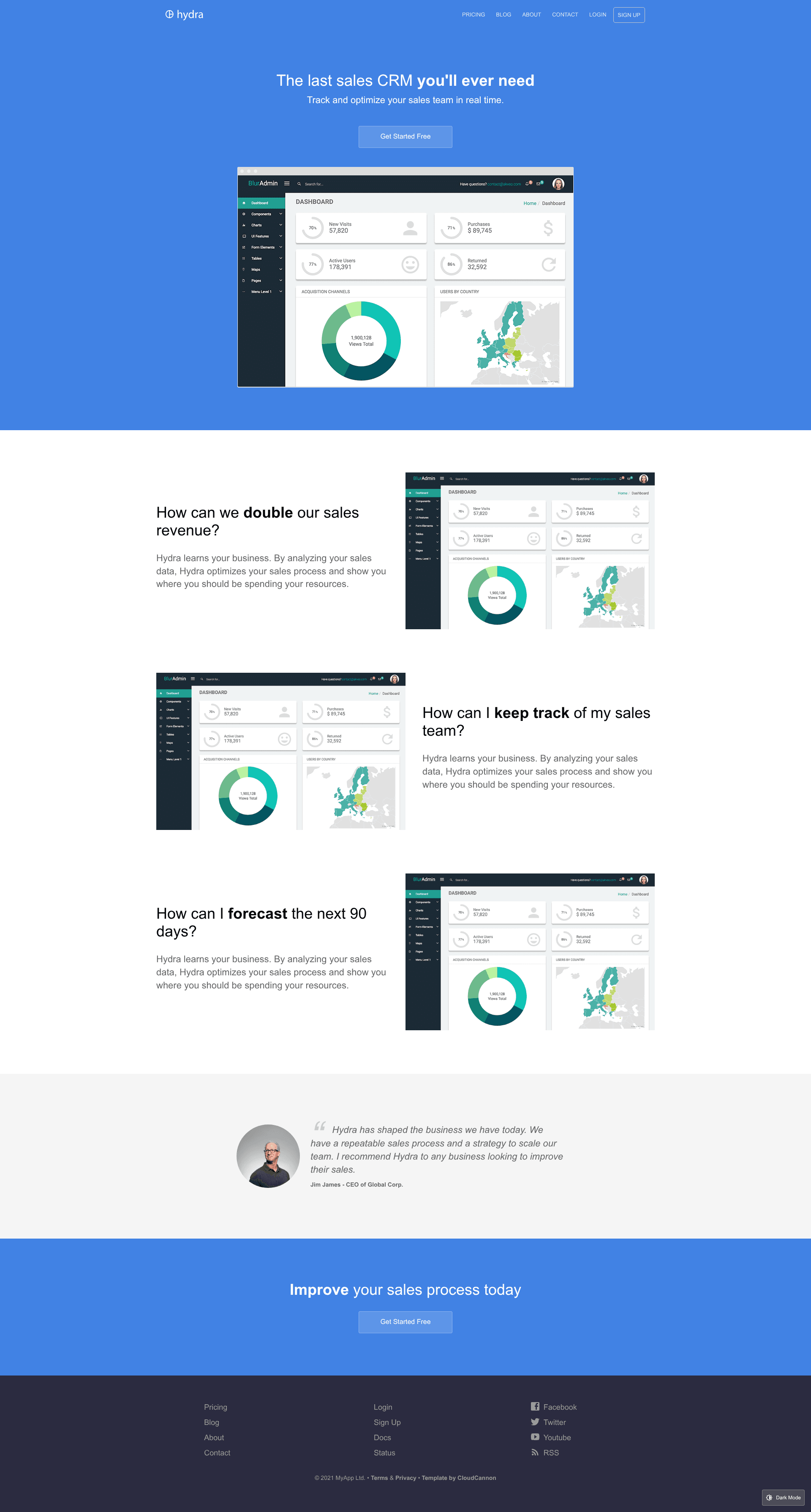
A configurable Jekyll marketing site template with blog, staff profiles, dark mode, and CloudCannon live editing.
About this template
Hydra is a Jekyll marketing site template built by CloudCannon that produces a fully configurable product marketing website with a blog, staff author profiles, and dark mode support.
What is Hydra?
Hydra is a Jekyll marketing site template created by CloudCannon, the cloud CMS for Jekyll and Hugo. It takes a Jekyll project with pre-built pages and components and turns it into a complete marketing website, including a blog with category pages, a staff/author system, and SEO and RSS/Atom feed support. The template runs on Jekyll 4.2.0 and is built with the Bookshop component library, also maintained by CloudCannon, so site sections are composed from reusable, editable components. A live demo is available, and the repository includes one-click deployment to CloudCannon.
Key Features
- Pre-built pages and pre-styled components — Hydra ships with a fully configurable website structure: ready-made marketing pages and styled components you can rearrange and restyle without writing code.
- Blog with post category pages — Posts are managed in a Posts collection; each post can assign a Staff Author from the Staff Members collection, and category pages let visitors browse posts by topic.
- Dark mode and theme switching — Built-in dark mode and easy theme switching let you change the site's look without touching templates.
- CloudCannon live editing — The template is optimized for CloudCannon, enabling visual editing, live preview, and a client-friendly editing interface.
- Contact forms — A contact form is preconfigured to work with CloudCannon and can be swapped to another provider such as FormSpree; submissions are emailed to an address defined in the component.
- Data-driven navigation and footer — Both navigation and footer are managed as data files, editable from the Website Settings > Navigation and Footer sections.
- SEO and RSS/Atom feed — Built-in search engine optimization and an RSS/Atom feed for syndicating posts.
Who should use Hydra?
- Product marketing teams — Launch a polished marketing website for a product quickly, with a blog for announcements and a staff page for team credibility.
- Jekyll developers — Use Hydra as a starting point for client projects that need a component-based, easily editable template; the Bookshop structure makes it straightforward to build custom components.
- CloudCannon users — If you already use CloudCannon as your CMS, Hydra takes advantage of its editing features, including visual editing, navigable collections, and data files for navigation and footer.
What can you do with Hydra?
- Launch a product marketing website — Configure the site name, domain, and author in Website Settings, then publish pages and blog posts.
- Publish a multi-author blog — Maintain authors in the Staff Members collection and link them to posts via the Staff Author field; category pages are generated automatically.
- Customize the theme visually — Switch themes and edit component content live in CloudCannon, or build locally with npm and Jekyll commands.
- Collect form submissions — Use the built-in contact form with CloudCannon or connect FormSpree to receive emails at an address you define.
How does Hydra work?
To run Hydra locally, you install Bookshop dependencies with npm install, install Jekyll dependencies with bundle install in the site folder, then start the site with npm start. In CloudCannon, setup involves opening Website Settings > General Settings to add the site name and live domain URL, adding an author to the Staff Members collection, and optionally configuring extra settings. Pages, posts, and components are then edited in-place through the CMS.
FAQ
Does Hydra support Jekyll 4.2.0?
Hydra was built with Jekyll 4.2.0 and should support newer versions as well, per the project's development notes.
Can I use Hydra without CloudCannon?
Yes. Hydra is a standard Jekyll site that can be built and run locally with npm and Bundler, but it is optimized for CloudCannon and includes setup steps designed for that platform.
How do I change the contact form provider?
The contact form is preconfigured for CloudCannon but can be easily changed to another provider like FormSpree. The email address to which submissions are sent is defined inside the component itself.
How do I add a new author?
Add a member to the Staff Members collection in CloudCannon, then assign them to a post using the Staff Author field on the post. The author profile is reused around the site.
How are navigation and footer managed?
Navigation and footer are data files that can be edited from the Website Settings > Navigation and Footer sections in CloudCannon, giving clients easy access without touching code.