Template details
Jekyll Conference Template
Conference website template built using Jekyll
About this template
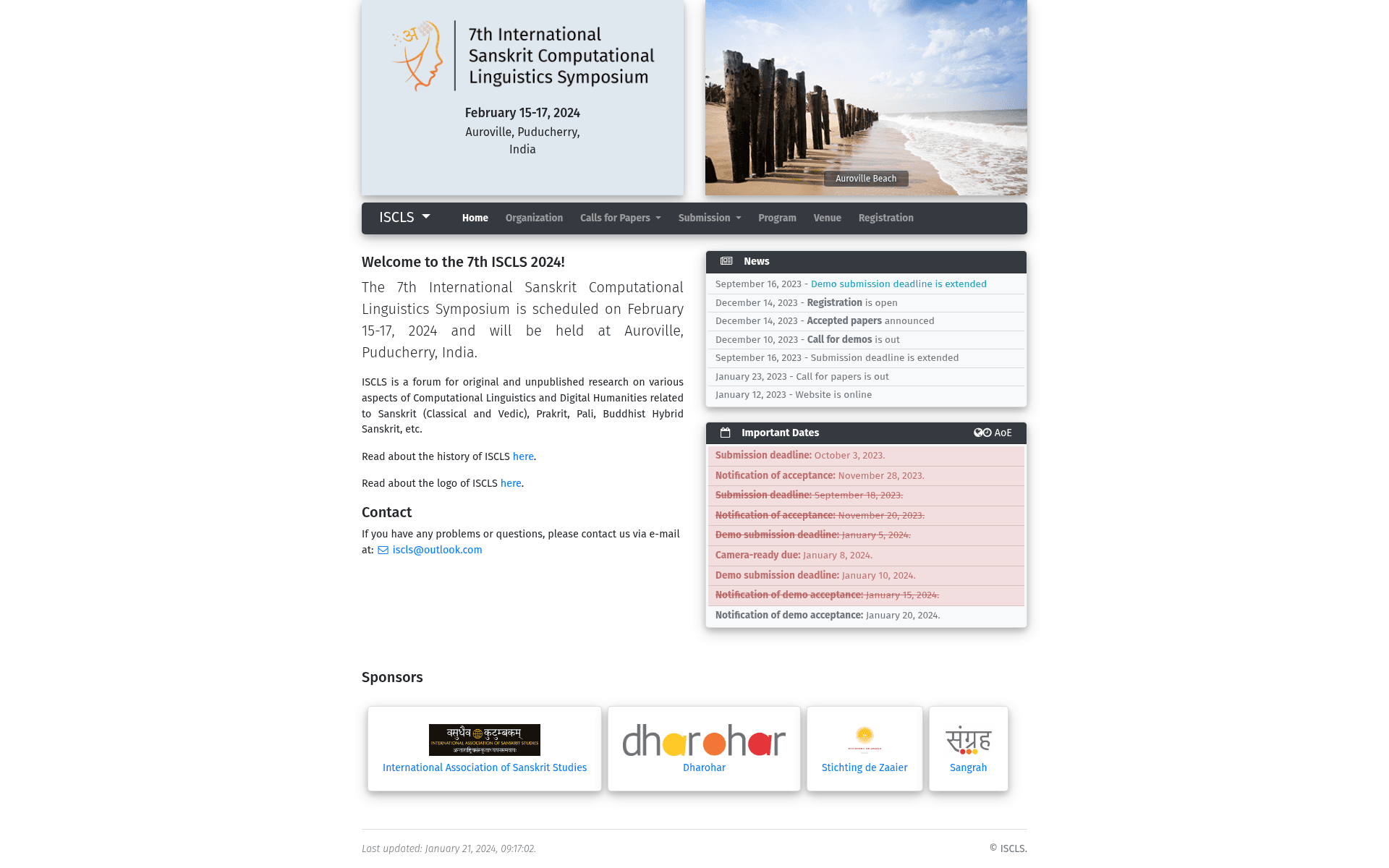
Jekyll Conference Template is a Jekyll-based website template for academic conferences that turns a set of YAML data files in a _data directory into a static conference website with news, committee, venue, submission, and registration sections.
What is Jekyll Conference Template?
Jekyll Conference Template is a website template built with the Jekyll static site generator. It takes conference-related information stored in structured YAML data files under the _data folder and renders them as a complete conference website. The template is designed for academic conferences: it includes sections for deadlines, sponsors, social media, organizing committees, venue, submission instructions, and registration information. The template does not state a specific author or organization on this page.
Key Features
- Data-driven configuration — All conference content lives in YAML files under
_data, includingconference.yml,news.yml,organization.yml,venue.yml,submission.yml, andregistration.yml; editing these files updates the whole site without touching HTML. - Conference settings —
conference.ymlsupportsfull_title,short_title,description,location,logo_path, aslideshowof images, anavbar, asponsorssection,deadlines, andsocial_medialinks for Facebook and Twitter. - Automatic deadline styling — Past-due dates listed in the
deadlinesfield are automatically rendered with a strikethrough (del) line, so expired deadlines are visually marked. - Committees and organization —
organization.ymldefines the program chair, organizing committees, steering committees, and technical program committees, each rendered in its own section. - Venue information —
venue.ymlstores the full address, accommodation details, and a path to a directions image. - Google Analytics integration — The site ID is configured in the
_config.ymlfile, allowing straightforward analytics setup. - Two deployment paths — The template can be deployed manually with a Makefile (
make servefor local testing,make publishfor building and copying to a publish location) or via GitHub Pages using a provided GitHub Actions workflow inworkflows/release.yml. - Flexible Gemfile handling — The repository ships with a symbolic
Gemfilethat can be switched betweenGemfile.localandGemfile.githubdepending on deployment target.
Who is it for?
Academic conference organizers can use the template to publish a professional conference site without writing custom HTML by filling in the YAML data files. Departmental webmasters or university staff can quickly spin up a site for a workshop or symposium, reusing the same committee, venue, and deadline sections. Developers who maintain conference websites for multiple events can clone the template and swap only the data files and branding to produce a new site, then deploy it to GitHub Pages with the included workflow.
What can you do with Jekyll Conference Template?
- Conference organizers: Publish calls for papers, submission guidelines, and registration details by editing
submission.ymlandregistration.yml, with the site rendering a structured submission page automatically. - Committee chairs: Present the full list of program chairs, organizing committees, steering committees, and technical program committees via the
organization.ymlfile. - Event communicators: Post conference news by adding entries to
news.yml, and highlight sponsors through thesponsorsfield inconference.yml. - Venue logistics staff: Provide attendees with venue address, accommodation options, and directions image by editing
venue.yml.
How does the template work?
Start by setting up Ruby, RVM, Jekyll, and Bundler following the instructions in INSTALL.md. To run locally, remove the .github/workflows/ directory, switch the Gemfile symlink to Gemfile.local, and run make serve. For GitHub Pages deployment, enable GitHub Pages with GitHub Actions, copy workflows/release.yml to .github/workflows/release.yml, and switch the Gemfile to Gemfile.github.
FAQ
How do I change the conference name?
Edit full_title, short_title, and description in the _data/conference.yml file. The title appears throughout the site, and the description is limited to under 160 characters.
Does the template support social media links?
Yes, the social_media field in conference.yml currently supports Facebook and Twitter links, which are rendered in the navbar.
How are past deadlines displayed?
Any deadline in the deadlines field of conference.yml that is past-due is automatically printed with a strikethrough del line, making it easy for attendees to see expired dates.
Can I deploy the site with GitHub Pages?
Yes. Make the repository public, enable GitHub Pages set to use GitHub Actions, add the provided release.yml workflow to .github/workflows/, and switch the Gemfile symlink to Gemfile.github.
Where is Google Analytics configured?
Google Analytics is configured in the _config.yml file, where you can set your analytics tracking ID.