Template details
Urban
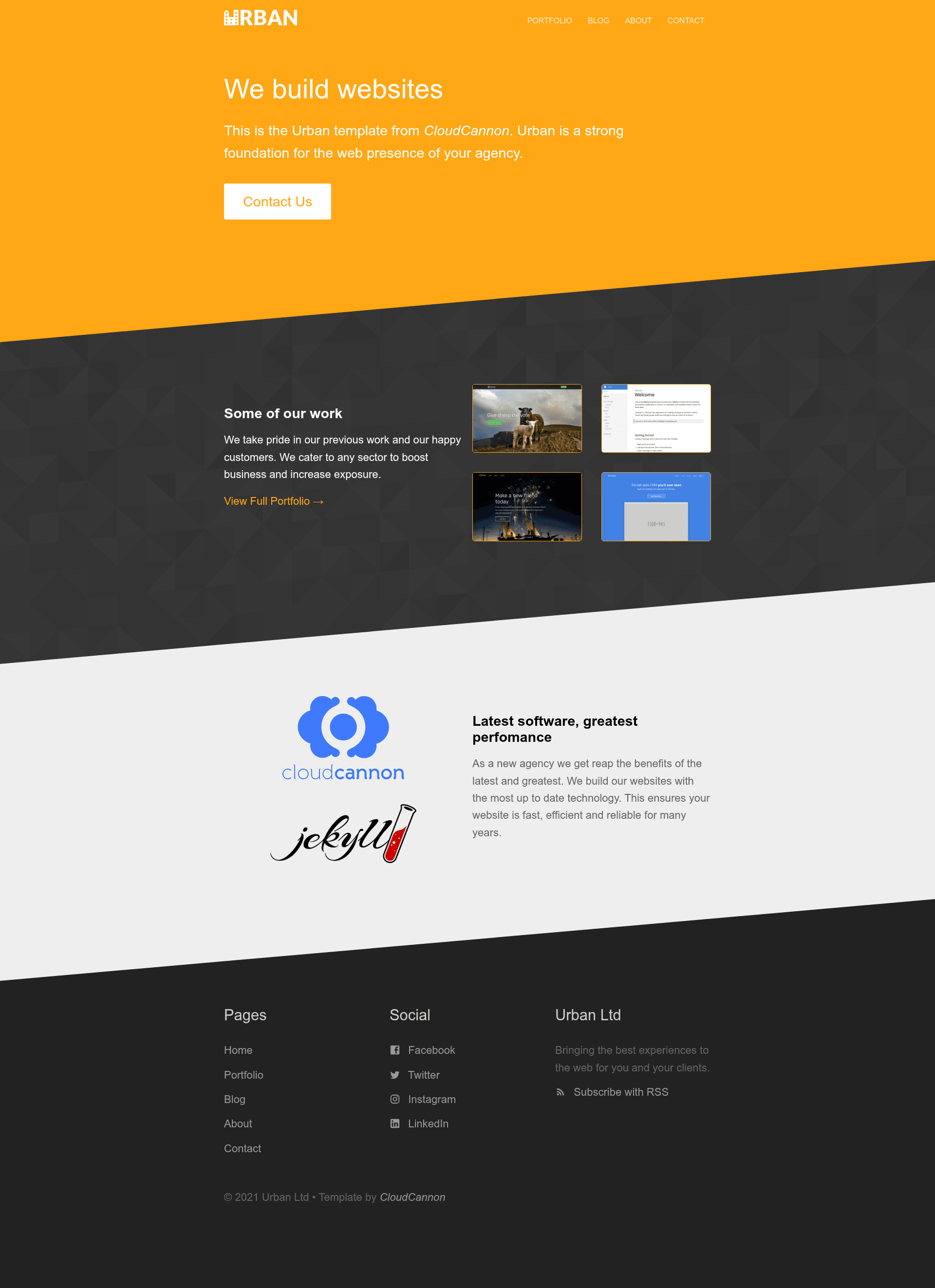
A legacy Jekyll template from CloudCannon for web agencies, with blog, staff, contact form, and CMS editing.
About this template
Urban is a legacy, no-longer-maintained Jekyll template from CloudCannon built for web agencies, delivering a complete business site with a blog, staff directory, contact form, and CloudCannon CMS editing optimizations.
What is Urban?
Urban is a web agency themed business template for Jekyll, created by CloudCannon and published on GitHub as CloudCannon/urban-jekyll-template. The template takes site-wide settings from a _config.yml file, content from Jekyll collections for posts, staff, and documentation, and generates a static site with pre-built pages, a paginated blog, and a contact form. A live demo is available at teal-worm.cloudvent.net, and the template is marked as legacy (no longer maintained).
Key Features
- Pre-built pages — Includes ready-made pages for a typical agency site, reducing setup time to configuration rather than page creation.
- Blog with pagination — Posts are stored in a Jekyll collection (the Posts collection), with pagination built in and separate post category pages.
- Staff and author system — A Staff collection reused across the site; blog posts link to staff members via a Staff Author field, so author info is edited in one place.
- Contact form — Preconfigured to work with CloudCannon and sends email to the address in company details; the page notes it can be changed to another provider such as FormSpree.
- Disqus comments — Post pages support Disqus comments, enabled by adding a Disqus key in
_config.yml. - RSS/Atom feed — Generates an RSS/Atom feed of posts automatically.
- SEO tags and Google Analytics — Built-in SEO tags and a place to add your Google Analytics key in
_config.yml. - Configurable footer — Footer content is exposed as a data file, editable in Data / Footer in CloudCannon rather than in layouts.
- Optimised for CloudCannon editing — The theme is designed to be edited in CloudCannon's CMS, with staff, company details, posts, and footer elements all manageable through the interface.
Who is it for?
- Web design and development agencies — Launch a marketing site that showcases services, team members, and company details without building pages from scratch.
- Freelance web developers — Set up a client site on Jekyll with a blog and contact form, then hand off content editing to the client through CloudCannon's dashboard.
- Small businesses needing a content-managed site — Use the prebuilt pages and CloudCannon integration to let non-developers update staff bios, posts, and footer content.
- Jekyll developers — Use the template as a starting point for agency projects, reusing its staff system and blog structure.
What can you do with Urban?
- Agencies: Publish case studies or news via the blog, with pagination and category pages to organize posts.
- Teams: Display staff bios through the Staff collection, with author pages linked from blog posts.
- Business owners: Receive contact form submissions via the preconfigured CloudCannon form or after switching it to FormSpree.
- Content editors: Edit company details, footer links, and posts in CloudCannon's visual CMS without touching code.
How does Urban work?
To get started, clone the template, add your site and author details in _config.yml, and set your Google Analytics and Disqus keys. Then run the site locally with bundle install and bundle exec jekyll serve, or connect the repository to CloudCannon. Content is managed through Jekyll collections: posts live in _posts with a _defaults.md file for new-post defaults, documentation pages in _docs get URLs based on their file path, and staff and company details are stored as data or collections.
Pros and cons
- Pro: Fully configured for CloudCannon's visual editing, so non-technical users can update staff, posts, footer, and company details.
- Con: The template is no longer maintained, so it may not receive updates for newer Jekyll versions or dependencies.
FAQ
Is Urban still maintained?
No. The project page explicitly labels Urban as a legacy template no longer maintained, so you should expect no further updates.
What Jekyll version does Urban use?
Urban was built with Jekyll version 3.3.1 but the documentation says it should support newer versions as well. You can run it locally using Bundler.
Can I use a different contact form provider?
Yes, the contact form is preconfigured for CloudCannon but can be changed to another provider, such as FormSpree.
How do I edit the footer?
Footer content is exposed as a data file. In CloudCannon, set it in the Data / Footer section.
How do I exclude a documentation page from search results?
Add excluded_in_search: true to the documentation page's front matter to exclude it from search results.