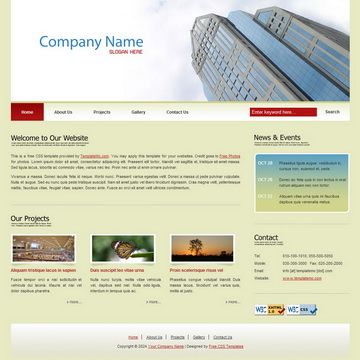
Template details
Wallet Free Bootstrap Finance Template
Wallet is a free Bootstrap business and finance template with a Gulp build workflow, by Themefisher.
About this template
Wallet is a free Bootstrap-based business and finance website template built by Themefisher, distributed as plain HTML/CSS with an optional Gulp build system for advanced development.
What is Wallet Free Bootstrap Finance Template?
Wallet is a static website template for business and finance sites, built on the Bootstrap framework. It takes editable HTML and CSS files in a "theme" folder as its source, and produces a static website you can open directly in a browser or deploy to any web server. The template is created by Themefisher, a theme development company, and released under the MIT license for the code. The repository is available on GitHub with 25 stars, and a live preview is hosted at demo.themefisher.com/wallet.
Key Features
- Bootstrap-based styling — The template uses Bootstrap classes and components, so layout and interactive elements follow standard Bootstrap conventions without a framework build step for basic use.
- Gulp build workflow — For advanced use, a package.json with Gulp is included; "npm run dev" starts a local server with live reload, and "npm run build" generates a production-ready theme folder.
- Simple basic usage — You can download the ZIP from GitHub, edit the HTML and CSS in the "theme" folder, and open index.html in any browser to preview changes.
- Free and open source code — The code is licensed under MIT, so you can use, modify, and redistribute it for personal or commercial projects.
- Official documentation — A documentation site at docs.themefisher.com/wallet covers installation, customization, and the included npm scripts.
- Issue tracking on GitHub — Bugs and feature requests are handled through GitHub Issues, with existing issues searchable before opening a new one.
Who is it for?
- Freelance web developers — get a ready-made Bootstrap business layout to customize for finance or corporate clients, with the option to use Gulp for a more efficient workflow.
- Small business owners — download the template and edit the HTML/CSS directly without needing Node.js, then host the static files anywhere.
- Students learning Bootstrap and Gulp — use the example theme folder and npm scripts to see how a static site template is structured and built.
What can you do with Wallet?
- Financial consultants — customize the Bootstrap sections to present services, team, and contact information, then deploy the static site to a web host.
- Startups — leverage the Gulp workflow to iterate on the design quickly with live reload, then output a minified build for production.
- Hobbyist webmasters — use the free template to create a simple business presence site without a backend or content management system.
How does Wallet work?
Download the template zip from GitHub. For basic usage, edit the HTML and CSS files in the theme folder and open index.html in a web browser. For advanced usage, install Node.js and the gulp-cli globally, run "npm install" and "npm run dev" in the project folder to get a live-reloading preview, then "npm run build" to generate the final theme folder.
Pricing
The Wallet template is free to download under the MIT license for the code. Paid technical support is available by contacting Themefisher at the email address listed in the repository; the demonstration images are not included under the MIT license and are for preview purposes only.
FAQ
Is Wallet template free?
Yes, Wallet is a free Bootstrap template. The code is released under the MIT license, so you can use it for free in personal or commercial projects, modify it, and redistribute it. The preview images used in the demo have their own licenses and are not part of the open-source code.
How do I install Wallet?
Download the ZIP from the GitHub repository. For basic use, unzip and edit the HTML/CSS inside the "theme" folder, then open index.html in a browser. For advanced use, install Node.js and gulp-cli, run "npm install", then "npm run dev" for a live preview.
What is the build workflow?
The project uses Gulp via npm scripts. "npm run dev" compiles and opens a local preview with live reload, watching for changes. "npm run build" produces a production build in a "theme" folder that you can deploy. You need Node.js and the Gulp CLI installed globally for these commands.
Do I need Node.js to use Wallet?
No, Node.js is only required for the advanced Gulp workflow. The basic usage is to download the template, edit the HTML and CSS in the "theme" folder, and open index.html directly in a web browser.
Can I use the images from the demo?
The images in the demo are for illustration purposes only and have their own licenses. Themefisher does not have permission to share them, so you should replace them with your own assets before using the template in production.