Template details
AstroSage
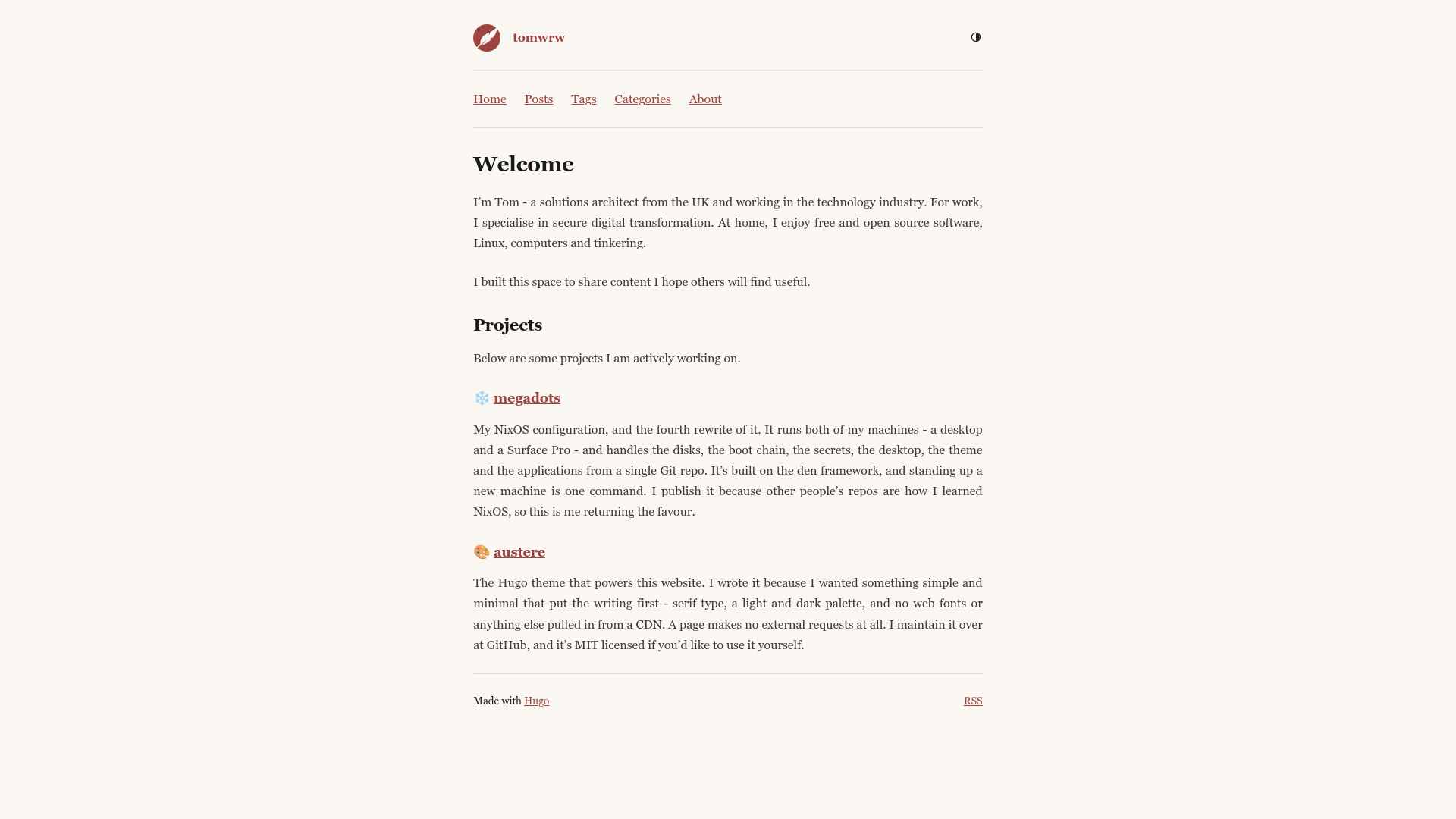
A readability-first Astro blog theme with serif typography, a warm paper palette, a pinned table of contents, and build-time KaTeX, code and diagrams.
About this template
AstroSage is a readability-first blog theme for the Astro framework, published to npm as the astro-sage integration, that turns Markdown and MDX content collections into a fully static site.
What is AstroSage?
AstroSage is an Astro integration that injects every route, component and style a long-form blog needs, so a site only supplies a config file and its content. It takes .md or .mdx posts from src/content/posts/ and pages such as about.md from src/content/pages/, and writes a plain static site to dist/ that deploys to Netlify, Vercel, GitHub Pages, Cloudflare, S3 or any server. It is built for Astro 7 with Tailwind CSS 4, MDX, Expressive Code, KaTeX and Pagefind. It is a fork of Sat Naing's AstroPaper, rebuilt as an integration by Chintak Sheth and released under the MIT license at github.com/chintak/astro-sage.
Key Features
- Reading typography — Newsreader (or Source Serif 4 / Literata) for body text plus JetBrains Mono for UI, self-hosted with metric-matched fallbacks that yield CLS 0, an 18.5px body size, a column clamped to 66–71 characters per line,
text-wrap: prettyand old-style figures. - Warm palette — warm paper in light mode and espresso in dark; every colour is a CSS variable in a single file and WCAG-checked.
- Pinned table of contents — a right rail at 1280px and wider that highlights the section currently being read, collapsing into an "On this page" block on smaller screens.
- Build-time math —
$…$and$$…$$delimiters rendered by KaTeX at build time, with no math JavaScript and KaTeX CSS loaded only on posts that use math. - Expressive Code blocks — Gruvbox theme, "hairline" 1px frames on the paper with no fill, titles, a language label, line numbers, high-contrast diff lines, collapsible sections, terminal frames and a copy button.
- Diagrams — Mermaid and Excalidraw (inline JSON, share links or files) rendered at build time in headless Chromium to inline SVG matching the palette, cached in
.sage-cache/diagrams/, with a zoom/pan viewer and wide or full breakout widths. - Wiki-links and series —
[[slug]],[[slug|text]]and[[slug#Heading]]resolve by slug, path or title, warning at build time when a target is missing, draft or scheduled;seriesfrontmatter generates a series index and "Part N of M" navigation. - Optional GitHub comments — utterances (GitHub Issues) or giscus (GitHub Discussions), loaded only when the section nears the viewport, synced with the light/dark toggle, and off by default.
- Static extras — Pagefind search, RSS, sitemap, generated OG images, reading time, archives, tags with post counts, native view transitions, share links for X, LinkedIn, Bluesky, Reddit, Hacker News and email, quote sharing as a browser-drawn 1200×630 card, and a folded "Cite this post" block with copyable BibTeX.
- Small payload — about 2.8 KB of gzipped JS on an article page, with Lighthouse desktop scores of 100/100/100/100.
Who is it for?
- Technical writers and engineers publishing long posts that mix prose, math, code and architecture diagrams.
- Existing Astro users who want a blog layer without writing route files — install the package, register the integration and define the collections.
- AstroPaper users migrating from
astro-paper.config.tstosage.config.ts. - Static-site maintainers who want comments without a server or database.
What can you do with AstroSage?
- Paper-reading notes: annotate a paper with KaTeX formulas, Mermaid flowcharts and citations, letting readers share a selected passage as a link or an image card.
- Multi-part tutorials: tag posts with a series name and get automatic index and previous/next part navigation.
- Cross-linked knowledge bases: reference other posts by slug or title with
[[slug]]links that fail loudly at build time when a target is missing.
How does AstroSage work?
Scaffold with pnpm create astro@latest my-blog --template chintak/astro-sage (Node 22.12+ and pnpm, since the template is a pnpm workspace), edit apps/demo/sage.config.ts, replace the posts, then run pnpm build to emit apps/demo/dist/. For an existing Astro site, add astro-sage from npm, list astroSage(sageConfig) in the integrations array of astro.config.ts, and export defineSageCollections from src/content.config.ts.
Pricing
AstroSage is free and open source under the MIT license, distributed on npm as astro-sage and versioned with SemVer and Changesets.
Alternatives
- AstroPaper — the theme AstroSage forks; it uses
astro-paper.config.tsand keepssrc/pages/files in your repo, where AstroSage injects routes itself.
FAQ
Is AstroSage free to use?
Yes. AstroSage is MIT-licensed, published to npm as astro-sage, and based on AstroPaper by Sat Naing. You can upgrade with pnpm update astro-sage; each release is also a git tag with notes in the package changelog and on GitHub Releases.
Do comments need a backend?
No. Comments use utterances or giscus, GitHub-backed widgets that run in the reader's browser, so there is no server or database. Readers sign in with GitHub, and you can disable comments per post with comments: false in frontmatter.
Do diagrams require a browser at build time?
Yes. Mermaid and Excalidraw render once during the build in headless Chromium (via Playwright) or an installed Chrome. The generated SVG is cached in .sage-cache/diagrams/; commit that folder and deploy builds need neither a browser nor network access.
Which Astro and Node versions does it need?
AstroSage targets Astro 7 with Tailwind CSS 4 and requires Node 22.12 or newer. The scaffolded template is a pnpm workspace containing the theme in packages/astro-sage and a demo site in apps/demo.
Can I change fonts and colours?
Yes. typography.serif accepts newsreader, source-serif-4 or literata, and all colours live as CSS variables in one file, already checked against WCAG contrast.