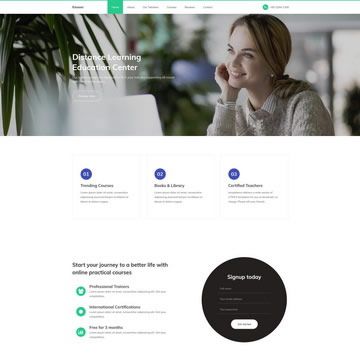
Template details
Construction Template
The Construction - free website template in blue color, W3C XHTML CSS validated
About this template
Construction Template (Templatemo 107) is a free, blue-colored HTML and CSS website template from Templatemo designed for construction and contracting company websites, distributed as editable XHTML/CSS source files.
What is the Construction Template?
Construction Template is a static website layout built with XHTML and CSS, released by the free template directory Templatemo. It provides a drop-in starting point for a construction business site, with a blue color scheme and W3C-validated markup. The template was added on 26 June 2009 and has been downloaded over 13,500 times from Templatemo's site. It accepts no user input; you download the ZIP, edit the HTML and CSS files, and upload them to any static web host. The page also includes a 'Live View' link so you can preview the template in the browser before downloading.
Key Features
- 100% free download — The template is free to download and use for both commercial and non-commercial websites, with no licensing fee stated on the page.
- W3C XHTML/CSS validation — The layout is built with XHTML and CSS and is explicitly described as W3C validated, making it standards-compliant for its era.
- Blue color scheme — The design uses a blue palette suited to construction industry branding, as shown in the official screenshot.
- Editable source code — You can edit the HTML and CSS files directly to change text, images, and colors; no build tools or frameworks are required.
- Live preview — A 'Live View' link lets you see the template rendered before downloading.
- ZIP download — The template comes as a ZIP file, as indicated by the 'Download 107 Construction ZIP file' button.
- Proven track record — The listing shows 56,954 views and 13,542 downloads, indicating it has been widely used since its release in 2009.
- Part of a larger collection — It is one of many free templates on Templatemo (numbered 107 in their series), with related templates like 106 Travel and 109 Web Design linked below.
Who is it for?
Construction companies and contractors who need a simple, professional-looking web presence without paying for a custom design. Freelance web designers who want a fast starting point for a client's site can download it, edit the XHTML and CSS, and deploy it to any static host. Small business owners in building, renovation, or trade services who want a no-cost brochure-style website with a blue corporate look. Because it is plain HTML/CSS from 2009, it's also a useful learning artifact for developers studying early XHTML layout techniques.
What can you do with the Construction Template?
- Building contractors: Launch a company website that introduces services and provides contact information, using the pre-built blue layout and editable sections.
- Web designers: Use the template as a base for a client project, customizing the HTML and CSS without the overhead of a modern JavaScript framework.
- Trades and renovation businesses: Create a simple online brochure with project photos and service descriptions, since the template supports a static page structure.
- Students learning web standards: Examine the W3C-validated XHTML and CSS to see how accessible static pages were structured in the late 2000s.
How does the Construction Template work?
The workflow is straightforward: click the 'Download' button to get the ZIP file, unzip it on your computer, open the HTML file in a text editor, and replace the placeholder content with your own text and images. Then upload the folder to any web server or static file host — no database, server-side processing, or special runtime is required. The live preview link on the Templatemo page shows exactly what you'll get before you download.
Pricing
The template is 100% free. Templatemo explicitly states that you may 'download, edit and use this Construction HTML CSS layout for your commercial or non-commercial sites.' There are no paid tiers or premium upgrades mentioned on the page.
Pros and cons
- Free and no license restrictions — Commercial use is allowed without a fee.
- Standards-validated markup — W3C validation means clean code for the era.
- Simple to deploy — No build steps or dependencies; just upload the static files.
- Older markup style — Uses XHTML rather than modern HTML5 and lacks responsive design features common in current templates.
- Limited built-in features — No CSS framework like Bootstrap or Tailwind, no JavaScript enhancements, and no admin panel; it's a static brochure design.
FAQ
Is the Construction Template really free?
Yes, Templatemo states the template is '100% free to download' and that you can use it 'for your commercial or non-commercial sites.' There is no fee or registration mentioned on the download page.
Can I use the Construction Template for a commercial project?
Yes, the page explicitly grants permission to use the template for commercial sites. It also asks that you share the template with friends, but it does not require attribution or a backlink.
What does the template include?
The download is a ZIP file containing the XHTML and CSS files needed to display the construction-themed layout. The template does not include a database, server-side scripts, or third-party libraries; the page also links separately to a contact form PHP script for adding a working form.
Does the Construction Template use a modern framework?
No, it is built with XHTML and CSS and validated to W3C standards from 2009. It does not use any JavaScript framework, CSS preprocessor, or build tool, so it's best for simple static sites.
How do I edit the template?
Download the ZIP, unzip it, and open the HTML and CSS files in any text editor. Replace the placeholder text and image paths with your own content, then save and upload the folder to your web host. No command-line tools are needed.