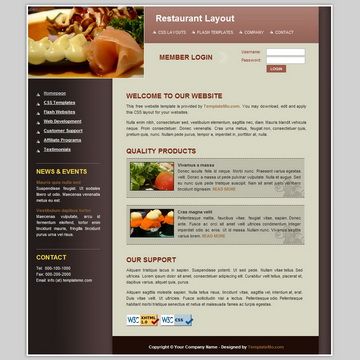
Template details
Fresh Coffee
A coffee shop landing page built with Next.js, Tailwind CSS, React Icons, and Framer Motion.
About this template
Fresh Coffee is a landing page template for a coffee shop, built on Next.js with Tailwind CSS, React Icons, and Framer Motion, and created by Emerson Carneiro da Silva following the CodeByTheo YouTube tutorials.
What is Fresh Coffee?
Fresh Coffee is a front-end landing page project for a coffee shop (cafeteria) that showcases a modern React-based stack. It is built on the Next.js framework and styled with Tailwind CSS, with iconography from React Icons and animations from Framer Motion. The project repository is public on GitHub, contains the full source code, and includes a screenshot of the finished page. It was developed from two YouTube tutorial videos published by the channel CodeByTheo.
Key Features
- Next.js framework — The site runs on Next.js, a React meta-framework that enables static generation and server-side rendering.
- Tailwind CSS styling — Layout and visual design are implemented with Tailwind CSS utility classes, allowing responsive styling without custom CSS files.
- React Icons integration — Icons are sourced from the React Icons library, giving the page a consistent and editable icon set for social and UI elements.
- Framer Motion animations — Motion effects such as scroll reveals and hover transitions are added with Framer Motion to enhance the browsing experience.
- Coffee-shop-specific design — The template is purpose-built for a café brand, and the repository screenshot shows the final single-page layout.
- Tutorial-based codebase — The code follows the CodeByTheo tutorial series, making it a practical example for learning how these tools work together.
Who is it for?
- Coffee shop owners — A ready-made landing page that can be deployed to give a café a polished web presence.
- Front-end developers — A real-world codebase to study how Next.js, Tailwind CSS, React Icons, and Framer Motion are combined.
- Students of the CodeByTheo tutorials — Anyone following along with the videos can use this repository as a reference or starting point for their own version.
What can you do with Fresh Coffee?
- Café entrepreneurs: Deploy the landing page to quickly launch an online presence for a new coffee shop, with animated sections and a modern design.
- Freelance developers: Fork the repository to create a similar one-page site for hospitality clients, adapting the copy, imagery, and colors.
- Aspiring front-end engineers: Study the code to understand how static generation, utility-first CSS, and animation libraries work together in a compact project.
FAQ
Is Fresh Coffee free to use?
The repository is public on GitHub, so anyone can view, download, and fork the code at no cost. No license is explicitly mentioned in the repository metadata, so check with the author or the original tutorial before using it commercially.
What does Fresh Coffee do?
Fresh Coffee is a landing page for a coffee shop. It presents the brand and atmosphere of a café as a single scrolling page, built with Next.js and styled with Tailwind CSS, React Icons, and Framer Motion.
Who created Fresh Coffee?
The project was created by Emerson Carneiro da Silva and was developed from two YouTube videos published by the CodeByTheo channel. The repository is available on Emerson's GitHub account.
Which technologies does Fresh Coffee use?
It uses Next.js for the React framework, Tailwind CSS for styling, React Icons for iconography, and Framer Motion for animations. These are also the project topics listed in the repository metadata.