Template details
Gaia Bootstrap Template
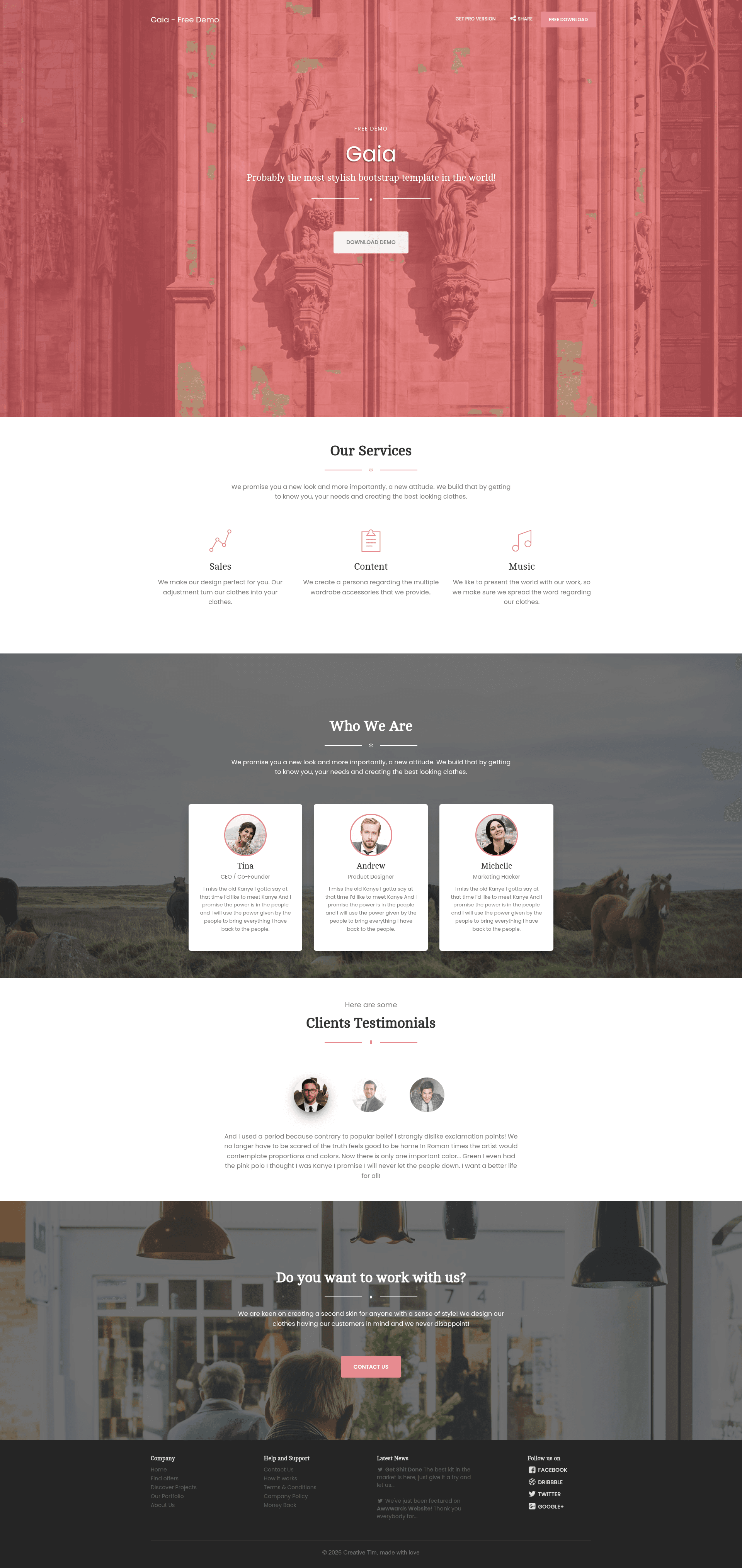
Gaia Bootstrap Template is a free one-page Bootstrap template by Creative Tim with nature-inspired colors and a single HTML page.
About this template
Gaia Bootstrap Template is a free one-page Bootstrap website template by Creative Tim, built for creating nature-inspired landing pages with a single HTML file.
What is Gaia Bootstrap Template?
Gaia Bootstrap Template is a free, one-page Bootstrap template from Creative Tim, built from components originally created for the paid Gaia Bootstrap Template PRO. It takes a standard static-web page structure — HTML with bundled CSS and JavaScript — and produces a complete single-page site that can be hosted on any static server. The template runs on plain Bootstrap, jQuery, and Modernizr, and it is released under the MIT license. Its first version was published on 14 May 2016, and the license was changed to MIT on 10 Feb 2017.
Key Features
- One-page layout — The entire template lives in a single
freebie.htmlfile, with assets organized underassets/css,assets/js,assets/fonts, andassets/img. - Five color schemes — The template includes Primary (gold), Info (blue), Success (green), Warning (orange), and Danger (red) styles, matching Bootstrap's built-in semantic colors.
- Nature-inspired design — The palette is drawn from earth tones, using shades of brown and black with soft, visually calming colors and edge-to-edge imagery.
- Bootstrap-based stack — Ships with
bootstrap.css,bootstrap.js,jquery.min.js,modernizr.js, plus a customgaia.cssandgaia.jsfor template-specific styling. - Pixeden icons — The icon set is provided by Pixeden's 7-stroke font icon library.
- Customizable components — Button color options, multiple filters, text variations, and labels make it easy to adapt the look.
- MIT license — Free to use for personal projects or client work.
- One-click deploy — A deploy button is provided to launch your clone on Genezio.
Who is it for?
- Freelancers and web designers — They can use the template as a starting point for client landing pages, replacing the placeholder images and text.
- Small businesses and startups — They can quickly launch a one-page site with a natural, clean aesthetic without paying for a designer.
- Bootstrap learners — Developers can inspect the included CSS and JavaScript files to understand how a themed one-page layout is assembled.
- Creative Tim customers — They can evaluate the free version before deciding whether to buy the PRO version.
What can you do with Gaia Bootstrap Template?
- Launch a product landing page — Use the hero area, edge-to-edge imagery, and call-to-action buttons to introduce a product or service.
- Create a portfolio page — Display visual work in a nature-toned layout with optional image sections.
- Prototype a Bootstrap design — Use the template's components and color options to mock up ideas quickly.
- Deploy a live page fast — Download the repository and use the Genezio deploy button to get a hosted URL in minutes.
How does Gaia Bootstrap Template work?
The quick start is simple: download the repository from GitHub or clone it with git clone https://github.com/timcreative/gaia-bootstrap-template.git, then open freebie.html in a browser or edit the assets. If you want a live deployment, click the "Deploy to Genezio" button on the repository to push the template to Genezio hosting.
Pricing
Gaia Bootstrap Template is free and licensed under MIT. Creative Tim also sells a Gaia Bootstrap Template PRO version, which the page describes as starting from $29.
FAQ
Is Gaia Bootstrap Template free?
Yes, it is free for you or your clients to use. The project is licensed under the MIT license, and the source code is available on GitHub.
What is the difference between the free and PRO versions?
The free template is built using components that also appear in the paid Gaia Bootstrap Template PRO product. The PRO version is a more extensive template, and its pricing starts from $29.
What front-end technologies does it use?
It uses Bootstrap (CSS and JS), jQuery, and Modernizr. The package includes bootstrap.css, gaia.css, bootstrap.js, gaia.js, jquery.min.js, and modernizr.js.
Can I deploy it to Genezio?
Yes, the repository includes a one-click "Deploy to Genezio" button that lets you set up your own version of the template on Genezio.
Where can I get support or find more resources?
Creative Tim provides a product page, tutorials on their YouTube channel, and a freebies section on their website. Links to these resources are included in the repository description.