Template details
Gatsby Material Design For Bootstrap
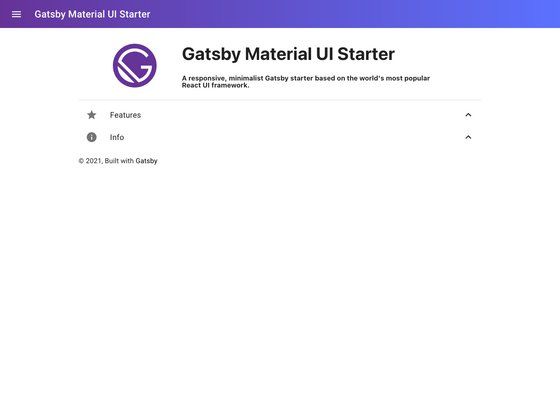
A Gatsby starter for scaffolding new sites with Material Design for Bootstrap's CSS framework and React components.
About this template
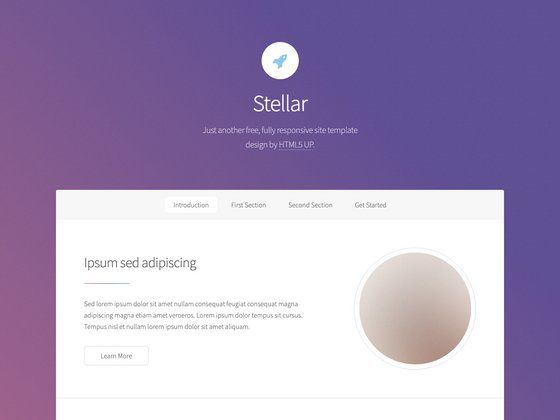
Gatsby Material Design For Bootstrap is a Gatsby starter — a ready-made boilerplate — that scaffolds a new Gatsby site pre-configured with the Material Design for Bootstrap (MDB) React CSS framework, so you can start building a responsive site after one installation command.
What is Gatsby Material Design For Bootstrap?
This starter, published as gatsby-starter-material-design-for-bootstrap, is a minimal Gatsby project skeleton that wires up the MDB React components and styles for you. You provide a project name, and it generates a local Gatsby site that renders with Material Design styling out of the box. It was created by Anna Morawska and is hosted on GitHub at github.com/anna-morawska/gatsby-starter-material-design-for-bootstrap.
Key Features
- Free for personal and commercial use — the starter carries no license restrictions on how you use the sites you build with it.
- Fully responsive — the MDB CSS framework includes responsive grid and utility classes, so layouts adapt to mobile, tablet, and desktop viewports.
- Gatsby-based — it relies on Gatsby's build system, including hot reloading during development and static site generation for production.
- Material Design for Bootstrap integration — it imports the MDB React framework, giving you access to Material Design styled components without manual setup.
- One-line installation — you can create a project with
gatsby new projectName https://github.com/anna-morawska/gatsby-starter-material-design-for-bootstrap.
Who is it for?
- Gatsby developers — want a ready-made starting point with a specific CSS framework instead of configuring Webpack and dependencies by hand.
- Front-end beginners — want to experiment with Gatsby and Material Design without first learning the full setup process.
- Freelancers and agencies — need a fast way to spin up a small responsive site for a client without paying for a commercial theme.
What can you do with Gatsby Material Design For Bootstrap?
- Launch a marketing site: scaffold a project and immediately add MDB components like cards, buttons, and navbars to build a responsive landing page.
- Prototype an app UI: use the starter as a base for a React application with Material Design styling, then replace the default content with your own views.
- Learn Gatsby and MDB: study the starter's minimal file structure to see how Gatsby and Material Design for Bootstrap integrate in practice.
How does Gatsby Material Design For Bootstrap work?
First, install the Gatsby CLI. Then run gatsby new projectName https://github.com/anna-morawska/gatsby-starter-material-design-for-bootstrap from your terminal. Gatsby clones the repository, installs dependencies, and creates a new project directory. To start developing, run gatsby develop; Gatsby starts a local development server with hot reloading.
FAQ
Is Gatsby Material Design For Bootstrap free?
Yes, the starter is free for personal and commercial use, as stated in the repository's feature list. That means you can build client projects with it and charge for your work.
What do I need before installing it?
You need a Node.js environment with the Gatsby CLI installed. The installation command uses the Gatsby CLI to clone the starter from GitHub, so both Gatsby and Git are required.
How do I create a new project with this starter?
Run gatsby new projectName https://github.com/anna-morawska/gatsby-starter-material-design-for-bootstrap in your terminal. Replace projectName with the directory name you want Gatsby to create for the new site.
Does this starter include a blog or e-commerce features?
No. The repository describes itself as a simple starter, and its pages list only the MDB CSS framework integration and responsive layout as features. You add your own pages and components on top of the base Gatsby structure.