Template details
Flask-Vercel Hackpack
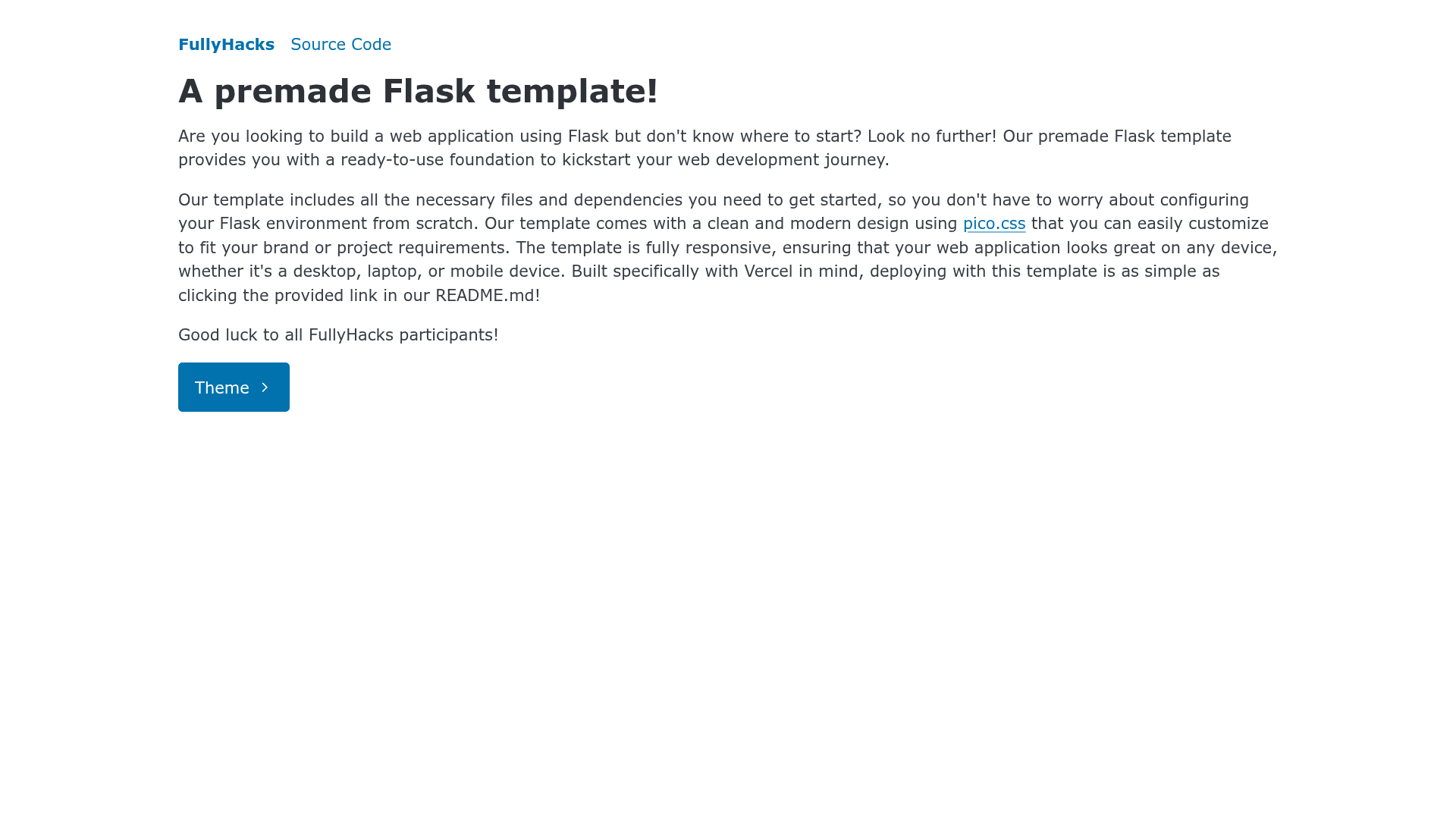
A premade Flask template for deploying Python web apps to Vercel, part of the FullyPacks GitHub template collection.
About this template
Flask-Vercel Hackpack is a GitHub template from the acmcsufoss FullyPacks collection that scaffolds a minimal Flask web application configured for one-click deployment to Vercel. It is a boilerplate, not a full-featured site: it gives you a Flask entry point under api/index.py, a requirements.txt for dependencies, and README instructions for both automatic and manual deployment.
What is Flask-Vercel Hackpack?
Flask-Vercel Hackpack is a premade Flask template maintained by ACM CSUF Open Source Society as part of the FullyPacks repository set. It takes a blank Flask project and packages it for Vercel's serverless platform, so the output is a deployable Python web app. The template itself has no frontend framework or styling; it focuses on getting Flask running on Vercel with minimal setup.
Key Features
- One-click Vercel deployment — The README links to
https://vercel.com/new/clone?repository-url=https://github.com/acmcsufoss/hackpack_flask_vercel/, which imports the repository directly into Vercel. - GitHub template workflow — Clicking "Use this template" on the repo page generates a new project, and the manual deploy path is
https://vercel.com/new. - Local development instructions — The README covers Python 3.7 or later, creating a virtual environment with
python3 -m venv venv, activating it on Linux (source venv/bin/activate) and Windows (.\venv\Scripts\activate), and installing dependencies withpip install -r requirements.txt. - Flask debug runner — The app starts locally with
flask --app api/index.py run --debug, making the entry point theindex.pymodule inside theapifolder. - FullyPacks curation — It is one of many
fullypack_*repositories in the acmcsufoss GitHub organization, discoverable by searching for the prefixfullypack_. - Minimal structure — The template includes only the essentials: Flask app code, dependencies file, and deployment/run instructions without extra pages or components.
Who should use Flask-Vercel Hackpack?
- Hackathon participants — Quickly scaffold a Flask backend and deploy it to Vercel with the one-click button instead of wiring up deployment from scratch.
- Python developers new to Flask — Use the template as a clean starting point that separates the Flask app (
api/index.py) from the deployment setup. - Students in programming clubs — Get a working web app deployed to a public URL by following the README's local run and Vercel steps.
What can you do with Flask-Vercel Hackpack?
- Hackathon teams: Create a Flask API endpoint and deploy it to Vercel in one click, then iterate locally with the debug server.
- Club members: Use the template as a first deployment exercise — create a virtual environment, install dependencies, run the app locally, then push to Vercel manually.
- Flask learners: Experiment with routes and request handling in
api/index.pywhile relying on the provided deployment configuration for publishing.
How does Flask-Vercel Hackpack work?
The template works by combining a standard Flask project layout with Vercel's expected api/ directory structure. To run locally, you install Python, create and activate a virtual environment, install requirements.txt, then start the server with flask --app api/index.py run --debug. To deploy, you either click the Vercel clone link for automatic setup or use the GitHub template to create a repo and import it at https://vercel.com/new.
FAQ
Is Flask-Vercel Hackpack free to use?
Yes, the template is published on GitHub as a public repository under the acmcsufoss organization, and Vercel offers a free tier for deploying personal projects. The README links directly to Vercel's new project flow, which handles deployment.
What Python version do I need?
The README states Python 3.7 or later is required. The local setup commands use python3 and pip inside a virtual environment.
How do I deploy this to Vercel automatically?
Open the automatic deployment link in the README (https://vercel.com/new/clone?repository-url=https://github.com/acmcsufoss/hackpack_flask_vercel/), sign in to Vercel, and follow the import prompts. Vercel clones the repository and deploys the Flask app.
How do I run the app locally?
Clone or download the template, open the folder in VSCode, create a virtual environment with python3 -m venv venv, activate it, run pip install -r requirements.txt, then start the server with flask --app api/index.py run --debug. The debug flag enables live reloading.