Template details
Gatsby Tailwind Serif
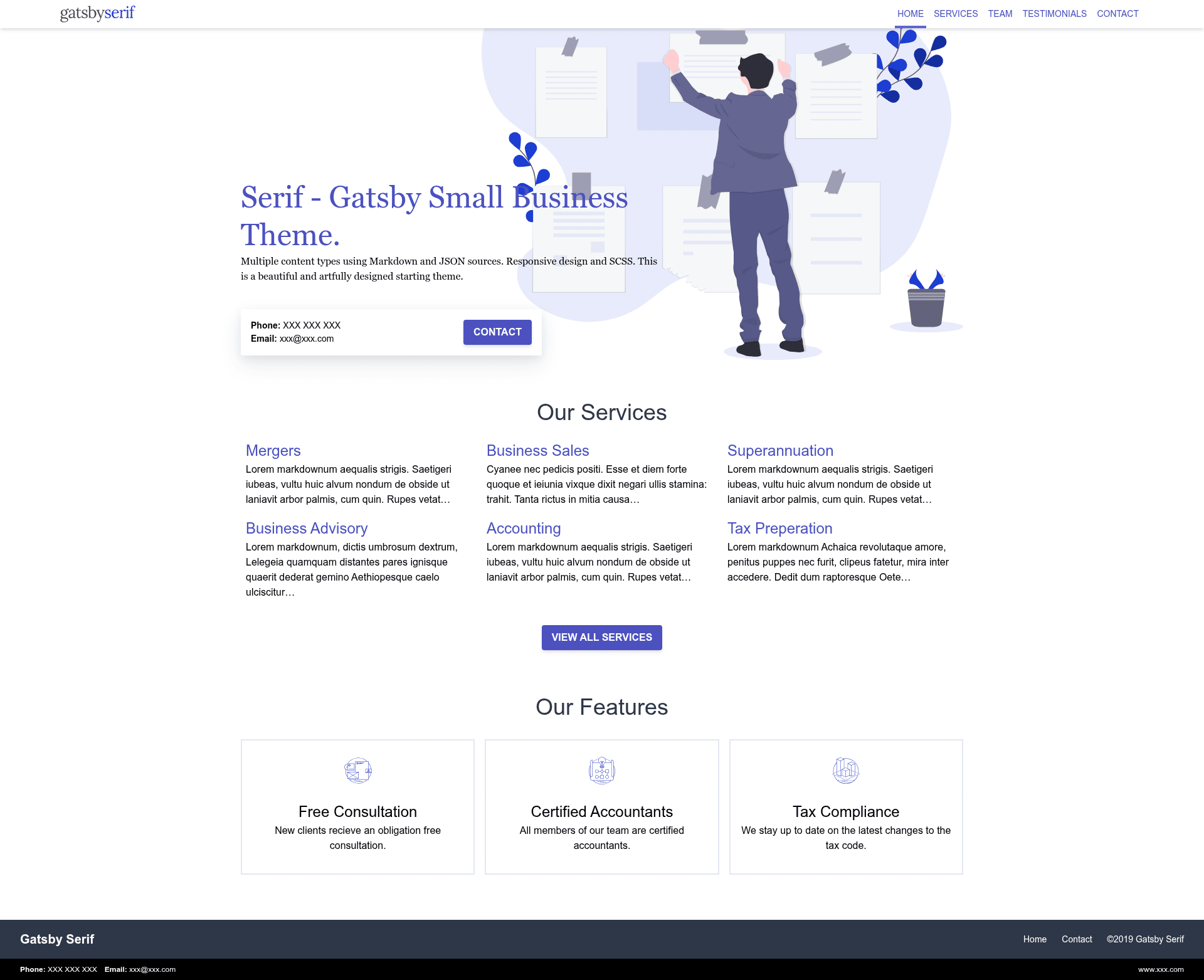
A Gatsby theme rewriting the Gatsby Serif Theme with Tailwind CSS for a serif-typography static site.
About this template
Gatsby Tailwind Serif is an open-source Gatsby theme that rewrites the original gatsby-serif-theme by JugglerX using Tailwind CSS for styling. It takes Gatsby's content-based project structure and outputs a static website with a serif typography style, with every visual element handled through Tailwind utility classes. The theme is published on GitHub under an MIT license, provides a live demo on Netlify, and its repository had 27 stars at the time of this analysis.
What is Gatsby Tailwind Serif?
Gatsby Tailwind Serif is a Gatsby theme that reimplements the Gatsby Serif Theme (originally by JugglerX) with Tailwind CSS for all styling. It takes Gatsby's file-based content and produces a static website where every visual element is defined through Tailwind utility classes. The theme is distributed on GitHub under an MIT license, and a live demo is deployed on Netlify.
Key Features
- Tailwind CSS integration — All styling is done with Tailwind utility classes, so there are no separate CSS files and you can customize design tokens directly in the Tailwind config.
- Based on Gatsby Serif Theme — The structure follows JugglerX's original theme, making it a drop-in alternative for that theme's users.
- Gatsby theme architecture — As a true Gatsby theme, it can be installed as a package and supports component shadowing, allowing you to override files without forking the repo.
- Static site output — Because it's built with Gatsby, the production build produces static HTML, JavaScript, and CSS files suitable for any static host.
- MIT license — Free to use, modify, and redistribute for personal or commercial projects.
- Live demo — A working example is hosted on Netlify, letting you preview the typography and layout before installing.
Who is it for?
- Gatsby developers who want a serif-styled theme without building the styling from scratch; they can install the theme and override components using Gatsby's shadowing mechanism.
- Designers and content creators who prefer a serif typeface and want to tweak layout via Tailwind's responsive utility classes.
- Maintainers of the original gatsby-serif-theme who want to see how a Tailwind rewrite compares to a traditional CSS implementation.
What can you do with it?
- Launch a new static site quickly — clone the repository, install dependencies, and run Gatsby's development server to start editing content in Markdown or other Gatsby-source plugins.
- Experiment with Tailwind in Gatsby — use this theme as a reference for combining Tailwind's utility-first CSS with Gatsby's component model.
- Customize the design — adjust the Tailwind configuration to change fonts, colors, and spacing across the whole site without editing CSS.
Alternatives
- Gatsby Serif Theme — the original theme by JugglerX that this project is based on; it uses traditional CSS instead of Tailwind.
FAQ
Is Gatsby Tailwind Serif free?
Yes, the project is licensed under the MIT license, so you can use it for free in personal and commercial projects, modify it, and distribute your own versions as long as you keep the copyright notice.
What is the difference between Gatsby Tailwind Serif and Gatsby Serif Theme?
Gatsby Tailwind Serif uses Tailwind CSS for styling, while the original Gatsby Serif Theme uses regular CSS. The underlying Gatsby structure and serif aesthetic remain similar, so you can compare the two codebases to see how utility-first styling differs.
Can I customize the fonts?
Yes, because the theme uses Tailwind CSS, you can modify the Tailwind configuration file to change the serif font stack, base font size, and other typography-related design tokens.