Template details
Guitar Book
Open Source, Gatsby theme, mobile and SEO friendly with PWA for building guitar/song books.
About this template
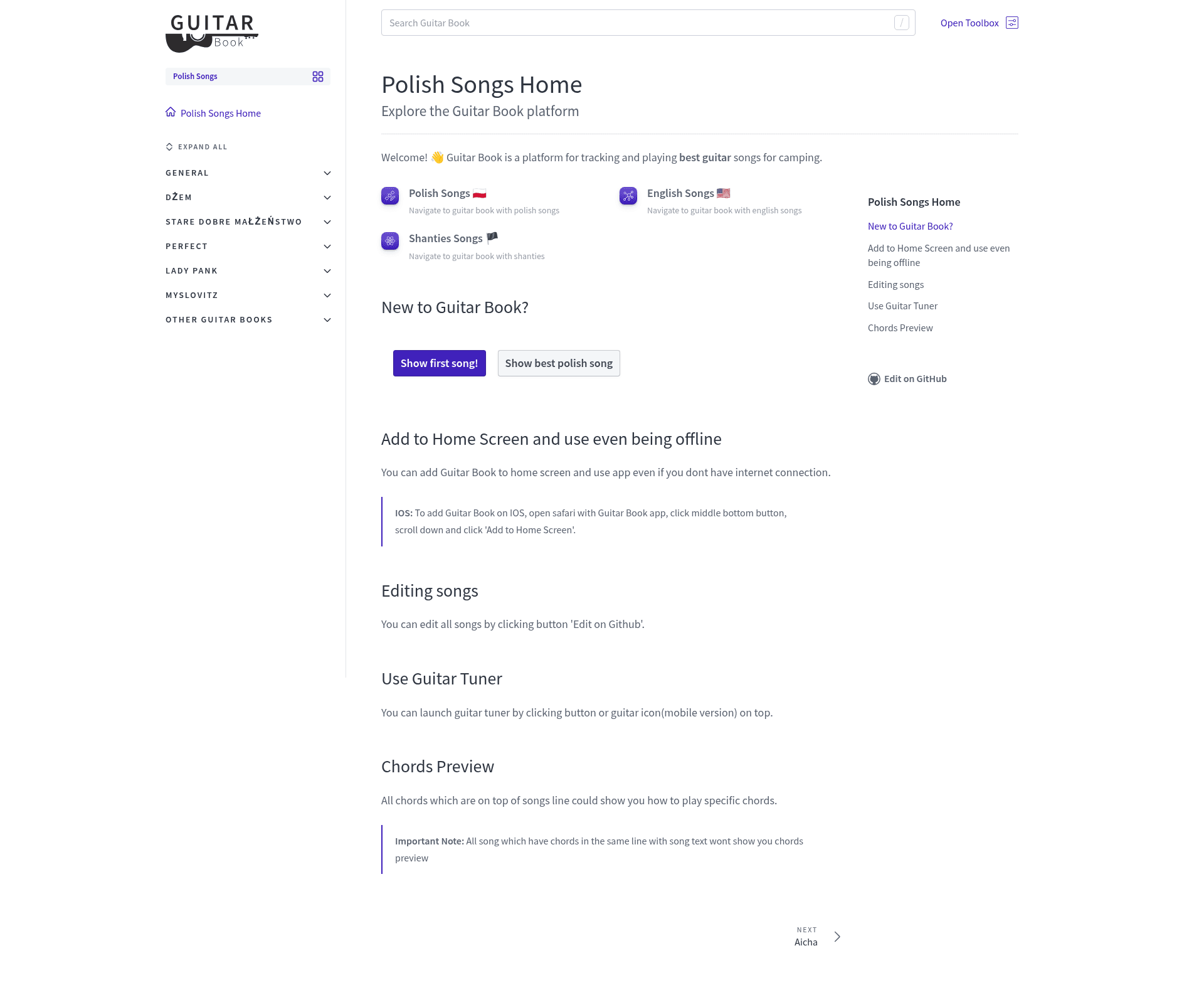
Guitar Book is an open-source Gatsby theme that turns Markdown and MDX song files into a mobile-friendly guitar songbook website with chord charts, lyrics autoscroll, YouTube embeds, and PWA offline support.
What is Guitar Book?
Guitar Book is a configuration-based Gatsby theme that generates a guitar songbook website from a series of Markdown or MDX files. It takes song files with frontmatter (title, description, YouTube link) and optional MDX content using the exported Verse component, and produces a static site with a sidebar organized by categories, full-text search, and chord previews. The theme is maintained by Jozwiaczek (Jakub Jóźwiak) and is available on npm as gatsby-theme-guitar-book; three demo books (Polish, English, and Shanties songs) are published via Netlify.
Key Features
- Plug and Play — Install
gatsby-theme-guitar-bookand configure it through a singlegatsby-config.jsoptions object; no custom React code is required for basic use. - PWA offline support — The generated site works offline and can be added to a phone or desktop home screen.
- SEO friendly — Includes configurable site name, description, page titles, Twitter handle, and OpenGraph tags.
- Lyrics autoscroll — Song pages include an autoscroll feature for following lyrics while playing.
- Chord mapping and preview — Chords placed above lyric lines are mapped to a visual preview showing how to play them.
- YouTube video per song — Add a
ytLinkin frontmatter and the theme embeds the music video on the song page. - Full-text search — The site includes search that covers all songs.
- Google Analytics and AdSense — Optional
gaTrackingIdandadSenseoptions integrate both services.
Who is it for?
- Guitar teachers and hobbyist musicians — publish a personal songbook with chords and lyrics for students or campfire sessions.
- Local music communities — maintain a shared, free repository of songs in a specific language or genre, like the demo Polish, English, and shanties books.
- Band or choir webmasters — post chord sheets, lyrics, and YouTube references in a clean, mobile-friendly format.
What can you do with Guitar Book?
- Create a structured songbook — Organize songs under arbitrary sidebar categories (e.g., by artist) using the
sidebarCategoriesoption, with uncategorized pages under thenullkey. - Build song pages with MDX — Use the exported
Versecomponent to format lyrics with chord symbols on top, andExpansionPanelto hide extra instructions or tabs. - Deploy a multi-book network — Use the
pathPrefixandnavConfigoptions to run several connected songbooks (e.g., /english, /polish, /shanties) under one domain. - Customize branding via component shadowing — Override the theme's SEO or layout components to swap in a custom favicon, logo, or color scheme.
How does Guitar Book work?
After installing the theme and peer dependencies (gatsby, react, react-dom), you add song files as Markdown or MDX in a content directory (configurable via contentDir). Each file can define title, description, ytLink, and an optional slug in frontmatter; page URLs are derived from the file paths relative to contentDir. The theme reads those files at build time, generates static pages, and applies the sidebar categories and navigation defined in gatsby-config.js. The README notes that at least one .md and one .mdx file must exist for the build to succeed.
FAQ
Is Guitar Book free?
Yes. Guitar Book is open source, hosted on GitHub, and distributed as a free npm package (gatsby-theme-guitar-book). The demo songbooks are deployed on Netlify's free tier.
What do I need to install to use the theme?
You need gatsby-theme-guitar-book plus its peer dependencies: gatsby, react, and react-dom. The theme is installed via npm install gatsby-theme-guitar-book or yarn add.
Can I change the colors and logo?
Yes. Guitar Book supports Gatsby component shadowing, which lets you override the theme's components, including the SEO component and layout elements. The README shows a custom SEO component example and notes you can customize elements like the logo or color scheme.
What are the required configuration options?
The root (must be __dirname), siteName, description, and sidebarCategories options are required. All other options like subtitle, gaTrackingId, youtubeUrl, navConfig, and adSense are optional.
Does the site work on mobile?
Yes. The theme is described as "Mobile, Tablet and Desktop friendly" and the generated site is a PWA that works offline and can be installed to a home screen on phones and desktops.