Template details
hugo-menu
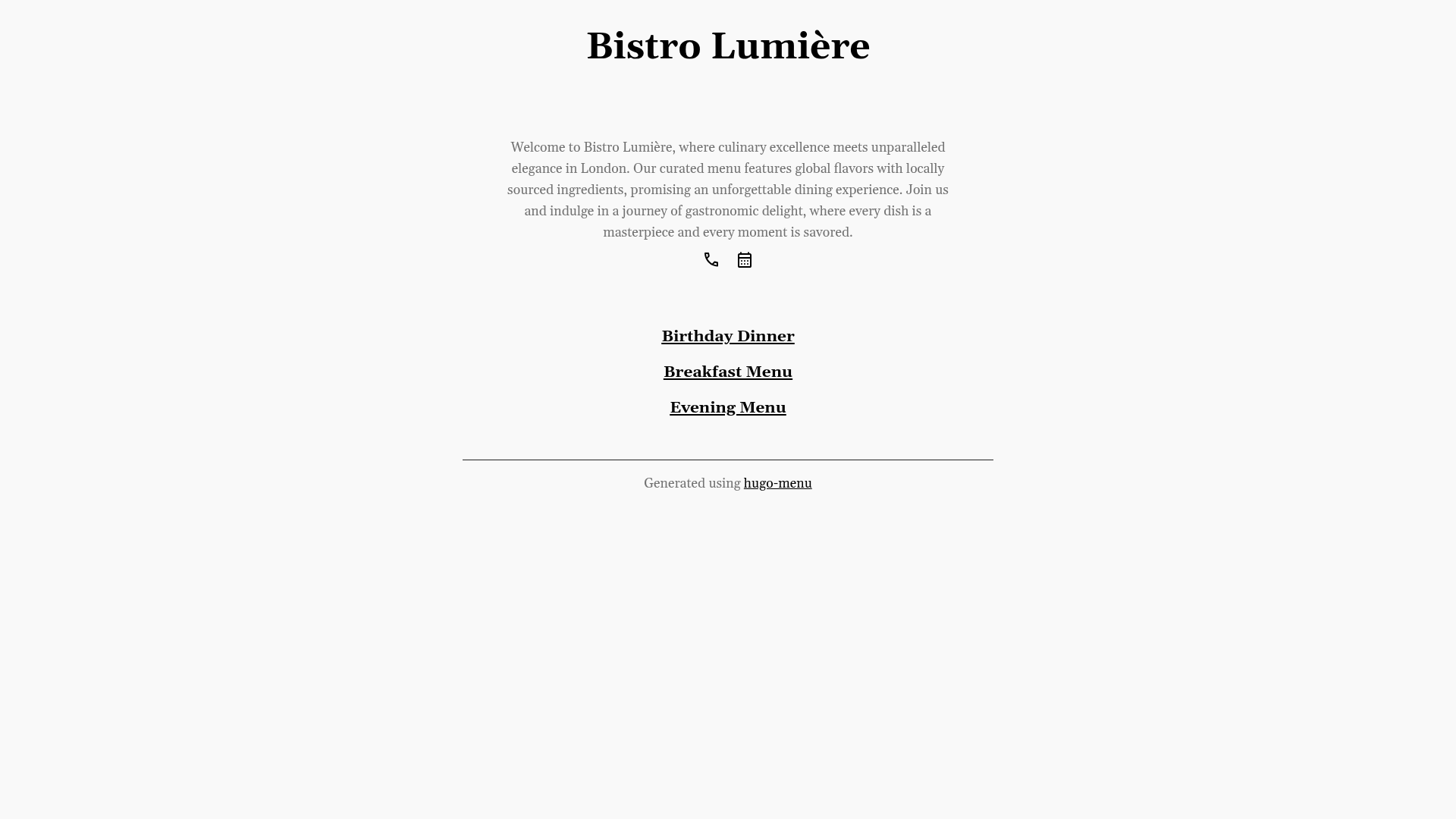
A Hugo template for individuals, restaurants and cafes to create menu websites with Markdown.
About this template
hugo-menu is a Hugo-based template that generates a static menu website for restaurants, cafes, and individuals from Markdown files with front matter.
What is hugo-menu?
hugo-menu is a theme for Hugo, the static site generator, that outputs a menu layout as plain HTML. It takes menu items written as Markdown content and renders them through Hugo's templating system. The repository works both as a theme installed into an existing Hugo site and as a standalone starter site when using the included exampleSite. The build process produces only static files, so no database or server-side application is required.
Key Features
- Dynamic Content: Menu items live in Markdown files with front matter, so adding a dish or updating a price is a file edit rather than a CMS operation.
- Flexible Layout: Hugo's templating system separates markup from content, letting you change the menu's structure and style by editing template files.
- Easy to Deploy: After customization,
hugobuilds a static site that can be copied to any web host or static hosting platform. - Example Site: The repository ships with
exampleSite, which can be run in place withhugo server --source=exampleSite --theme=../..without installing the theme globally. - Local Development Server: Hugo's built-in server supports live reload; run
hugo serverand openlocalhost:1313in your browser to preview changes instantly.
Who is it for?
- Restaurant owners who want a simple, updateable menu page and prefer editing text files over maintaining a CMS.
- Cafe managers who need a lightweight online menu where daily specials can be changed in a Markdown editor.
- Hugo developers who need a minimal, real-world starting point for a menu or hospitality site and want to iterate quickly using the exampleSite.
What can you do with hugo-menu?
- Restaurants: Publish a full menu by writing Markdown files for each category, letting Hugo assemble the final HTML layout.
- Cafes: Update prices and dishes quickly by editing front matter variables in existing Markdown files, then redeploying the static output.
- Developers: Use the exampleSite as a sandbox to experiment with the theme's templates and see changes immediately through Hugo's live-reload server.
How does hugo-menu work?
Write menu content as Markdown files with front matter that defines each item's name, description, price, and grouping. Place the files in Hugo's content directory and run hugo server for local preview or hugo to generate a deployable public folder. For development of the theme itself, the exampleSite command runs the site from the repo directory without a separate installation step.
FAQ
Does hugo-menu need a database?
No. Hugo compiles Markdown content into static HTML, so there is no database to install, query, or back up. The entire site is a set of files in the public directory after building.
How do I run hugo-menu locally?
Ensure Hugo is installed, then run hugo server from the project root. The site becomes available at localhost:1313 and auto-reloads whenever you save changes to content or templates.
Can I deploy hugo-menu to any hosting provider?
Yes. The build output is static, so you can upload the public folder to any web server, shared host, or static hosting platform. No special server-side runtime is needed.
Is hugo-menu a theme or a standalone site?
Both. It is structured as a Hugo theme, and the included exampleSite lets you run it as a standalone site for preview or development without first installing it into a separate Hugo project.