Template details
Impact Hugo
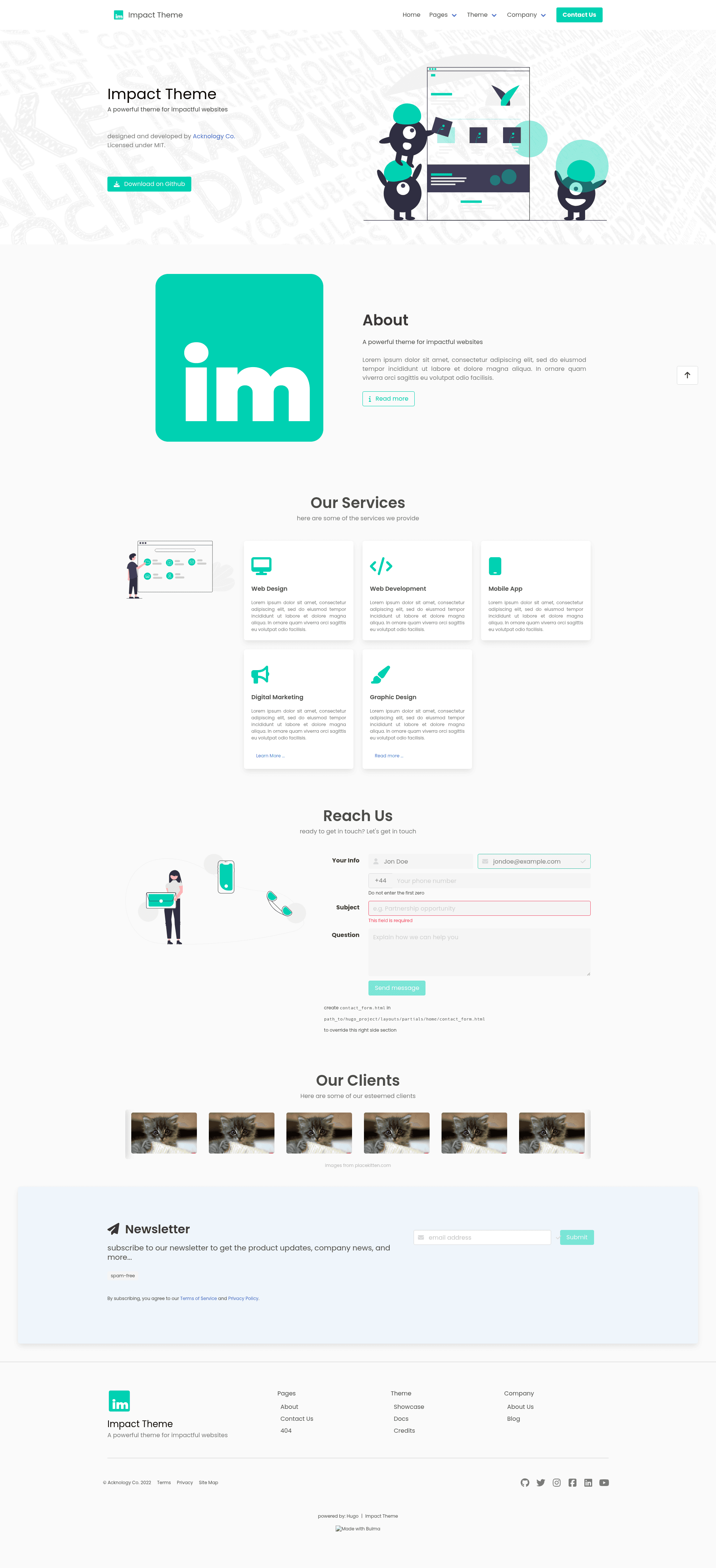
Minimalistic company landing page theme for Hugo, built with Bulma CSS.
About this template
Impact Hugo is a minimalistic Hugo theme built with the Bulma CSS framework, designed to produce elegant company landing pages from Markdown content and a single config file.
What is Impact Hugo?
Impact Hugo is a free, open-source Hugo theme created by Acknology Co. (copyright 2022). It takes a Hugo site's Markdown content and configuration and outputs a static, minimalist landing page styled with Bulma. The theme focuses on a clean, simple presentation for company websites and includes options for footer text, privacy and terms pages, social media links, Google Analytics, and custom icons.
Key Features
- Bulma-based design — Styled with the Bulma CSS framework for a responsive, modern look without a heavy dependency on JavaScript.
- Company landing page purpose — Built specifically as a "beautiful and elegant" company landing page theme, not a general-purpose blog or portfolio theme.
- Configurable footer — The footer title and subtitle are set in the Hugo config, and optional links to privacy and terms pages can be added.
- Social media icons — Add links to GitHub, Twitter, or other platforms using Font Awesome icon names in the config.
- Search engine options — Google Analytics ID and robots.txt generation are supported through standard Hugo parameters.
- Output minification — Can enable Hugo's built-in minifier with tdewolff HTML options to keep the site's HTML compact.
- Flexible installation — Install as a git submodule into the
themes/directory, or clone and run via the provided docker-compose server. - MIT licensed — Free to use and modify, with the license text included in the repository.
Who is it for?
- Companies that need a simple, professional landing page to present their business and links.
- Hugo developers looking for a minimal starting point that uses Bulma and is easy to customize.
- Small teams or individuals who want a lightweight static site with social media integration and a clean footer.
What can you do with Impact Hugo?
- Create a company landing page: Set the site title, footer text, and social links in the config file to launch a static page hosted anywhere Hugo deploys.
- Add legal pages: Configure
privacyPageandtermsPagepaths in the config to link to privacy and terms pages in the footer. - Customize the theme: Use the example
config.ymlorconfig.tomlas a starting point, and modify the Bulma styling to match your brand.
How does Impact Hugo work?
The theme is installed by adding the repository as a git submodule into the themes/ directory. After that, you configure the site in config.yml or config.toml, setting parameters like the icon, footer, and social URLs. For local development, the repository includes a docker-compose file that serves the site at http://localhost:1313 when run with the included command.
FAQ
Is Impact Hugo free?
Yes, Impact Hugo is released under the MIT License, so you can use, modify, and redistribute it freely. The full license text is available in the repository.
What CSS framework does Impact Hugo use?
Impact Hugo uses Bulma, a modern CSS framework based on Flexbox. The theme's styles are built on Bulma's classes, giving a clean, responsive layout without any JavaScript dependencies.
Can I add social media links to my site?
Yes, the theme supports a social array in the config. You can add entries for GitHub, Twitter, or other platforms, specifying a Font Awesome icon name and URL for each.
Does Impact Hugo support Google Analytics?
Yes, you can set a Google Analytics ID (e.g., UA-XXXXX-X) in the Hugo config. The theme will include the standard tracking code.
How do I run the theme locally?
Clone the repository and run the docker-compose command from the README, then navigate to http://localhost:1313. Alternatively, you can use Hugo's built-in server if you have Hugo installed.