Template details
jekyll-theme-mint
A clean and responsive Jekyll theme designed for legibility and accessibility.
About this template
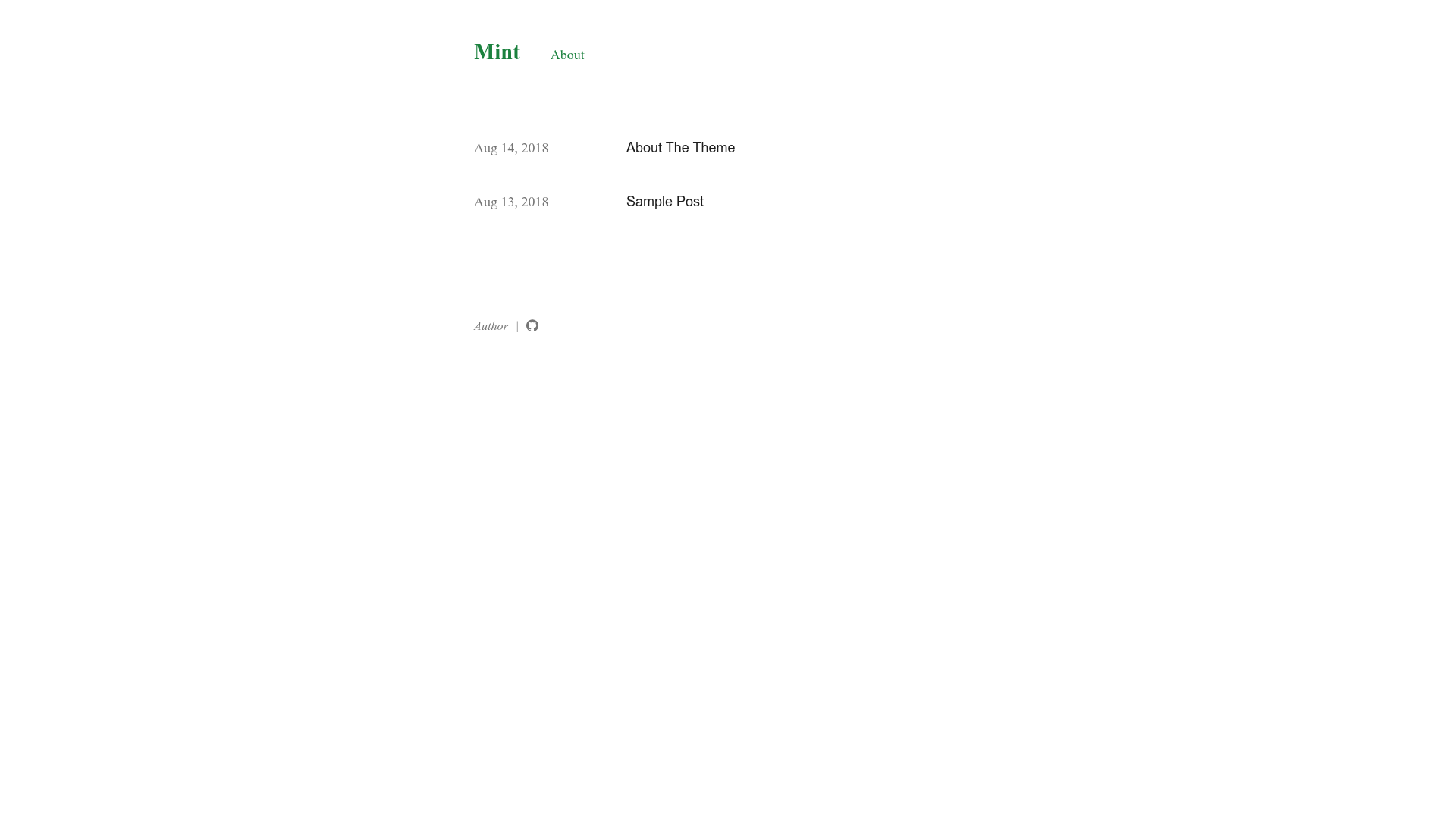
jekyll-theme-mint is a clean and responsive Jekyll theme designed for legibility and accessibility, distributed as a Ruby gem so you can add it to any Jekyll-powered blog.
What is jekyll-theme-mint?
jekyll-theme-mint is a Jekyll theme packaged as a Ruby gem. It takes a standard Jekyll site (Markdown posts, pages, and a _config.yml file) as input and outputs a static blog with a responsive layout, configurable light/dark/auto themes, and typography tuned for readability. The theme runs wherever Jekyll runs and is installable by adding a single line to your Gemfile and setting theme: jekyll-theme-mint in _config.yml.
Key Features
- Light, dark, and auto themes — Set blog_theme in _config.yml to "light", "dark", or "auto" to let the theme follow the visitor's system and browser preference.
- Customizable accent colors — Configure light-theme-accent-color and dark-theme-accent-color separately in _config.yml to adjust accent colors per mode.
- Social link integration — Add GitHub, Twitter, Facebook, and Dribbble usernames in _config.yml to display those links in the theme.
- Disqus comments — Enable comments site-wide with a Disqus shortname, or disable per post by adding comments: false to the post's front matter.
- Google Analytics — Add a Google Analytics tracking ID in _config.yml to enable analytics.
- Customizable date format — Set date_format in _config.yml to control how post dates are displayed (for example, "%b %-d, %Y").
- Footer page links — Set is_footer: true in a page's front matter to display that page's link in the footer instead of only the header.
- Responsive and legible layout — The theme is explicitly designed for legibility, accessibility, and responsiveness across devices.
Who should use jekyll-theme-mint?
Bloggers and writers who want a clean, readable Jekyll blog with minimal configuration. Developers who publish to GitHub Pages and need a lightweight theme that can be installed as a gem. Site owners who want dark mode, Disqus, and Google Analytics without writing custom code. Anyone who wants an open-source theme that can be modified under the MIT License.
What can you do with jekyll-theme-mint?
- Personal bloggers — Publish Markdown posts with a legible reading experience and optional comments via Disqus.
- GitHub Pages users — Host a responsive blog using GitHub Pages with automatic theme switching for visitors.
- Portfolio sites — Use the theme's pages and footer links to showcase work, with light/dark modes tailored to your accent colors.
How does the theme work?
Add the gem to your Gemfile and run bundle install. In _config.yml, set the theme to jekyll-theme-mint and customize options like blog_theme, accent colors, social links, date format, Disqus, and Google Analytics. For a test run, execute bundle exec jekyll serve and open http://localhost:4000.
Pricing
jekyll-theme-mint is free and open source, released under the MIT License.
Alternatives
minima, the default Jekyll theme that ships with new Jekyll sites.
FAQ
Is jekyll-theme-mint free?
Yes. The theme is open source under the MIT License, so you can use, modify, and distribute it freely, including for commercial projects.
How do I install jekyll-theme-mint?
Add gem "jekyll-theme-mint" to your Gemfile and set theme: jekyll-theme-mint in _config.yml, then run bundle install. You can also install the gem directly with gem install jekyll-theme-mint.
Does the theme support dark mode?
Yes. Set blog_theme to "dark" for a fixed dark theme, "light" for a fixed light theme, or "auto" to switch based on the visitor's system and browser settings.
Can I use this theme on GitHub Pages?
Yes, because it is a standard Jekyll theme installable as a gem, it works on GitHub Pages when configured through the Gemfile and _config.yml.