Template details
Kinde Next.js Starter
A Next.js authentication starter template using Kinde, TypeScript, and TailwindCSS.
About this template
Kinde Next.js Starter is a boilerplate template that wires Kinde authentication into a Next.js application, giving developers a deploy-ready foundation for adding login and logout with TypeScript and Tailwind CSS.
What is the Kinde Next.js Starter?
The Kinde Next.js Starter is a starter kit that combines the Next.js framework with Kinde's authentication service. It takes your Kinde application keys—domain, client ID, and client secret—as environment variables and outputs a working Next.js project with authentication routes pre-configured. The template is maintained by Kinde's starter-kits team on GitHub and is designed for quick deployment to Vercel, with a live demo hosted at kinde-nextjs-starter.vercel.app.
Key Features
- Next.js framework — built on Next.js, so you get React rendering, file-based routing, and API routes out of the box.
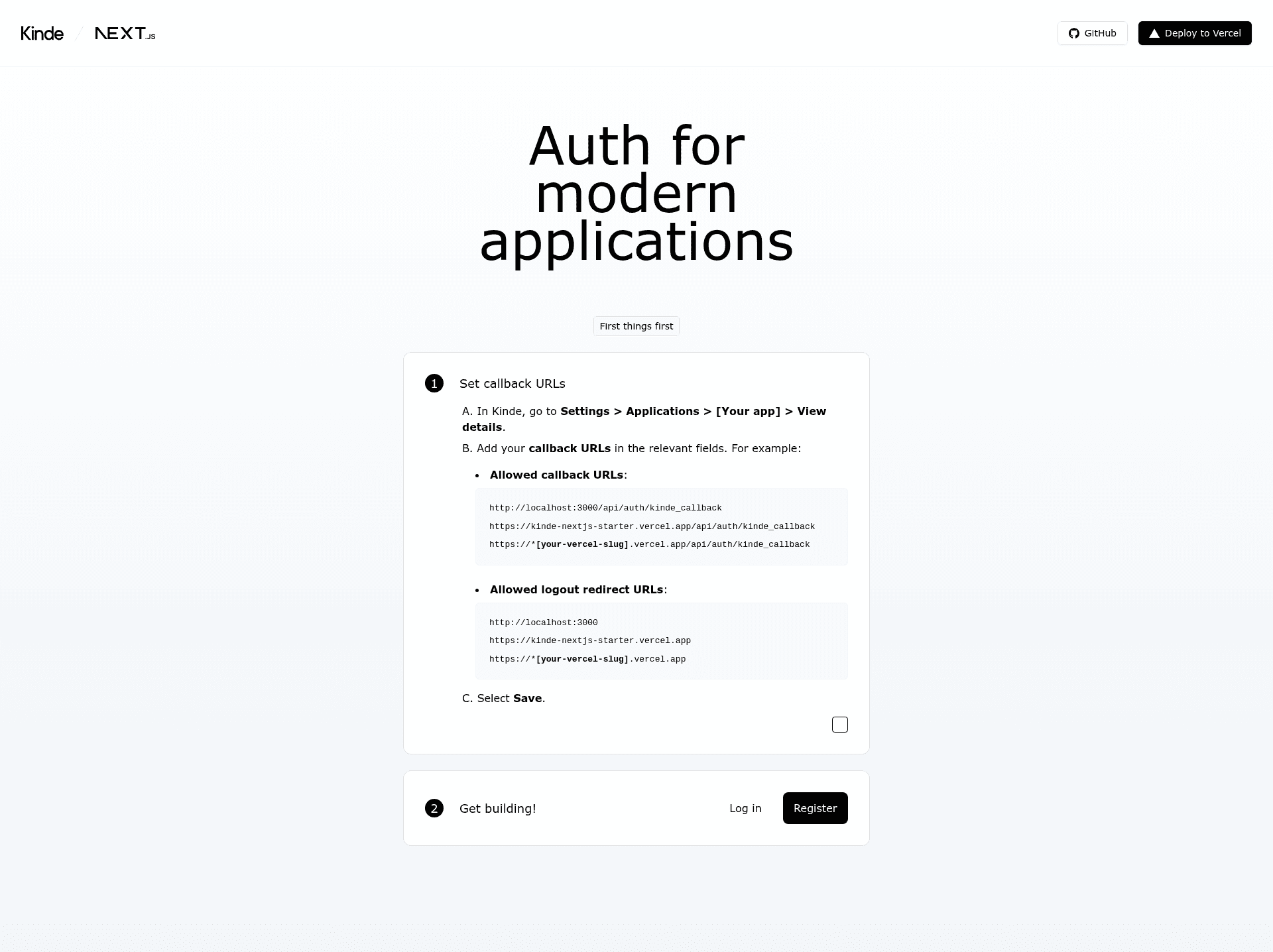
- Kinde authentication — pre-wired to Kinde with a callback API route at /api/auth/kinde_callback and support for logout redirects.
- TypeScript — written in TypeScript for static type checking across the codebase.
- Tailwind CSS — styled with Tailwind CSS for utility-first, responsive styling without leaving your markup.
- One-click Vercel deploy — a deploy button that clones the repository, prompts for the required Kinde environment variables, and deploys directly to Vercel.
- Local development instructions — includes a .env.local.example file and npm commands (npm run install, npm run dev) for running the project locally.
Who is it for?
- Developers starting a new Next.js project who want authentication set up from the first commit.
- Founders building an MVP who need a quick, deployable app with login and logout to test a product idea.
- Teams standardizing on Kinde who want a reference implementation of Kinde auth in Next.js with TypeScript and Tailwind CSS.
What can you do with the Kinde Next.js Starter?
- Deploy a live demo fast: use the Vercel deploy button to spin up a production URL, then plug in your Kinde keys to see authentication working in minutes.
- Learn Kinde's Next.js integration: follow the callback URL configuration steps to understand how Kinde handles login, logout, and session callbacks.
- Use as a project base: clone the repository and build your own features on top of a starter that already has authentication, TypeScript, and Tailwind wired together.
How does the Kinde Next.js Starter work?
The setup flow is described in the repository's README. You create a Kinde account, add a back-end web application, and copy its domain, client ID, and client secret. Then you either deploy to Vercel with the one-click button or clone the repo and run it locally. Finally, you add the allowed callback URLs and logout redirect URLs to your Kinde app settings, both for localhost and your Vercel deployment.
FAQ
What environment variables does the Kinde Next.js Starter need?
The template requires three environment variables: KINDE_CLIENT_ID, KINDE_CLIENT_SECRET, and KINDE_ISSUER_URL. These come from your Kinde application's App keys section. For local development, you fill them into the .env.local.example file.
What is the Kinde callback URL?
The callback URL is /api/auth/kinde_callback. You must add this path to your Kinde application's Allowed callback URLs, both for http://localhost:3000 in local development and for your Vercel production URL after deployment.
Can I run the Kinde Next.js Starter locally?
Yes. Clone the repository, set up your Kinde application with localhost callback URLs, copy the environment variables into a .env.local file based on the .env.local.example, then run npm run install and npm run dev to start the development server.