Template details
Megakit
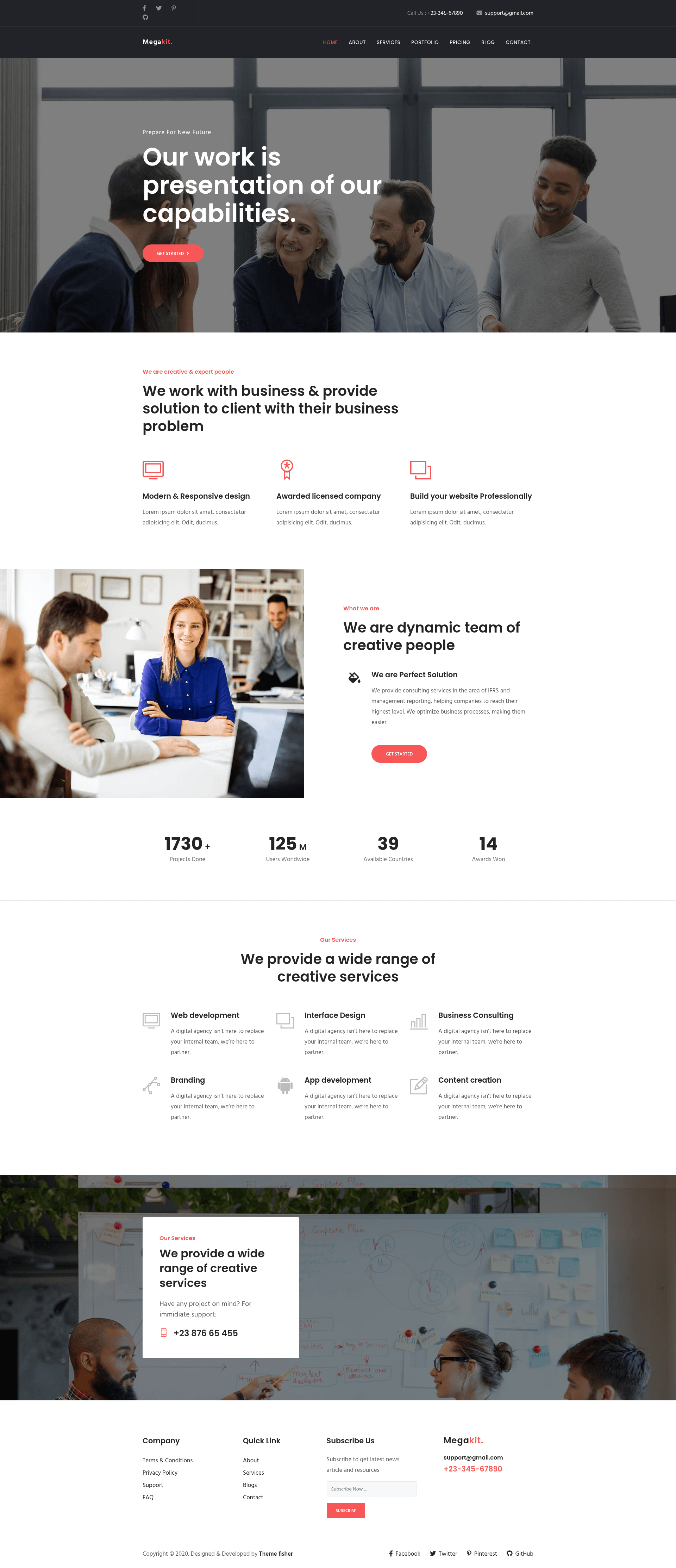
Megakit is a business Hugo template with pre-built pages, a blog, and a contact form, adapted from Bootstrap.
About this template
Megakit is a business website template for Hugo that ships with pre-built pages, a contact form, and a blog, adapted from a Bootstrap agency theme.
What is Megakit?
Megakit is a business template built with the Hugo static site generator. It takes Hugo content files as input and produces a static business website as output. The template was originally the Megakit Bootstrap agency template by Themefisher and was converted to Hugo by CloudCannon. The project requires Hugo version 0.87.0 or newer, and is available on GitHub under a license derived from the original MIT-licensed theme. Note that the template is no longer actively maintained, though it remains available for reference and learning.
Key Features
- Contact form — A working contact form is included for visitor inquiries.
- Pre-built pages — The template comes with multiple ready-made pages such as an about page, services page, and more.
- Pre-styled components — Useful UI components are pre-built and styled, saving design time.
- Blog with pagination and category pages — A full blog is included with pagination and category support.
- Configurable footer — The footer content can be changed without editing code.
- Optimised for editing in CloudCannon — The template is set up for simple content editing in the CloudCannon CMS, including a data-driven company details section.
The site runs on Hugo and uses Bootstrap for styling. The template is designed to be deployed on CloudCannon or served locally with the hugo server command.
Who is it for?
- Agencies — Use Megakit to quickly launch a portfolio or service-based website with minimal setup.
- Small businesses — Set up a business site with a blog and contact form to attract customers.
- Developers — Use the template as a starting point for a Hugo project, and take advantage of CloudCannon's editing workflow.
What can you do with Megakit?
- Launch a business website — Deploy the template to CloudCannon in one click and begin customizing pages and content.
- Maintain a company blog — Publish posts with pagination and category pages to organise content.
- Customize site-wide details — Edit company information in one place in the Data/Company section, which is reused across the site.
How does Megakit work?
To run locally, install Hugo and execute hugo server in the project directory. For a hosted site, use the Deploy to CloudCannon button to connect the GitHub repository to CloudCannon, which automatically builds and publishes the site. Editing in CloudCannon allows you to update pages, components, posts, company details, and footer elements through a content management interface.