Template details
nextjs-themes
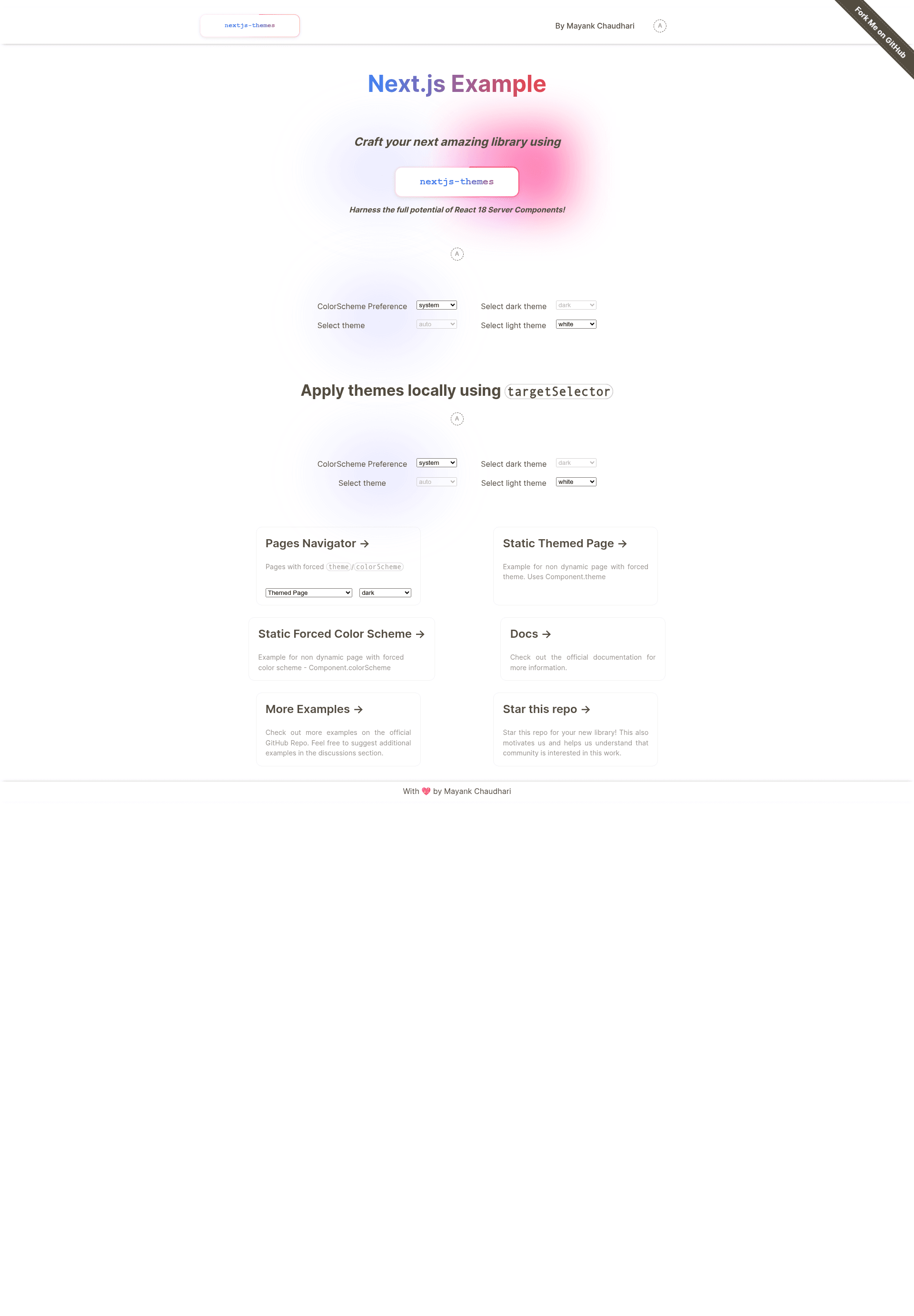
Dark mode and theming library for Next.js 13/14 with React Server Components support, no provider wrapper, no flash on load.
About this template
The nextjs-themes library is a theming and dark-mode solution for Next.js 13 and 14 apps that uses React 18 Server Components and eliminates the need for a provider wrapper around the entire application.
What is nextjs-themes?
nextjs-themes is an open-source npm package for adding dark mode and multi-theme support to Next.js applications built with the app directory (appDir). It consumes your theme preference (system, light, dark) and produces theme state, class names, and data attributes on the document, and exposes a useTheme hook for runtime control. The library is created by Mayank Kumar Chaudhari under the react18-tools organization and is licensed under MPL-2.0.
Key Features
- Provider-free theming — Works without wrapping your app in a ThemeProvider, unlike next-themes, so React Server Components can be used directly.
- No flash on load — Prevents incorrect theme display for SSR, SSG, ISG, and Server Components.
- Tree-shakeable imports — Import from
nextjs-themes/client/componentto keep bundle size small; a lite version (nextjs-themes-lite) is also available with r18gs as a peer dependency. - TypeScript support — Full type definitions are included; API is documented with TypeDoc at react18-tools.github.io/nextjs-themes.
- Multiple selectors — Sets class,
data-th,data-color-scheme, anddata-cspattributes for flexible dark/light and color-scheme styling. - System preference detection — Uses
prefers-color-schemeand syncs theme across tabs and windows. - CSS-in-JS compatible — Works with Tailwind CSS, styled-components, emotion, and Material UI; for Tailwind, set
darkMode: "class"in tailwind.config.js.
Who is it for?
- Next.js 13/14 appDir developers who want dark mode without restructuring their app around a provider.
- React Server Components users who need client-side theme state isolated in a component while keeping server rendering.
- Tailwind CSS users who want class-based dark mode using the
dark:variant with the default"dark"class. - Teams managing multiple themes who need data-attribute selectors for styling variants without CSS variables.
What can you do with nextjs-themes?
- Add dark mode quickly: Add two lines of code — set
darkMode: "class"in Tailwind and usedark:classes — and the library handles theme switching. - Style multiple theme variants: Use
data-thanddata-color-schemeattributes to write CSS for light/dark and color-scheme combinations. - Force a theme per page: Set forced themes for individual pages while keeping the rest of the app on user preference.
- Build theme-aware components: Use the
useThemehook withresolvedThemeandresolvedColorSchemeto change styles at runtime based on the resolved system preference.
FAQ
Do I need to use CSS variables with this library?
No. You can hard-code values for every class, as shown in the README: write normal CSS selectors and then override them with [data-theme="dark"] .my-class rules.
Why are resolvedTheme and resolvedColorScheme necessary?
They reflect the System theme preference so your UI can show "system" when that preference is active. resolvedTheme also lets you adjust behavior or style at runtime, for example by choosing a background color based on the resolved theme.
Is nextjs-themes free?
Yes. The library is open-source and released under the MPL-2.0 license. You can also sponsor the author through GitHub Sponsors.
How does nextjs-themes compare to next-themes?
nextjs-themes was inspired by next-themes but does not require wrapping your entire application in a provider, which makes it compatible with React Server Components. It also adds selectors like data-csp and color-scheme theming.
What Next.js versions are supported?
The library supports Next.js 13 and Next.js 14 with the appDir feature. Version 3.0 introduced minor API changes along with performance improvements and fixes, and a migration guide is provided in the repository.
Alternatives
- next-themes — the original library that inspired nextjs-themes; it requires a provider wrapper around the app, which prevents direct use of React Server Components for theming.
Pricing
nextjs-themes is free and open source under the MPL-2.0 license. The author offers paid courses and sponsorship, but the package itself has no pricing tiers.