Template details
Nuxt Content Template
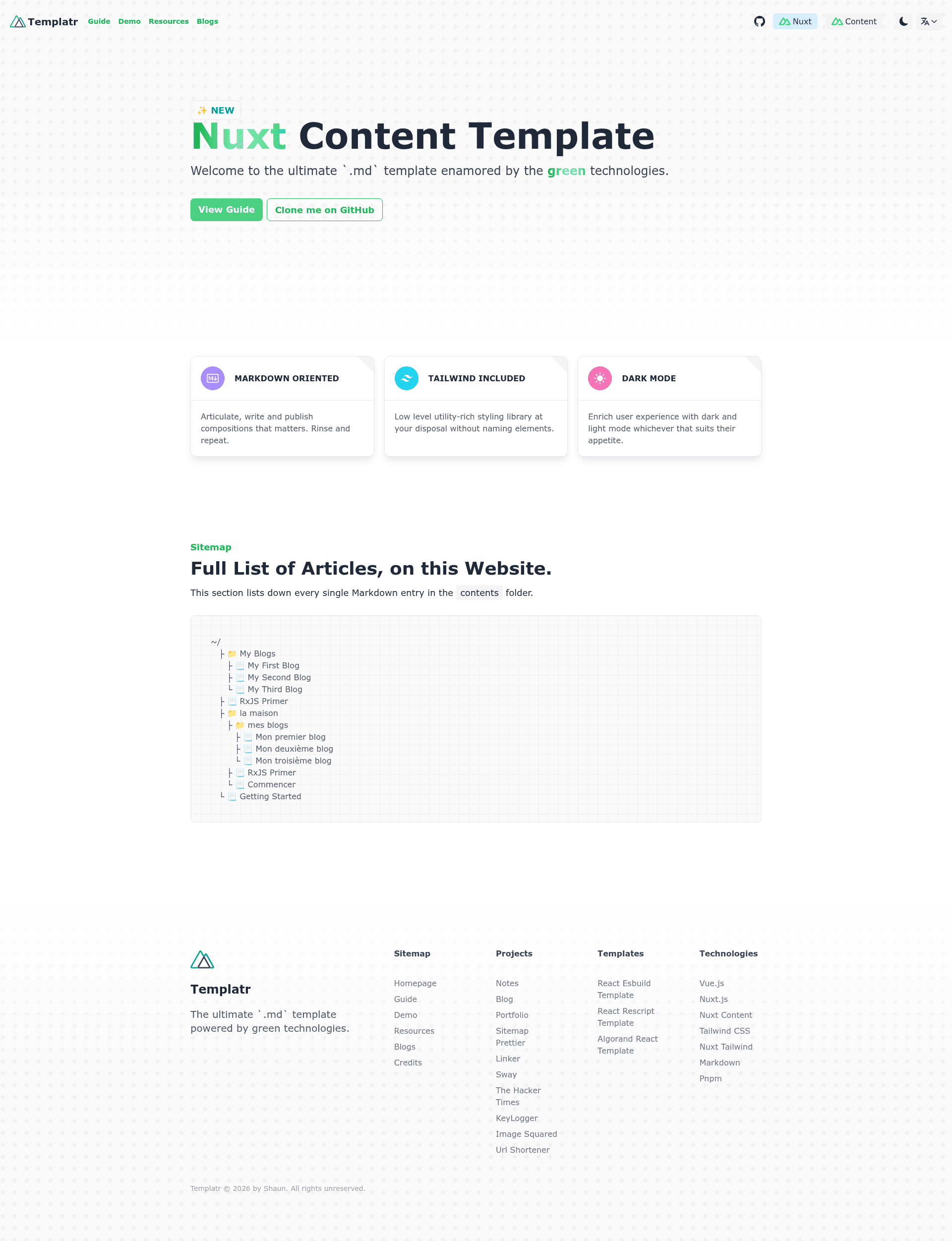
An opinionated Nuxt Content template built for markdown blogs and documentation with TailwindCSS.
About this template
Nuxt Content Template is an open-source, opinionated Nuxt 3 starter boilerplate built around Nuxt Content and TailwindCSS for generating markdown-based static websites such as blogs and documentation.
What is Nuxt Content Template?
It is a ready-to-use Nuxt 3 project from developer data-miner00 that turns Markdown files into a statically generated website. It pairs Nuxt Content (v2.7.0) with Vue 3, TypeScript, TailwindCSS, and a fixed Nuxt version (3.6.1) to avoid breaking static site generation. The template outputs a site with preconfigured SEO, i18n, dark mode, and image optimization, and you can see a live demo on Netlify and a real deployment on notes.mumk.dev.
Key Features
- Markdown articles — write content as Markdown files that Nuxt Content automatically loads and renders as pages.
- LaTeX math support — through remark-math and rehype-mathjax, so you can embed math and chemical equations in articles.
- Internationalization (i18n) — built-in with @nuxtjs/i18n for multilingual sites.
- Dark mode — powered by @nuxtjs/color-mode with a toggle and system preference detection.
- TailwindCSS styling — utility-first styles plus Sass support for custom styling.
- Static-site generation — run
pnpm generateto produce a fully static site; Nuxt SEO Kit generates sitemap.xml and robots.txt automatically. - Image optimization — via @nuxt/image with automatic compression and responsive formats.
- Vue utilities — VueUse hooks and VueUse Motion for animations, plus a custom 404 page and fast loading times.
- Developer tooling — supports Node 18 and Node 20, and includes typo checking through externally installed typos CLI.
Who is it for?
- Developers building personal blogs — publish Markdown articles with code blocks that have line numbers, copy buttons, and syntax highlighting.
- Technical writers — create documentation sites with multi-language support, SEO metadata, and a clean reading experience.
- Educators or researchers — author math-heavy content using embedded LaTeX for equations, including chemical equations.
- Hobbyists — quickly scaffold a custom static site without configuring Nuxt modules, Vue components, and Tailwind from scratch.
What can you do with it?
- Launch a multilingual blog: write posts in several languages and let the i18n setup serve localized routes.
- Publish math-oriented notes: use LaTeX blocks to render formulas and chemical reactions in Markdown.
- Generate a documentation hub: structure guides and reference pages as Markdown, with automatic sitemap and robots.txt for SEO.
- Deploy anywhere static: build with
pnpm generateand host the output on Netlify, GitHub Pages, or any static host.
How does the template work?
Clone the repository, install dependencies with pnpm, and run pnpm dev for local development. Before generating a static site, copy .env.example to .env and set NUXT_PUBLIC_SITE_UR to your production domain, then run pnpm generate to produce the static output.
FAQ
Can I upgrade Nuxt and Nuxt Content?
No. The template pins Nuxt to 3.6.1 and Nuxt Content to 2.7.0; the author warns that updating these versions breaks static site generation.
Is Nuxt Content Template free?
Yes, it is distributed under the MIT License.
Which Node versions are supported?
Node 18 and Node 20; the lockfile was generated with Node v20.9.0.
Does the template include dark mode?
Yes, dark mode is implemented with @nuxtjs/color-mode and works with TailwindCSS.
What output does pnpm generate produce?
It creates a fully static site with pre-rendered HTML, a sitemap.xml, robots.txt, optimized images, and SEO metadata.