Template details
Paper Kit 2 PRO
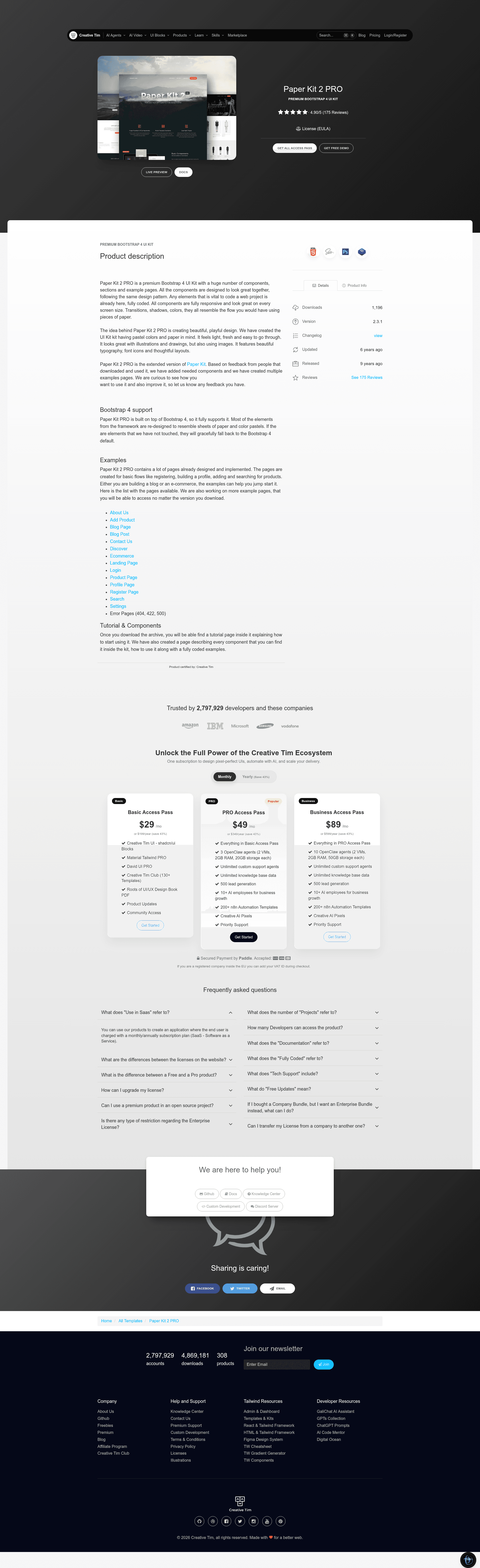
Paper Kit 2 PRO is a premium Bootstrap 4 UI kit from Creative Tim with components, example pages, and a Gulp build workflow.
About this template
Paper Kit 2 PRO is a premium Bootstrap 4 user interface kit by Creative Tim that ships with a large set of ready-to-use components, sections, and example pages for building playful, paper-styled websites.
What is Paper Kit 2 PRO?
Paper Kit 2 PRO is a premium Bootstrap 4 UI kit created by Creative Tim (the team behind Material Kit and Paper Dashboard). It takes the free Paper Kit and adds more components, extra example pages, and a Gulp-based customization workflow, outputting a complete HTML/CSS/JS project you can edit and recompile. The design uses pastel colors and paper-inspired transitions, shadows, and typography to give sites a light, fresh feel.
What makes Paper Kit 2 PRO stand out?
- Bootstrap 4 foundation — The kit is built on Bootstrap 4 and includes custom SCSS source files under assets/scss/paper-kit so you can recompile the styles to match your brand.
- 18 example pages — The examples folder contains 18 ready-made pages: login, register, landing, profile, settings, ecommerce, product-page, add-product, discover, search-with-sidebar, blog-posts, blog-post, about-us, contact-us, 404, 422, 500, and twitter-redesign.
- Rich JavaScript components — Bundled JS includes bootstrap-datetimepicker, bootstrap-select, bootstrap-switch, bootstrap-tagsinput, jasny-bootstrap, noUiSlider, and PhotoSwipe, plus jQuery UI 1.12.1.
- Gulp build workflow — The download includes gulpfile.js and package.json; run npm install, then gulp compile-scss for one-time compilation or gulp watch for live recompilation, and gulp open-app to launch the presentation page.
- Nucleo icons — Includes Nucleo Icons CSS and font files for iconography without a separate icon library.
- Documentation and support — Full documentation is hosted on Creative Tim's site, with a changelog and GitHub Issues channel for bug reports.
- Multiple platform versions — Separate HTML and Angular versions are listed in the README, plus a Photoshop design kit.
Who should use Paper Kit 2 PRO?
- Front-end developers who need a polished UI kit with prebuilt components and a Gulp SCSS pipeline to start coding a website without designing every element from scratch.
- Designers and agencies producing client websites can use the consistent paper-style design system and example pages as a base, then change brand colors and content.
- Startups building MVPs can assemble landing, login, register, and dashboard-like pages quickly from the included examples to validate a product look and feel.
What can you do with Paper Kit 2 PRO?
- Launch a marketing site: Combine the landing, about-us, contact-us, and blog-posts pages to create a cohesive company website with a distinctive paper aesthetic.
- Prototype an online store: Use the ecommerce, product-page, add-product, discover, and search-with-sidebar pages to map out a product catalog and browsing experience.
- Cover authentication and errors: The register, login, 404, 422, and 500 pages give you a complete set of auth and error states with matching styling.
How does Paper Kit 2 PRO work?
Download the zip, make sure Node.js is installed, run npm install in the folder where package.json lives, then use the Gulp commands. gulp compile-scss compiles the SCSS files once, gulp watch picks up changes as you edit the .scss files, and gulp open-app opens the presentation page in your browser.
Pricing
Paper Kit 2 PRO is a paid premium product; the README describes it as premium and links to a Creative Tim download page and license agreement, but it does not state a specific price. A free Paper Kit with fewer components is also available from Creative Tim.
Alternatives
For a lower-cost starting point, the free Paper Kit from Creative Tim offers a smaller component set and fewer example pages with the same paper design language.
FAQ
Is Paper Kit 2 PRO free?
No. Paper Kit 2 PRO is marketed as a premium product with a paid license. Creative Tim also offers the free Paper Kit, which contains a smaller set of components and examples.
What does Paper Kit 2 PRO run on?
It is a static HTML/CSS/JS kit built on Bootstrap 4. You can host it on any static server or integrate it into a backend, and an Angular version is available as a separate product.
Can I customize the colors in Paper Kit 2 PRO?
Yes. The README explains that branding colors live in assets/scss/paper-kit/_variables.scss and can be changed with HEX values or predefined variables, then recompiled using gulp compile-scss.
What example pages are included in Paper Kit 2 PRO?
The file structure shows 18 pages in the examples folder, including login, register, landing, profile, settings, ecommerce, product-page, add-product, discover, search-with-sidebar, blog-posts, blog-post, about-us, contact-us, 404, 422, 500, and twitter-redesign.
Does Paper Kit 2 PRO have documentation?
Yes, the README links to full documentation hosted at demos.creative-tim.com/paper-kit-2-pro/docs/1.0/getting-started/introduction.html.