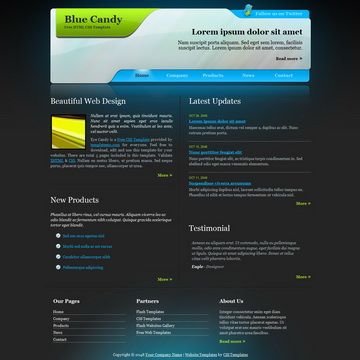
Template details
Pico Landing Page
Landing Page Jekyll theme built with Pico.css for lightweight GitHub Pages sites
About this template
Pico Landing Page is a minimal Jekyll theme for creating fast, single-page landing sites, styled with the Pico.css classless CSS framework and deployable to GitHub Pages by setting a remote_theme in your repository config. The theme is published as nathanclevenger/landingpage on GitHub and requires no build step beyond Jekyll's standard static-site generation.
What is Pico Landing Page?
Pico Landing Page is a Jekyll theme that turns a plain GitHub repository into a styled landing page. It takes a _config.yaml file containing the remote_theme: nathanclevenger/landingpage line as its main input, and produces a static HTML landing page styled with Pico.css. The theme runs on GitHub Pages' built-in Jekyll support, so you do not need to install Jekyll locally. It was created by Nathan Clevenger and has 3 stars on GitHub at the time of writing.
Key Features
- One-line remote theme install — Add
remote_theme: nathanclevenger/landingpageto your repository's_config.yamlto activate the theme. - Pico.css styling — Uses the classless Pico.css framework, which styles semantic HTML elements automatically without requiring custom class names.
- GitHub Pages native — Works directly with GitHub Pages; push your config and content to the branch used for Pages, and the site builds automatically.
- Small page structure — The theme is designed for landing pages, keeping the HTML and CSS output minimal, which reduces page weight and speeds up loading.
- Single-page focus — There is no blog or documentation layout; the output is concentrated on a single landing view.
Who is it for?
- Open-source developers — Launch a clean landing page for a project by adding a config file to the existing repository.
- Hackathon teams — Create a temporary product page quickly with no server-side setup beyond pushing to GitHub.
- Startup founders — Publish a minimal product description page on a free GitHub Pages URL during early validation.
What can you do with it?
- Project promotion: Announce a new open-source library with a simple page that lists its name, tagline, and links.
- Event registration: Point attendees to a single page with event details and a sign-up link.
- Portfolio placeholder: Show a basic personal or company landing page before building a full site.
How does it work?
Create a _config.yaml file in the root folder of your GitHub repository with the line remote_theme: nathanclevenger/landingpage. Push the repository to GitHub, enable GitHub Pages in the repository settings, and Jekyll will fetch the theme and compile your content into a live landing page. The theme itself is maintained in the nathanclevenger/landingpage GitHub repository.
FAQ
Is Pico Landing Page free to use?
Yes. The theme is hosted on GitHub as a public repository and works with the free tier of GitHub Pages, so you can deploy a landing page without paying for hosting or the theme itself.
How do I install Pico Landing Page?
Add the line remote_theme: nathanclevenger/landingpage to a _config.yaml file in the root of your GitHub repository. After pushing the change, GitHub Pages automatically uses the theme for your site.
Does it require Jekyll to be installed locally?
No. Because it uses the remote_theme mechanism, GitHub Pages handles Jekyll execution on its own servers. You only need to maintain the YAML config and any page content in your repository.
What styling does the theme use?
The theme is built with Pico.css, a classless CSS framework that automatically formats standard HTML elements like headings, paragraphs, buttons, and forms. This removes the need to write custom CSS for a basic landing page.