Template details
Slides-App Landing Page
Free one-page HTML5 landing template for mobile and web apps with sliding design, animations, and pricing table.
About this template
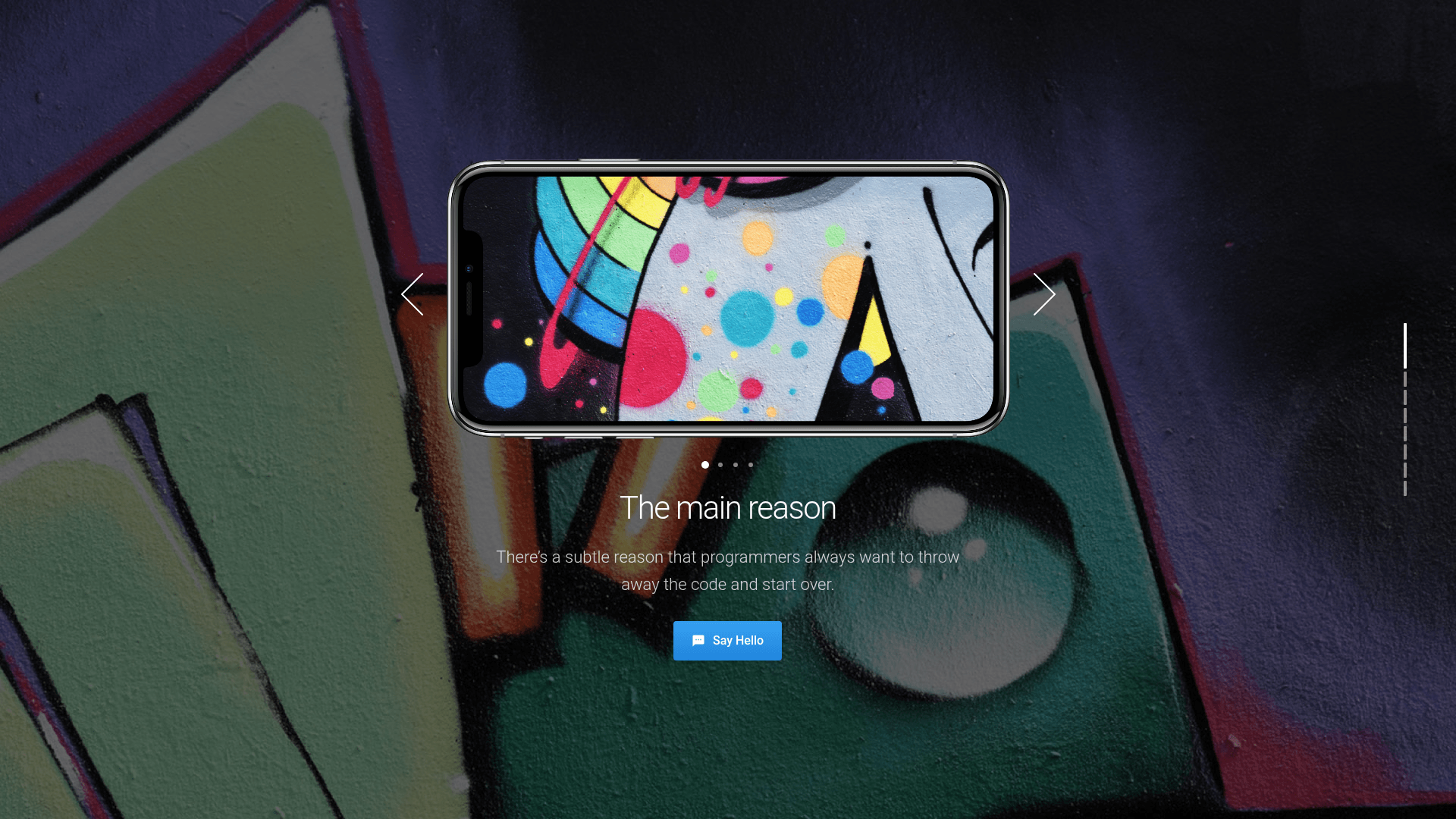
Slides-App Landing Page is a free one-page HTML5 template from ThemeWagon and Designmodo, built to promote mobile and web apps with a full-screen sliding design and an app screen slider on the homepage.
What is Slides-App Landing Page?
Slides-App Landing Page is a responsive one-page HTML5 template for app landing pages. It takes static HTML, CSS, SCSS, and JavaScript files and produces a fully functional landing page with hero header, pricing table, photo grid, and newsletter form. The template runs in Chrome, Edge, Firefox, Safari, Opera, and on mobile browsers, and it is distributed by ThemeWagon while being created by Designmodo. The package includes 1 HTML file, 1 PHP file, CSS and SCSS source files, JavaScript source files, library and plugin files, plus all demo images.
Key Features
- App screen slider — an on-page slider that cycles through app screenshots directly on the homepage.
- Full-screen background image hero header — a call-to-action button sits over a full-width background image.
- Load on scroll animation — content animates in as the user scrolls down the page.
- Photo grid with modal image view — a gallery grid opens larger versions of images in a modal without leaving the page.
- Vimeo video player with modal view — embedded Vimeo videos play in a modal overlay.
- Pricing table — a ready-made pricing section with multiple columns for plans.
- Newsletter subscription form UI — a styled email input and subscribe button for collecting leads.
- SVG icons and progress bar — vector icons and a progress indicator are included in the design.
- On hover effect on cards — cards respond with animation on mouse hover.
- Tech stack — built with HTML5 and CSS3, using FontAwesome and Google Fonts, and powered by the Slides library from Designmodo.
Who is it for?
- Indie app developers: quickly launch a polished landing page for a mobile app without writing CSS from scratch, using the app screen slider to show off screenshots.
- Startup teams: present a web app with a hero header, pricing table, and newsletter subscription form to capture early signups.
- Freelance designers: use the clean, minimal one-page layout as a starting point for client projects, then customize the SCSS and JS files.
What can you do with it?
- App developers: feature an app on a single page with a full-screen hero image, app screen slider, and call-to-action button to drive downloads.
- SaaS founders: add a pricing table and newsletter form to communicate plans and grow an email list from the landing page.
- Portfolio owners: adapt the photo grid with modal view to display a portfolio or product gallery alongside the app content.
How does it work?
Download the template from ThemeWagon, unzip the files, and open the HTML file in a browser to preview the landing page. The one HTML file contains the complete page markup, while the PHP file can handle the newsletter subscription form; customize styles in the SCSS files and behavior in the JavaScript files, then upload everything to any static web host.
Pros and cons
- Pros: Free for commercial use, open source, and includes lifetime free updates; responsive across all major browsers and mobile devices.
- Cons: One-page design only, so it is not suited for multi-page sites; the template is from 2019 and may require updates for modern build tooling.
Pricing
The template is free to download. ThemeWagon lists it under a license that allows open-source use, commercial projects, and lifetime free updates.
FAQ
Is the Slides-App Landing Page template free?
Yes, the template is free to download from ThemeWagon. The license permits open-source use, commercial projects, and lifetime free updates, so there is no cost to use it in a client or personal project.
What browsers and devices are supported?
The template is compatible with Chrome, Edge, Firefox, Safari, Opera, and mobile browsers. It is fully responsive, so the layout adjusts to phone and tablet screen sizes.
What files are included in the download?
The package includes 1 HTML file, 1 PHP file, CSS and SCSS files, JavaScript source files, library and plugin files, and all demo images. This supports direct editing of styles and scripts.
Can I use the template commercially?
Yes, the license explicitly allows commercial projects. You can use the template for client work, sell the resulting website, or use it in a commercial product.
Who created the template?
The template was created by Designmodo and is distributed by ThemeWagon. It uses the Slides library from Designmodo as its underlying presentation framework.