Template details
Toolpad
Open-source React components and low-code builder from MUI for building dashboards and internal tools.
About this template
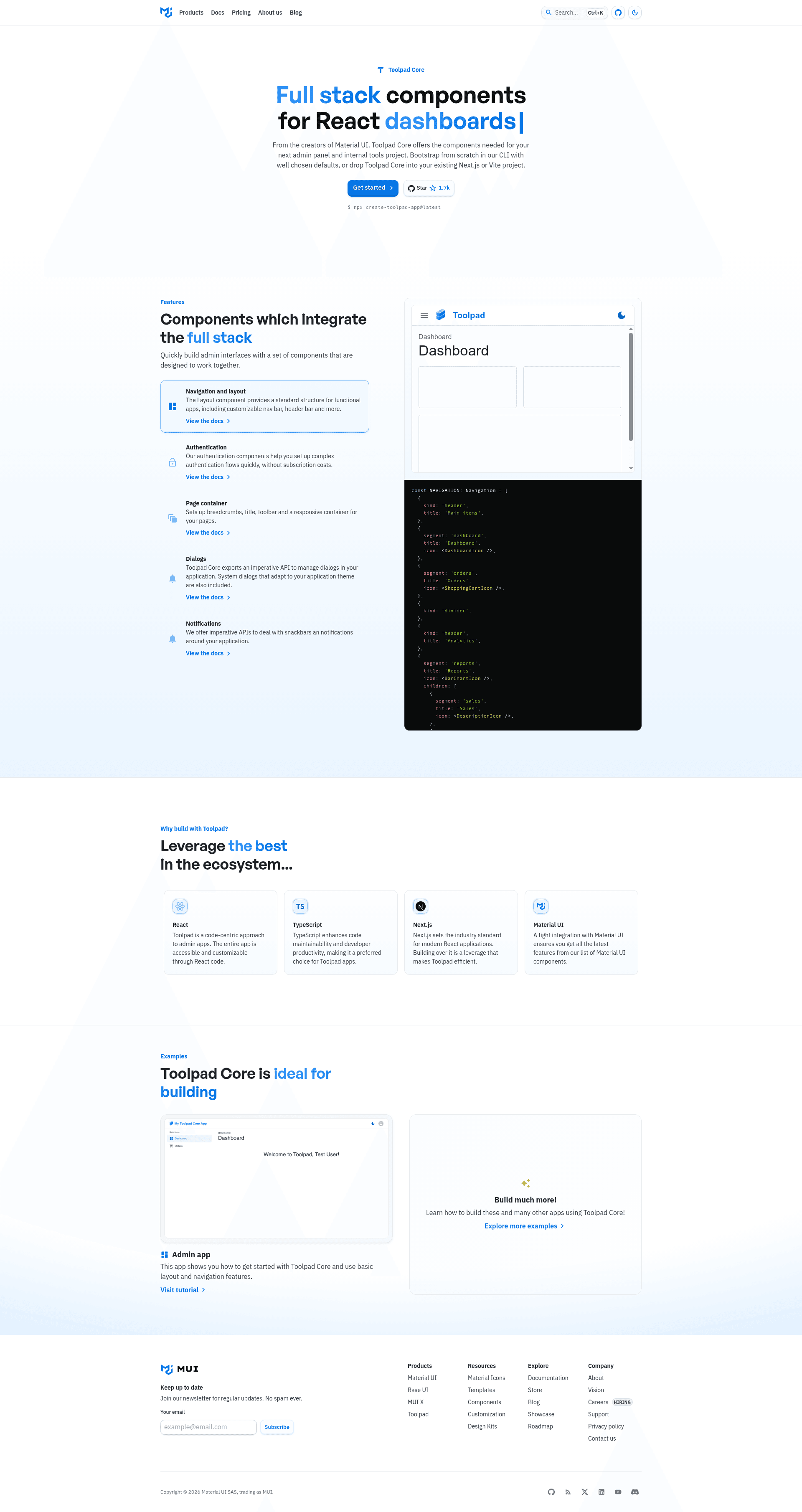
Toolpad is an open-source MIT-licensed low-code builder and React component library from MUI for creating dashboards and internal applications.
What is Toolpad?
Toolpad is a project from MUI that ships two complementary products: Toolpad Core, a set of high-level React components for layout, navigation, and routing; and Toolpad Studio, a self-hosted low-code admin builder with a drag-and-drop interface. It runs on Node.js and is built on top of Material UI, so apps inherit Material Design styling and theming. The entire project is licensed under MIT and is currently in beta.
Key Features
- React components for layout and navigation — Toolpad Core provides high-level components that abstract layout, navigation, and routing, so you can assemble dashboard shells faster than wiring up Material UI primitives by hand.
- Material UI foundation — Built directly on Material UI, your apps share the same theming, component behavior, and customization options as standard MUI projects.
- Low-code drag-and-drop builder — Toolpad Studio offers a drag-and-drop interface to compose applications from a catalog of pre-built components and connect to any data source. Note that Studio has been deprecated and lives in the
toolpad-studiobranch. - Self-hosting — Both Toolpad Core apps and Toolpad Studio can be self-hosted, meaning you run the system on your own infrastructure rather than a vendor's cloud.
- CLI scaffolding — The
create-toolpad-appcommand (via npx, pnpm, or yarn) generates a new app in seconds; adding--studiosets up a Toolpad Studio project. - CRUD and admin patterns — The repository topics and examples emphasize CRUD, admin panels, and internal tools, with sample apps linked in the docs.
- MIT license — The code is free to use, modify, and redistribute under the MIT license.
Who is it for?
- React developers — who want pre-built dashboard components and routing without writing layout code from scratch.
- Internal tool builders — who need to spin up admin panels, data dashboards, or CRUD interfaces quickly and can self-host them.
- MUI users — who already use Material UI and want a higher-level layer for full applications.
- Low-code adopters — who want a drag-and-drop builder that runs on their own servers, understanding that Toolpad Studio is deprecated.
What can you do with Toolpad?
- Build admin dashboards — Compose pages, navigation, and data tables using Toolpad Core's layout and routing components, styled with Material UI.
- Create CRUD interfaces — Generate the UI for creating, reading, updating, and deleting records by combining Toolpad's components with your backend or API, as shown in the repo's CRUD-focused examples.
- Prototype internal tools — Use Toolpad Studio's drag-and-drop builder to connect a data source and publish a functional app on your own infrastructure, though this remains only in the
toolpad-studiobranch.
How does Toolpad work?
To start, run npx create-toolpad-app@latest (or the pnpm or yarn equivalent) in your terminal. This scaffolds a new Toolpad Core app that you can run locally and extend with your own React components. For the low-code builder, add the --studio flag to set up a Toolpad Studio project.
Pricing
Toolpad is free and open source under the MIT license. There are no paid tiers mentioned in the repository, and both Core and the Studio builder are self-hosted.
Alternatives
- Retool, a commercial low-code platform for internal tools.
- Appsmith, an open-source low-code platform with drag-and-drop UI.
- React Admin, a React framework for building admin panels with Material Design components.
FAQ
Is Toolpad free?
Yes. Toolpad is released under the MIT license, so you can use, modify, and redistribute it freely. There are no paid plans or licensing costs mentioned in the repository.
What's the difference between Toolpad Core and Toolpad Studio?
Toolpad Core is a React component library that provides layout, navigation, and routing abstractions to build dashboards programmatically. Toolpad Studio is a self-hosted low-code drag-and-drop builder that wraps Core components and connects to data sources; it has been deprecated, but its code remains in the toolpad-studio branch.
Is Toolpad still maintained?
The maintainers have stated they are not actively working on Toolpad Core and may not respond promptly to issues or pull requests. The project is in beta, and the repository suggests the Material UI CRUD dashboard template as a maintained alternative for similar needs.
Does Toolpad support CRUD apps?
Yes. The repository lists crud among its topics and provides examples for building admin panels and CRUD interfaces. Toolpad Core's components can be combined with your backend APIs to handle create, read, update, and delete operations.
How do I create a Toolpad app?
Run npx create-toolpad-app@latest (or pnpm create toolpad-app / yarn create toolpad-app) to scaffold a new app. For Toolpad Studio, add the --studio flag.