Template details
0xFolio
A free HTML portfolio template for developers, built with Bootstrap and Sass.
About this template
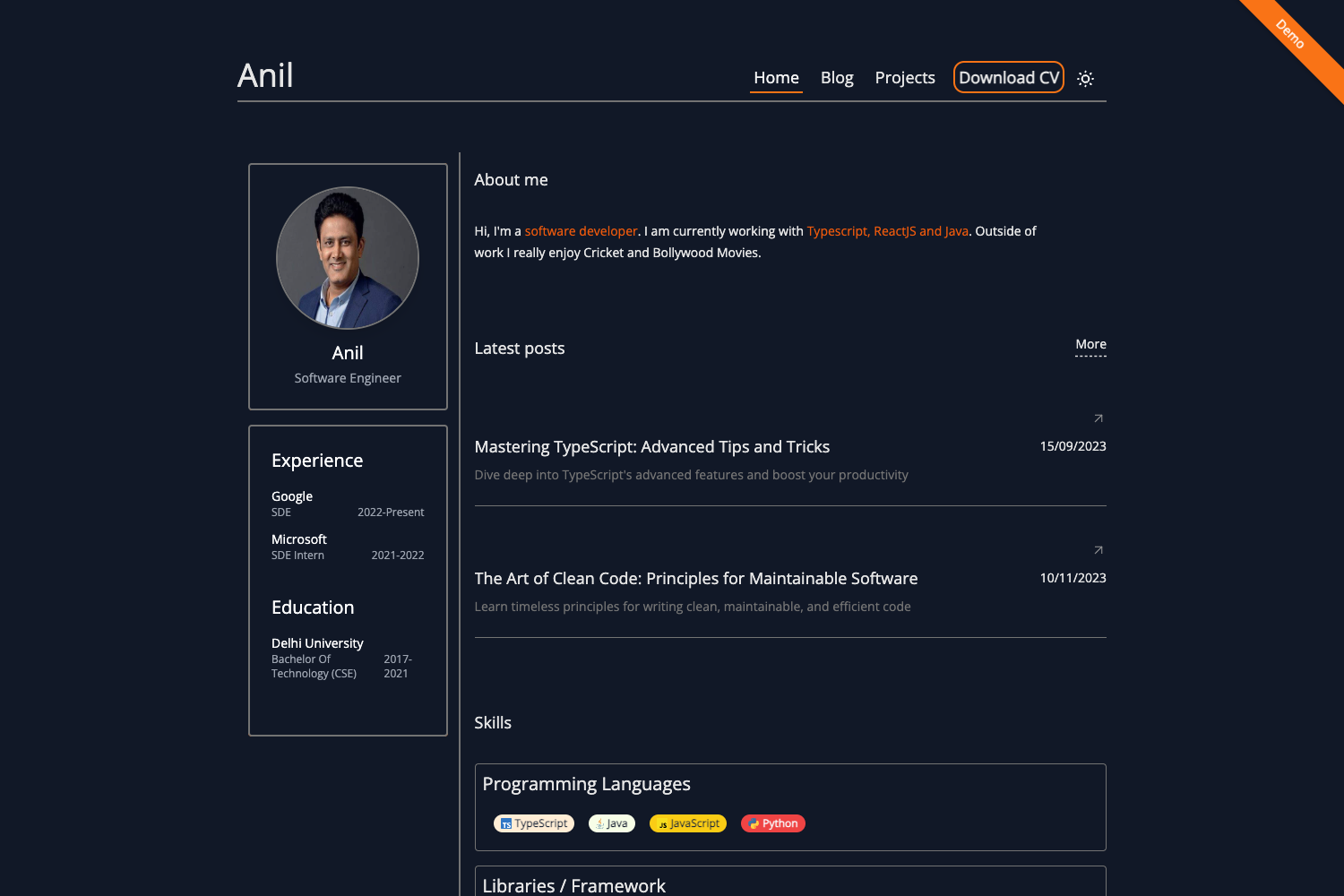
0xFolio is a free-to-use HTML portfolio template for developers, built with Bootstrap and Sass, that compiles into a responsive personal portfolio website.
What is 0xFolio?
0xFolio is a free-to-use HTML portfolio template created by Ali Raza and published on GitHub under the MIT License. It takes a developer's profile information — name, bio, projects, work history, and social links — and structures it into a responsive static website that runs in any browser. The template is plain HTML and CSS with no JavaScript framework, so it can be hosted on any static file server or GitHub Pages.
Key Features
- Completely responsive design — The layout adapts to phone, tablet, and desktop widths, with a mobile-first approach so small-screen styles are the base.
- Mobile first approach — Styles are authored for small screens first, then enhanced for larger breakpoints using Bootstrap's grid.
- Responsive images — Images scale with the viewport; the
/imgdirectory shows example resolutions, and the author recommends Befunky for manual optimization. - Clean and readable code — The markup avoids heavy nesting, and Sass is organized into components for reuse.
- Usable Sass components — The styles are split into modular .scss files that can be lifted into other projects.
- Sass 7-1 pattern architecture — The project follows the sass-guidelin.es recommended 7-1 folder structure (7 folders, 1 main file).
- SVG icons — Icons are inline SVG files rather than icon-fonts, keeping the asset count low.
- Bootstrap base — Bootstrap's grid and utility classes are available alongside the custom Sass components.
Who is it for?
- Developers who want a personal portfolio site without hand-writing responsive CSS — clone, edit, and deploy.
- Job seekers and freelancers who need a resume-style website to present experience, skills, and links to GitHub, Twitter, and LinkedIn.
- Sass learners who want to study a working example of the 7-1 architecture with reusable components.
What can you do with 0xFolio?
- Build a personal portfolio: Clone the repo, edit the HTML and content, run
npm run buildto compile Sass, and deploy to any static host for a live portfolio. - Create a resume website: Use the template's clean layout to show work history, projects, and contact details.
- Learn Sass and Bootstrap: Inspect the
.scssfiles to see how components are separated and how Bootstrap is integrated via npm.
How does 0xFolio work?
The repository comes with a build script that compiles Sass into CSS. Start by cloning the repo with git, then run npm install to install the Sass and Bootstrap dependencies, and finally npm run build to produce the stylesheet. After that, open the generated HTML file in a browser or upload the folder to a static host.
Pros and cons
Pros:
- Free to use under the MIT license, including commercial projects.
- No JavaScript framework, so the output is just static files that load quickly.
- Responsive and mobile-first.
- Reusable Sass components and clear folder structure.
Cons:
- Content is edited directly in HTML files — there is no CMS, admin panel, or markdown support.
- The author recommends manual image optimization (e.g., with Befunky) to keep page weight low.
Pricing
0xFolio is free-to-use and open-source under the MIT License. No paid tier or premium version is mentioned.
Alternatives
- Start Bootstrap — a collection of free Bootstrap-based HTML templates, including personal and portfolio designs.
- HTML5 UP — offers free responsive HTML5/CSS3 templates that are not tied to Bootstrap.
FAQ
Is 0xFolio free?
Yes, 0xFolio is free-to-use and released under the MIT License, so it can be used for personal and commercial projects.
What does 0xFolio do?
0xFolio is a static HTML portfolio template for developers. It provides the page structure and styling for a developer's bio, projects, work history, and social links, compiled from Sass and Bootstrap.
How do I build the Sass into CSS?
Clone the repository, run npm install to install dependencies, then run npm run build. The compiled CSS is generated from the Sass files, and the resulting HTML file can be opened directly in a browser.
Which frameworks does 0xFolio use?
The template uses Bootstrap for its grid system and utilities, and Sass (SCSS) for styling, organized with the 7-1 pattern recommended in the Sass guidelines.
Does 0xFolio include a CMS or blog?
No. 0xFolio is a static HTML template with no backend or CMS. All content lives in the HTML files, so adding a blog would require building one yourself.