Template details
AgenceX Landing Page
A simple agency landing page made with astrojs and tailwindcss
About this template
AgenceX is a single-page agency landing template built with Astro v5 and Tailwind CSS v4, designed to give digital agencies a fast, themeable marketing site.
What is AgenceX Landing Page?
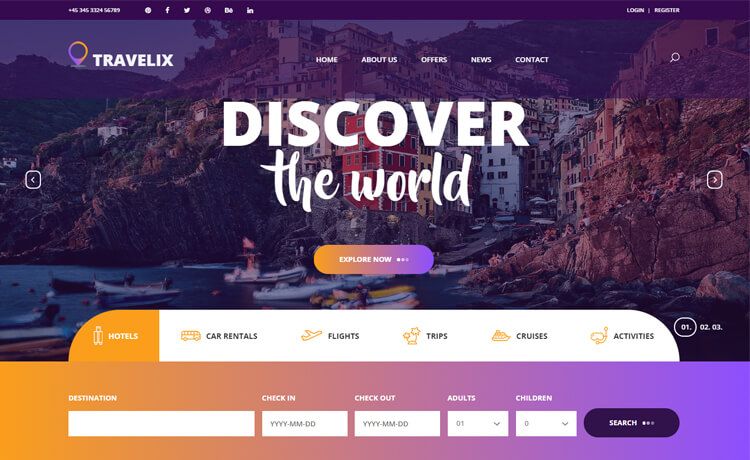
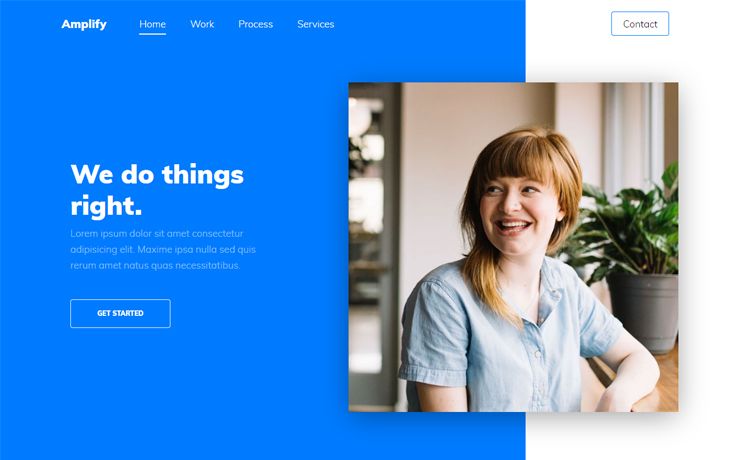
AgenceX is a single-page landing template for digital agencies, built on the Astro v5 framework with Tailwind CSS v4 for styling. It takes a project folder with Astro components as input and produces a static HTML site in the dist directory when you run the build command. The template is open source and appears to be maintained by the community, with 275 stars on its repository. It includes both light and dark theme variants, as shown in the demo screenshots.
Key Features
- Astro v5 framework — the site is pre-rendered to static HTML, which keeps page loads fast and removes the need for a JavaScript runtime on the front end.
- Tailwind CSS v4 — all styling uses Tailwind utility classes, so you can change colors, spacing, and fonts by editing the global.css and component class names.
- Light and dark themes — the repo includes screenshots for both demoLight and demoDark, indicating built-in light and dark theme support.
- Componentized file structure — src/components is split into blocks, cards, elements, sections, and shared folders so each part of the landing page is independently editable and reusable.
- Single-page layout — the pages folder contains only index.astro, which means you get one complete landing page out of the box rather than a multi-page site.
- Simple project commands — npm run dev starts a local server at localhost:4321, npm run build compiles the production site to dist/, and npm run preview lets you test the build locally.
- Clean asset organization — public/ holds images, logos, and the favicon.svg, making it easy to swap in your own branding.
Who is it for?
- Digital agencies — launch a professional landing page for your services without starting from scratch; customize the sections and Tailwind styles to match your brand.
- Freelance web developers — use it as a starting point for client projects that need a clean agency site, then extend the Astro components and deploy the static output.
- Startups and small businesses — get a marketing page online quickly with fast static-site performance and no backend dependencies.
What can you do with AgenceX?
- Agency owners: publish a landing page that introduces your team, services, and contact information using the included sections and blocks, then swap the placeholder images and logos in the public folder.
- Astro developers: add new components in the blocks or sections folders, modify the Tailwind classes, and rebuild with npm run build to update the generated site.
- Theme experimenters: switch between light and dark mode by editing the theme variables or adding a toggle based on the two provided demo themes.
How does AgenceX work?
AgenceX is a standard Astro project. After cloning it, run npm install to install dependencies, then npm run dev to preview the landing page at localhost:4321. When you are ready to ship, npm run build outputs the optimized static files to dist/, which you can deploy to any static hosting provider. Edits happen directly in the Astro components and the global.css file.
Pros and cons
- Pro: static output from Astro means no server required and fast load times.
- Pro: Tailwind CSS v4 makes it straightforward to restyle the entire page without writing custom CSS.
- Con: the template ships with only a single index.astro page, so you will need to create additional pages (like a blog or portfolio) yourself if you need them.
FAQ
What Astro version does AgenceX use?
AgenceX is built with Astro v5, as stated in the repository's tools section.
What CSS framework does AgenceX use?
The template uses Tailwind CSS v4 for all styling, which you can customize through Tailwind utility classes and the global.css file.
How do I run the development server?
Run npm install from the project root, then npm run dev. The site will be served at localhost:4321 with hot reloading.
Does AgenceX include multiple pages?
No, the pages folder contains only index.astro, so it is a single landing page. You would need to add more .astro files under src/pages to create additional pages.
How do I get dark mode?
The repository includes both light and dark theme screenshots, indicating built-in light and dark theme support. You can toggle or edit the theme by adjusting the theme-related classes or variables in the components and global.css.