Template details
Astro AI Chatbot Template - Vercel SDK Edition
Production-ready Astro boilerplate for AI chat interfaces with multi-provider support, streaming, and polished UI.
About this template
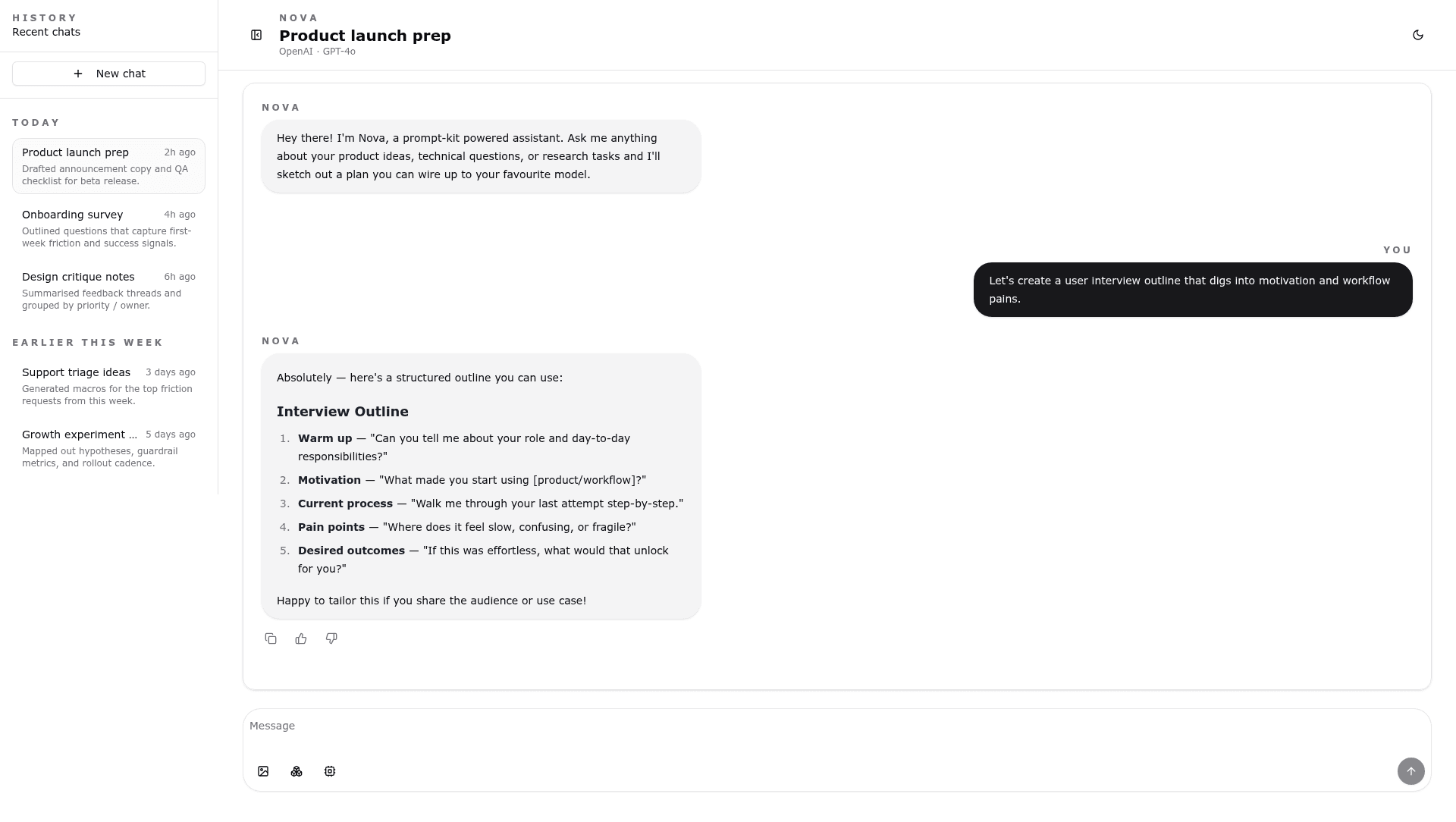
The Astro AI Chatbot Template (Vercel SDK Edition) is a production-ready boilerplate for building AI-powered chat interfaces on Astro, using React islands, Tailwind CSS, and the Vercel AI SDK.
What is the Astro AI Chatbot Template?
It is an open-source (MIT-licensed) starter project that ships a fully styled chat UI with mock implementations for AI providers, so developers can bootstrap a working interface and then swap in real API calls. The template runs on Astro's static generation with React islands, uses Tailwind CSS for styling, and integrates the Vercel AI SDK for response streaming. The repository, maintained by Marve10s on GitHub, is also listed in the Astro Themes portal and includes a live demo link.
Key Features
- Multiple AI providers — Includes mock clients for OpenAI, Anthropic, Google Gemini, and Groq; add real API keys to
.env.localto switch providers. - Real-time streaming — Chat responses render token-by-token via the Vercel AI SDK.
- File uploads — Supports attaching image files to messages through the prompt input.
- Dark/light mode — Built-in theme toggle component (
ThemeToggle.tsx) with persistent preference. - Conversation history — Mock Supabase layer in
src/mocks/supabase.tsprovides persistent chat sessions and message storage. - Responsive UI — Mobile-first design built on the Prompt Kit primitives:
chat-container.tsx,message.tsx, andprompt-input.tsx. - TypeScript — Full type safety across components, mocks, and provider definitions.
- Performance scores — README lists Lighthouse results: Performance 98/100, Accessibility 96/100, Best Practices 100/100, SEO 100/100.
Who is it for?
- Developers bootstrapping AI chat apps — Start from a working UI and replace mock provider calls in
src/mocks/ai-vercel-sdk.tswith real implementations. - Astro users — Use it as a reference for combining Astro islands with React and Tailwind, or as a starting point for any Astro project.
- Indie hackers and startups — Deploy quickly to Vercel with pre-configured environment variable names for OpenAI, Anthropic, Gemini, and Groq.
- Designers needing a polished chat interface — The template ships with a modern Prompt Kit UI, theme switching, and responsive layout.
What can you do with it?
- Build a customer support widget: Replace the mock backend with your own service and embed the chat on any Astro page.
- Prototype multi-provider AI apps: Test the same prompt across OpenAI, Anthropic, Gemini, or Groq by changing the provider type.
- Create a retrieval-augmented demo: Extend the file-upload feature to attach images or documents and feed them into your AI logic.
How does it work?
- Clone or fork the repository and run
pnpm install. - Copy
.env.exampleto.env.localand add API keys for the providers you want to use. - Run
pnpm devto see the mock chat in action; then replace the mocks insrc/mocks/ai-vercel-sdk.tswith real API calls. - Build with
pnpm buildand deploy to Vercel or any static host; the README includes an edge runtime API route example.
FAQ
Does this template require a paid provider?
No — it ships with mock implementations for OpenAI, Anthropic, Google Gemini, and Groq, so you can run the UI without any API keys. Real usage requires your own API keys for whichever provider you choose.
Which frameworks and styling does it use?
The template uses Astro with React islands, TypeScript, Tailwind CSS, and the Vercel AI SDK. It also includes UI primitives from Prompt Kit (chat container, message, prompt input) and a mock Supabase integration for conversations.
Can I deploy this to a non-Vercel host?
Yes. The README states the template works with any static hosting service, and it provides an inline example of an edge runtime API route for the AI logic, so you can adapt it to platforms like Cloudflare or Netlify.
Is it open source?
Yes — the project is licensed under the MIT License, as stated in the README's license section, and the source is available on GitHub.
What do I need to change to use a real AI provider?
Add your provider API key to .env.local, then either replace the mock generateChat import in Chatbot.tsx with your real implementation, or extend the provider mocks in src/mocks/ai-vercel-sdk.ts to call your chosen API.