Template details
Astro-CV-Esquelete
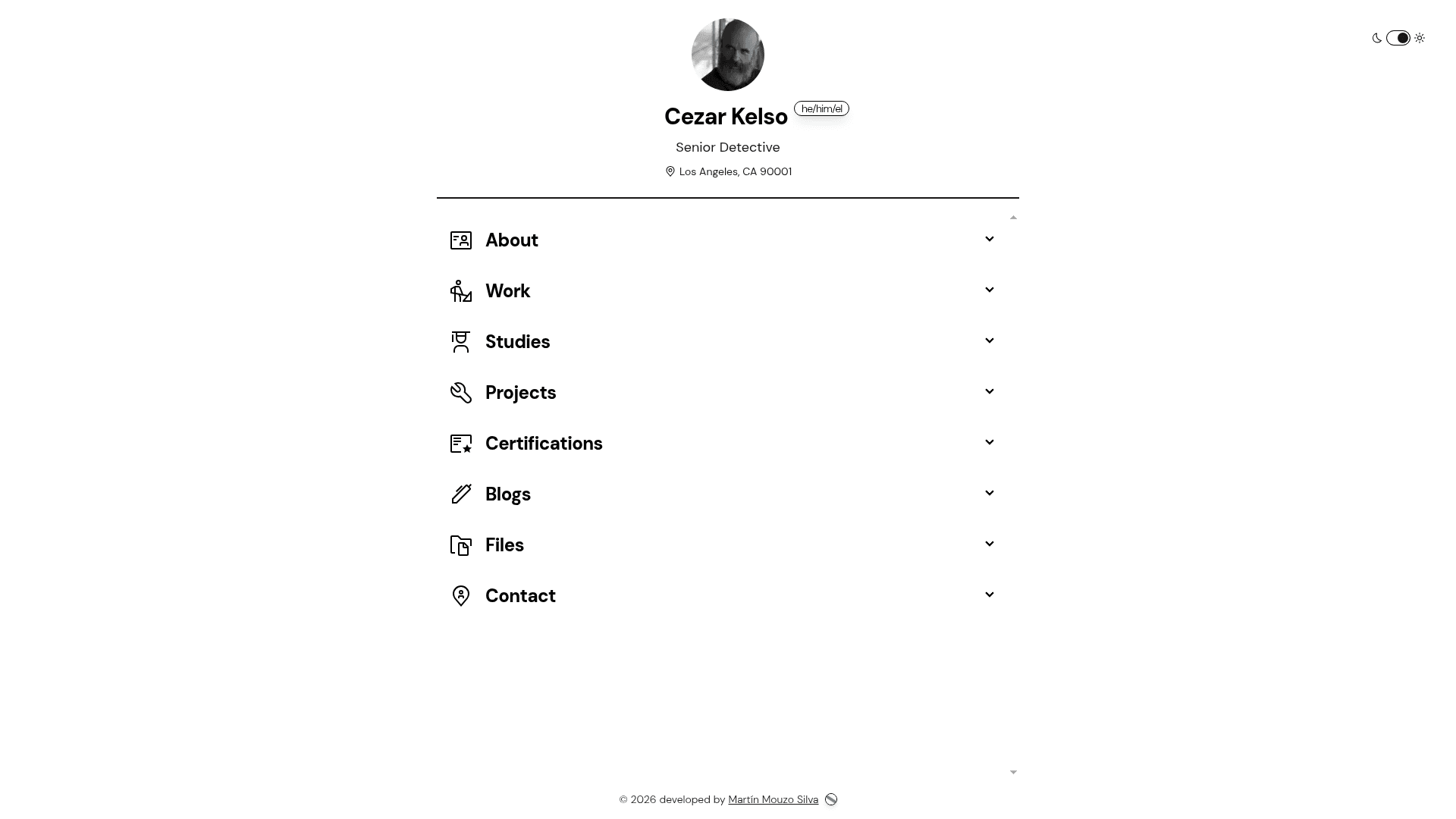
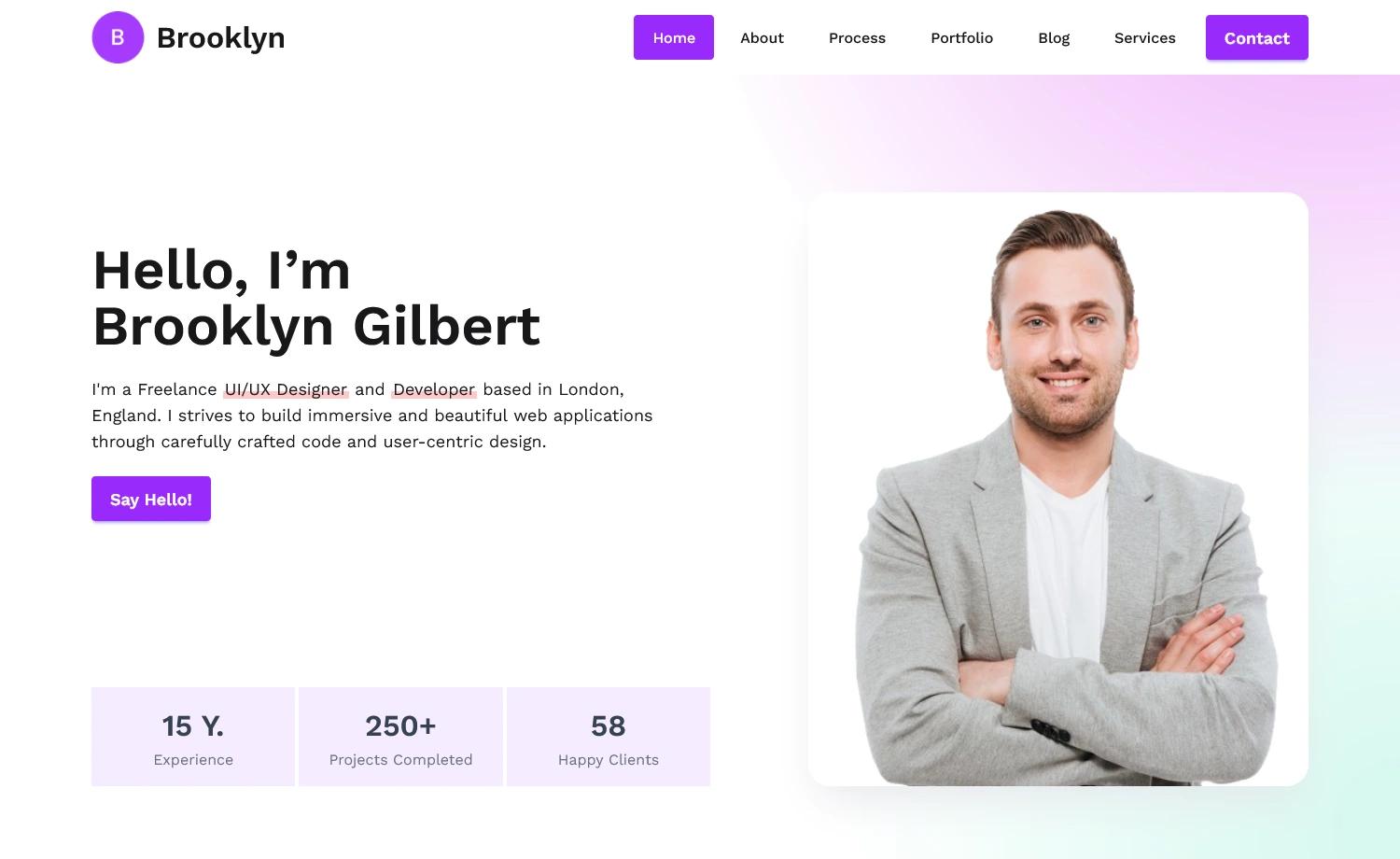
A free, easy-to-use CV template with a clean design. Just fill in your details and you're ready to go!
About this template
Astro-CV-Esquelete is a free CV template built on Astro that produces a clean digital résumé from Markdown files, letting you update content without touching HTML.
What is Astro-CV-Esquelete?
Astro-CV-Esquelete is an open-source CV/resume template that takes plain Markdown files as input and generates a static, single-page website as output. It is built with the Astro framework, styled with Tailwind CSS and daisyUI, and was created by GitHub user mmouzo, with content organized into directories under /src/pages. The template ships with a ready-to-customize structure including an accordion layout for sections, contact cards, and sample content for projects, work experience, certifications, and blog posts, and it can be built to a static dist/ folder for deployment.
Key Features
- Markdown-driven content — All résumé sections are stored as
.mdfiles in/src/pages(about, blogs, certificates, contact, projects, studies, works), so you edit plain text instead of components. - Astro + Tailwind CSS + daisyUI stack — The template runs on the Astro static-site generator and uses Tailwind CSS with daisyUI components for a clean, responsive layout.
- Accordion section layout — Each major section (work, projects, studies, etc.) is rendered via an
AccordionLayout.astrocomponent that expands/collapses content. - Contact cards — Pre-built cards for email, GitHub, LinkedIn, and Telegram are included as separate Markdown files under
src/pages/contact. - Production build — Running
npm run buildgenerates a fully static site in./dist/that can be hosted on any static host, including Vercel (official demo). - Local development server —
npm run devstarts a dev server atlocalhost:4321for fast previewing of edits.
Who is it for?
- Developers who want a code-first CV and prefer editing Markdown over dragging widgets in a visual editor.
- Job seekers who need a clean resume website to link from job applications and social profiles, with sections for experience, education, projects, and certificates.
- Astro users looking for a minimal starter template that demonstrates how to combine Astro with Tailwind CSS and daisyUI for a real-world site.
What can you do with Astro-CV-Esquelete?
- Showcase professional history: Add work experience and education entries in separate Markdown files, and the accordion layout will display them in an organized way.
- Publish a blog and certificates: Write posts and certifications as Markdown under
src/pages/blogsandsrc/pages/certificatesand they become part of your site without extra configuration. - List contact channels: Create custom contact cards for email, GitHub, LinkedIn, or Telegram by adding corresponding Markdown files in the contact directory.
How does Astro-CV-Esquelete work?
Start by running npm install to install dependencies and npm run dev to preview at localhost:4321. Then open the Markdown files under src/pages and replace the sample content with your own; to add or remove a section like Projects or Certificates, edit the Container.astro component and its corresponding AccordionLayout children. When you're done, npm run build creates the production site in ./dist/.
Pricing
The template is free to download and use. The repository includes a LICENSE file, though the specific license type is not stated in the README.
Alternatives
- Astro-Vitae — An Astro CV template by USKhokhar that served as the basis for Astro-CV-Esquelete and offers a different visual design.
FAQ
Is Astro-CV-Esquelete free?
Yes, the template is described as free. You can clone the repository, install dependencies, and use it for personal or professional CVs without paying any licensing fee. The project includes a LICENSE file but the exact terms are not spelled out in the README.
What tech stack does Astro-CV-Esquelete use?
Astro-CV-Esquelete is built with the Astro static-site generator, uses Tailwind CSS for styling, and integrates daisyUI for UI components like cards and accordions. It does not require a backend or database because all content is stored in Markdown files that are rendered at build time.
How do I edit my CV content?
All content lives in Markdown files under src/pages. Edit any of the .md files (for example, works/work1.md or projects/spotfilm.md) and the site updates. To add a new section, go to src/components/Container.astro and add a new AccordionLayout component; to remove one, comment out or delete that component.
Can I deploy Astro-CV-Esquelete?
Yes. Running npm run build outputs a static site in the dist/ folder that can be hosted anywhere static files are served, such as Vercel, Netlify, or GitHub Pages. The official demo is hosted on Vercel at astro-cv-esquelete.vercel.app.