Template details
Astro Developer Portfolio Template
A minimal, easy-to-customize developer portfolio template built with Astro and TailwindCSS. No JavaScript in final build.
About this template
What is Astro Developer Portfolio Template?
Astro Developer Portfolio Template is a minimal, open-source developer portfolio starter built with Astro and TailwindCSS that ships zero JavaScript to the browser. It is designed for developers who want a fast, SEO-ready personal site to showcase projects and about-me content. The template produces a static site that can be deployed to any static host by copying the contents of the ./dist folder after running npm run build. The project is maintained by devidevio and has 88 stars on GitHub.
Key Features
- Zero JavaScript in final build — The static output contains no bundled client-side JavaScript, which keeps the page light and fast.
- 100/100 Google PageSpeed Score — The template is engineered to achieve perfect PageSpeed scores on both mobile and desktop.
- SEO & Social Media metadata — Includes OpenGraph, Twitter Card, and DublinCore metadata for better sharing and search visibility.
- Code highlighting with Shiki — Syntax highlighting for code blocks is powered by Shiki, supporting many languages.
- Fully responsive layout — The design adapts to mobile, tablet, and desktop screen sizes.
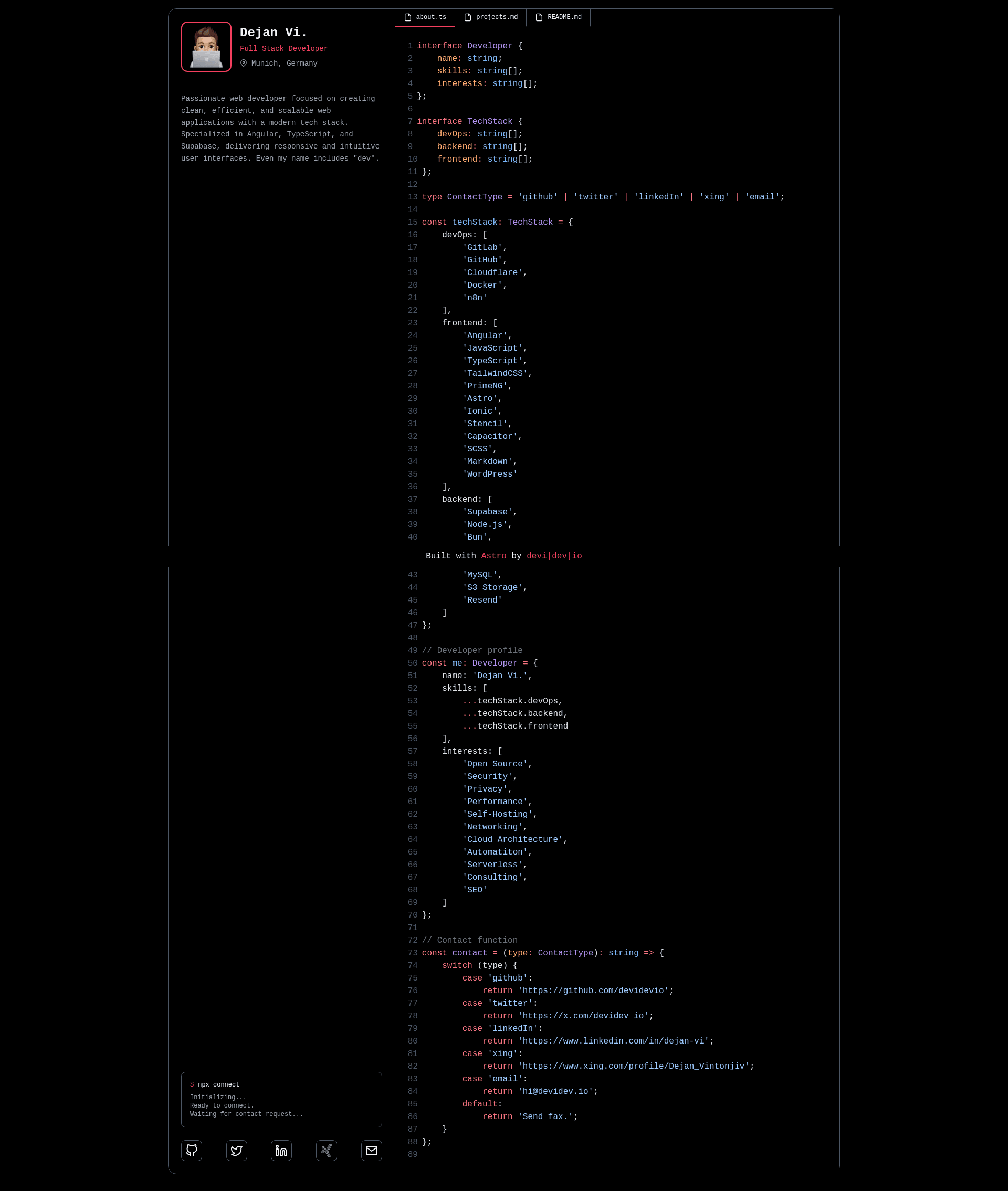
- Code-editor-inspired design — The visual style mimics a code editor, giving the portfolio a developer-centric aesthetic.
- Projects and about sections — Content is split into reusable Astro components:
ContentProjects.astroandContentAbout.astro, plus aProfile.astrofor personal info. - Simple customization — Update site metadata in
astro.config.mjs, theme colors intailwind.config.js, and content through frontmatter in the layout and component files.
Who is it for?
- Frontend developers — who want a quick starter to launch a personal portfolio without writing custom CSS or JavaScript.
- Job-seeking developers — who need an SEO-friendly, fast-loading site to showcase projects and GitHub links to recruiters.
- Open-source contributors — who want a minimal base to fork and adapt for their own portfolio or documentation site.
- Design-conscious developers — who appreciate a code-editor aesthetic and want a unique look different from typical resume sites.
What can you do with it?
- Launch a personal portfolio: Clone the repo, replace profile placeholder at
src/assets/profile.png, edit the about and projects content in the Astro components, and deploy the./distoutput to any static hosting service. - Customize branding: Change the primary theme color in
tailwind.config.js, swappublic/img/logo.svgfor your own logo, and set a custom OpenGraph image atpublic/img/meta.png. - Improve SEO: Update the
sitefield inastro.config.mjsand the frontmatter insrc/layouts/Layout.astroto control title, description, and social metadata. - Set up sitemap and robots: Adjust
/public/robots.txtto match your domain for search engine crawling.
How does it work?
The template uses Astro's static site generation: run npm install, then npm run dev for local development, and npm run build to produce a static site in ./dist. Deployment consists of copying the ./dist contents to any web server or static host.
FAQ
Does the template include any JavaScript?
No. The final build contains no bundled JavaScript, which is a key feature for performance.
Is Astro Developer Portfolio Template free?
The template is open-source and free to use; its GitHub repository can be forked and customized under its license.
How do I update my social media links?
Edit the links in src/components/Socials.astro — the social icons and URLs are defined there.
Where do I put my profile picture?
Replace the placeholder image at src/assets/profile.png with your own image.
How do I get 100/100 PageSpeed score?
The template is designed to achieve 100/100 on Google PageSpeed for both mobile and desktop out of the box, provided you don't add heavy external resources.