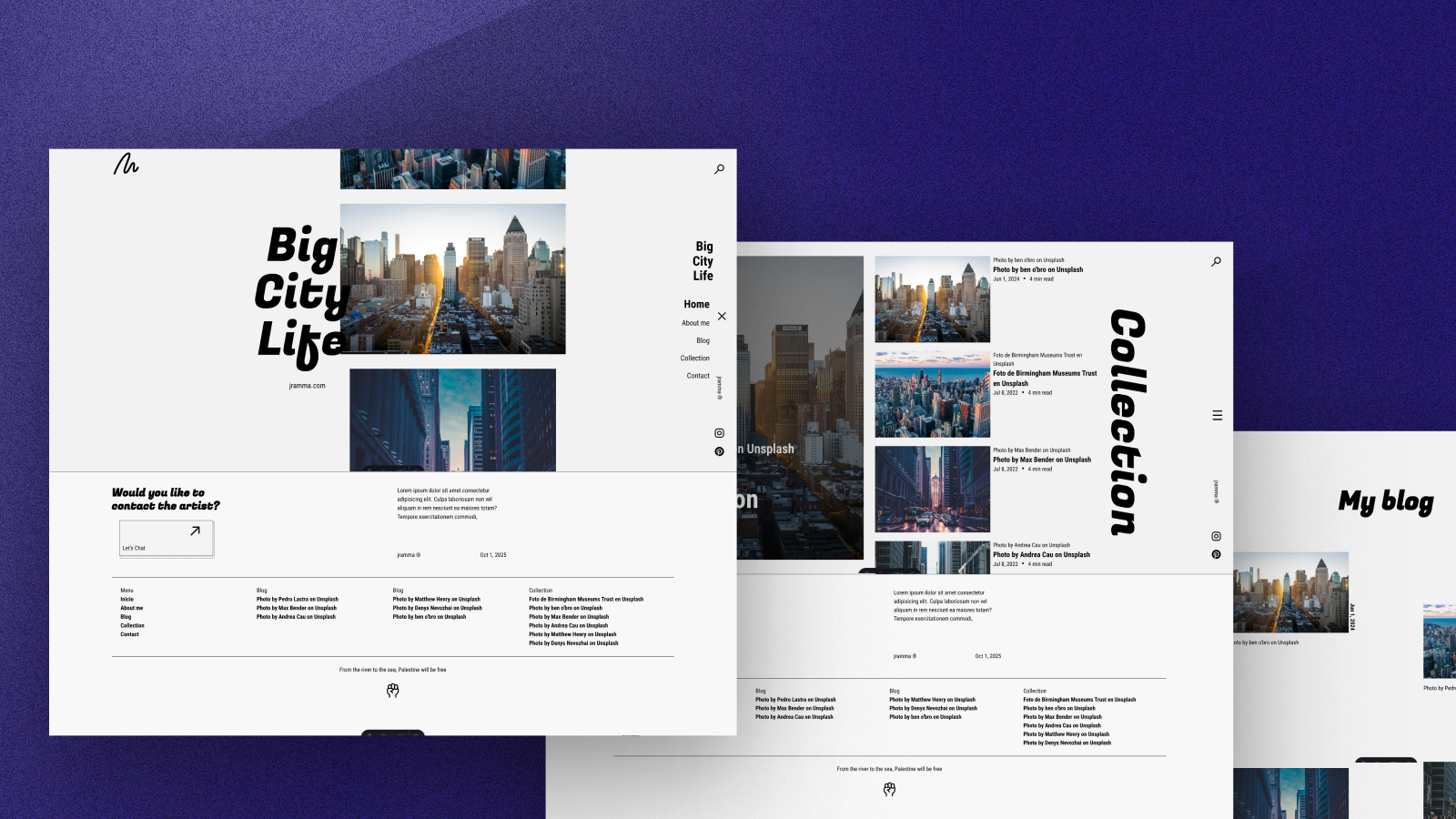
Template details
Astro Portfolio
Minimal, highly customizable portfolio template built with Astro, React, TypeScript, and Tailwind CSS.
About this template
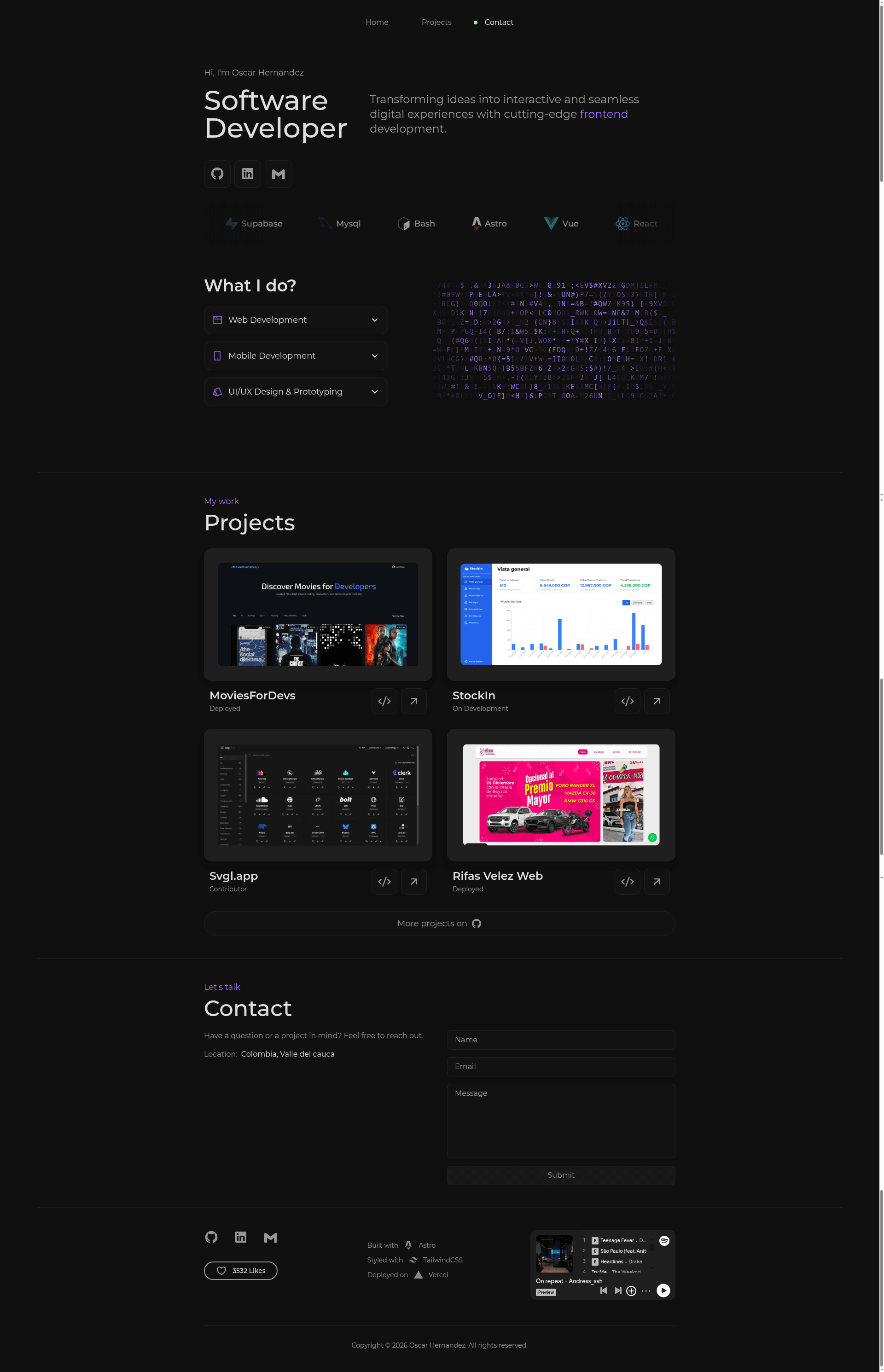
Astro Portfolio is a minimal, high-performance personal portfolio template built with Astro, React, and Tailwind CSS for developers who want a fast, customizable website.
What is Astro Portfolio?
Astro Portfolio is a static site template for building a personal developer portfolio. It takes your content and configurations in Astro components and outputs a fully static, deployable website with a dark theme. The template is built with Astro for static site generation, React for interactive UI elements, and Tailwind CSS for utility-first styling. It was handcrafted with Figma by Oscar Hernandez and is listed on the Astro Themes directory.
Key Features
- Astro-powered static generation — The site is rendered as static HTML by Astro, making it fast to load and easy to deploy.
- Tailwind CSS styling — Customize the entire look with Tailwind utility classes in
tailwind.config.mjs. - Spotify album integration — Embed your favorite album in the footer by pasting a Spotify embed iframe into
src/Components/footer.astro. - Working contact form — Formspree integration is already wired up; replace the endpoint URL in
src/Components/contact.astroto receive messages. - React interactive components — The template includes React components like
LetterGlitch,LikeButton, andSkillsListfrom ReactBits.dev. - Dark mode design — The default theme is dark, suitable for developer portfolios.
- Responsive layout — Works on mobile and desktop screens.
- Project structure with reusable components — Includes
nav.astro,home.astro,projects.astro,contact.astro, andlogoWall.astro.
Who is it for?
- Developers who need a portfolio quickly without building from scratch, and want a modern dark-themed design.
- Designers who want to showcase their work and have basic knowledge of Astro and Tailwind to tweak styles.
- Freelancers who need a professional personal site with a working contact form to receive client inquiries.
- Students building a personal website for job applications or personal branding.
What can you do with it?
- Showcase your projects — Edit
projects.astroto list your work with descriptions and links. - Feature a favorite album — Paste a Spotify embed code into the footer to display your current music obsession.
- Collect messages from visitors — Point the contact form to your Formspree endpoint and start receiving emails.
- Deploy to modern hosting — Push the repo to GitHub and import into Vercel, Netlify, or GitHub Pages for a live site.
How does it work?
- Clone the repository and install dependencies with npm.
- Run
npm run devto start the development server and preview changes. - Replace content in the Astro components, such as the home and projects sections.
- Set up the Formspree endpoint in
contact.astroand optionally add a Spotify embed tofooter.astro. - Build and deploy the static site to Vercel, Netlify, or GitHub Pages.
Pricing
The template is free to use and modify under the MIT License. You must retain the original copyright notice and license text if you redistribute it.
FAQ
How do I set up the contact form?
Create a free Formspree account, create a new form, and copy the endpoint URL. Then open src/Components/contact.astro and replace the action attribute in the form tag with your Formspree URL.
Is this template free?
Yes, the template is open source under the MIT License. You can use it for personal or commercial projects, but you must include the original license text.
How do I change the Spotify album?
Use Spotify's share menu to copy the embed code for an album, then paste it into src/Components/footer.astro. The embed code should be an iframe with the album ID.
Can I deploy this to Vercel or Netlify?
Yes. Since it's a static Astro site, you can import your GitHub repository directly into Vercel or Netlify. You can also deploy to GitHub Pages.
What Node.js version is required?
The template requires Node.js v18 or higher, and you can use npm or pnpm as the package manager.