Template details
Bigspring Light Nextjs
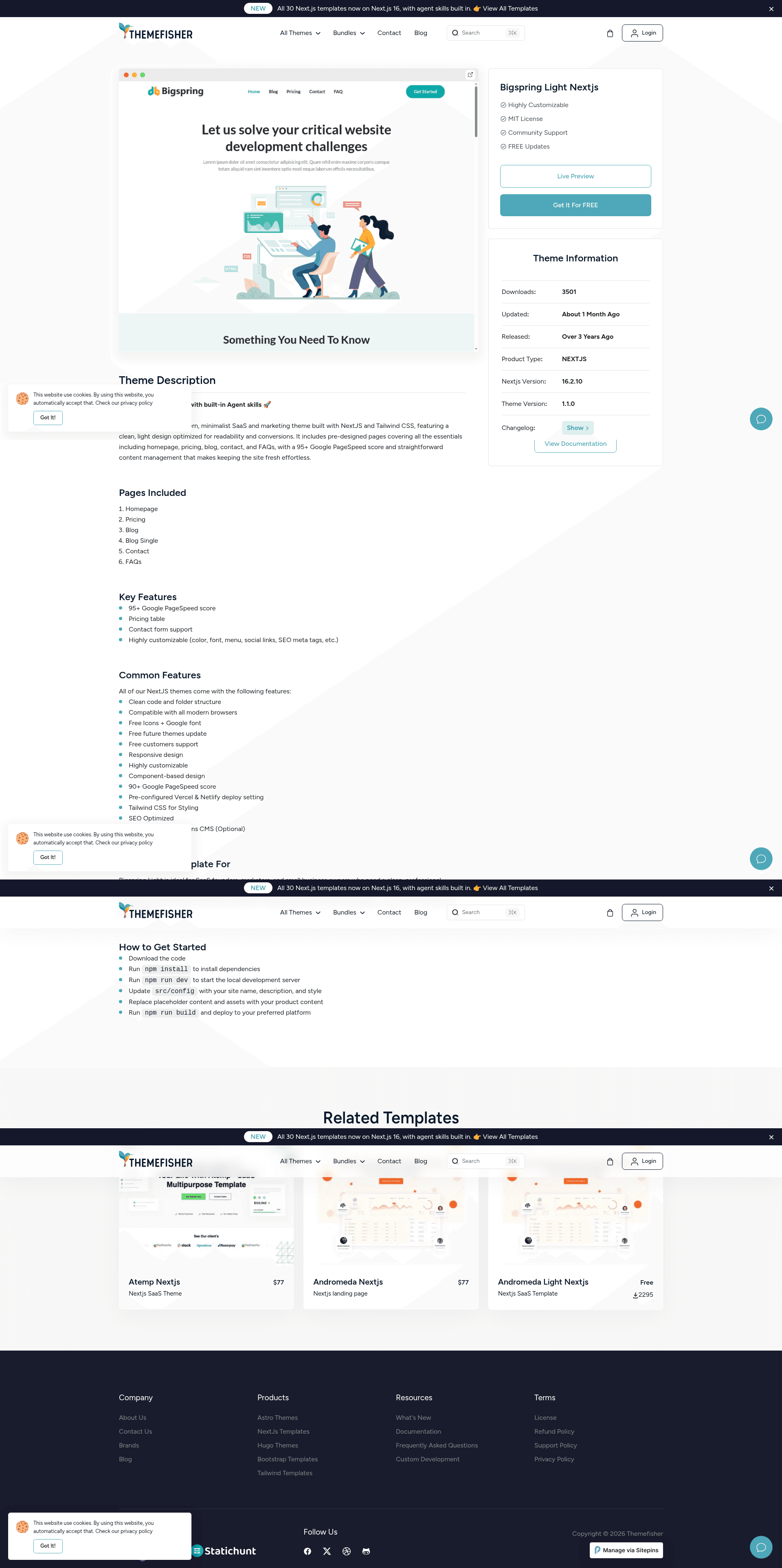
Free Next.js 16 business template for creative and marketing agencies, with 9+ pages, Tailwind CSS, and Sitepins CMS support.
About this template
Bigspring Light Nextjs is a free, MIT-licensed business website template built on Next.js 16 by Themefisher, designed to give creative, marketing, and design agencies a fast, ready-made foundation for their marketing sites.
What is Bigspring Light Nextjs?
Bigspring Light Nextjs is a minimal, fully responsive business website template built with the Next.js 16.2 framework by Themefisher. It takes static content — page text, images, and configuration — either through direct code editing or through the Sitepins Git-based headless CMS, and renders it as a static marketing site with 9+ pre-designed pages. The demo is hosted on Vercel, and local development requires Node.js.
Key Features
- 9+ Pre-designed pages — Includes Home, Blog, Blog Single, Contact, Features, FAQ, Pricing, Privacy Policy, and Terms & Conditions pages out of the box.
- Google Page Speed 100 — The demo scores a perfect 100 on desktop PageSpeed Insights, with caching enabled to support performance.
- Tailwind CSS — Built with Tailwind CSS utility classes for rapid styling and customization.
- Google Analytics support — Integrated hook-up for tracking site traffic.
- Contact form support — A contact page and form are included for lead capture.
- SEO friendly — Structured markup and static rendering help search engines index pages.
- Sitepins CMS integration — Pre-configured with Sitepins, a Git-based headless CMS, so non-technical users can edit content visually.
Who is it for?
- Creative agencies — Present portfolios, services, and case studies with a minimal aesthetic.
- Marketing agencies — Build a lead-generation site with contact forms and analytics.
- Design studios — Use pricing, FAQ, and feature pages to communicate services and rates.
- SaaS startups — Use the template as a lightweight landing page with pricing and blog.
What can you do with Bigspring Light Nextjs?
- Quickly launch a business site — Replace placeholder content and deploy to Vercel or any Node.js host.
- Edit content without code — Use the one-click Sitepins clone to visually update text and images.
- Measure performance — Add your Google Analytics ID and monitor traffic from the contact form.
How does it work?
After downloading, install Node.js (LTS recommended), open the project in VS Code, run npm install to install dependencies, then npm run dev to start a local preview. For production, run npm run build. Content edits can be made either in source files or via Sitepins' visual editor.
Pricing
The template is free and released under the MIT license. Demo images are not included in the license and remain under their original rights.
FAQ
Is Bigspring Light Nextjs free?
Yes. The template is released under the MIT license, so you can use it for personal and commercial projects. The images in the demo are only for preview and have their own licenses.
What pages are included in Bigspring Light Nextjs?
The template ships with 9+ pages: Home, Blog, Blog Single, Contact, Features, FAQ, Pricing, Privacy Policy, and Terms. This covers typical agency and SaaS marketing needs.
How do I install Bigspring Light Nextjs?
Install Node.js (LTS), then clone or download the repository. In your terminal run npm install followed by npm run dev to preview locally, or npm run build for a production build.
Does Bigspring Light Nextjs support a CMS?
Yes. The template is pre-configured with Sitepins, a Git-based headless CMS, enabling visual content editing without code.
How fast is the demo?
The Vercel demo scores 100 on Google PageSpeed Insights for desktop, with caching enabled.