Template details
BookLanding Hugo Theme
A responsive Hugo theme for building single-page book landing sites with carousel, testimonials, FAQ, and buy links.
About this template
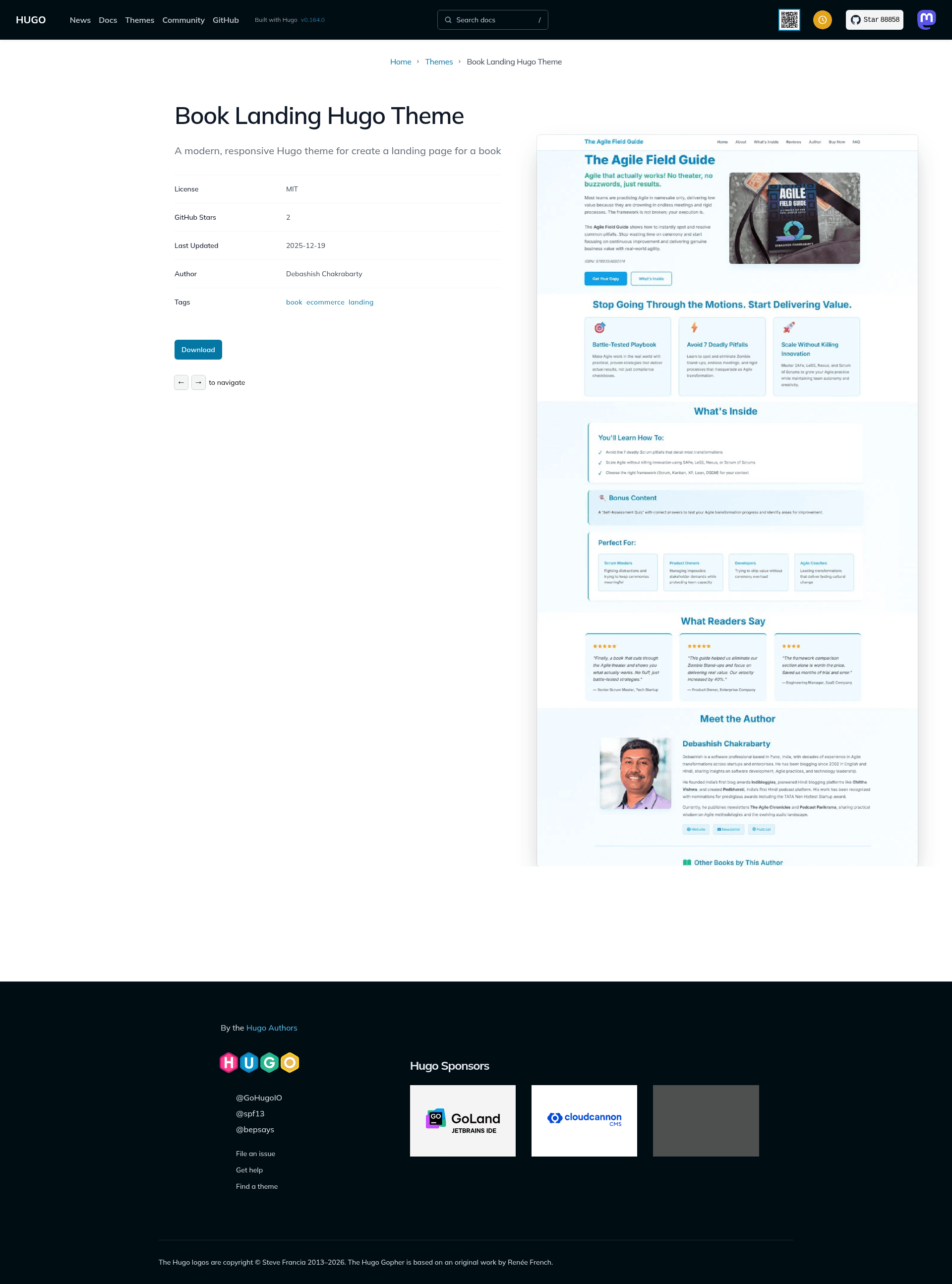
BookLanding is a free, open-source Hugo theme built specifically for creating single-page book landing sites, letting authors and publishers showcase a book cover, features, testimonials, and purchase links with no code changes.
What is BookLanding Hugo Theme?
BookLanding Hugo Theme is a responsive single-page theme for the Hugo static site generator, designed for book marketing. It takes Markdown content and TOML data files as input and produces a static landing page with hero, features, testimonials, author bio, carousel, buy options, FAQ, and newsletter sections. The theme is created by dchucks and released under the GPL-3.0 license.
Key Features
- Fully responsive layout — Works across mobile, tablet, and desktop browsers, including iOS Safari and Chrome Mobile.
- Book carousel — A horizontal scrolling carousel for showcasing additional books, configured through a TOML data file with titles, descriptions, covers, and buy URLs.
- Content-driven customization — All text and settings live in Markdown and data files; no code changes are needed for typical updates.
- Multiple purchase options — Supports buy links for multiple retailers such as Amazon, Kindle, and PDF, with icons and category labels.
- Testimonials section — Displays reader reviews with star ratings, fed from a dedicated data file.
- FAQ section — A common-questions block driven by a data file, so authors can answer reader queries without touching templates.
- Newsletter integration — An optional signup section that links to an external newsletter service.
- Modular partials — Each section (hero, features, testimonials, author, carousel, buy-now, FAQ, newsletter) is a separate Hugo partial, making it easy to reorder or remove sections.
- Tech stack — Built for Hugo Extended v0.80.0 or higher, with minimal JavaScript, optimized CSS variables for theming, Font Awesome icons, and SEO-friendly semantic HTML.
Who is it for?
BookLanding Hugo Theme is aimed at fiction and non-fiction authors, self-publishers, and publishing houses. An author can set up a landing page for a new release in minutes by copying the example site and editing a few data files. A self-publisher can use the multiple buy-option buttons to send readers to whichever retailer they prefer. A publisher can reuse the same theme across multiple titles to keep a consistent brand.
What can you do with it?
- Ebook launches: Build a pre-order or launch page with hero book cover, price display, and buy links to Amazon, Kindle, and PDF.
- Author portfolio: Feature all your books in the carousel and add an author bio with social links to drive discovery.
- Reader engagement: Collect email signups through the newsletter section and answer common questions in the FAQ section to reduce purchase friction.
How does it work?
Installation is straightforward: add the theme as a Git submodule or clone it into your Hugo site's themes directory, copy the exampleSite configuration and content files, then run hugo server -D. The exampleSite directory provides a complete working example. For production, you can deploy to Netlify with a build command of hugo and publish directory public, or use Vercel's auto-detection or GitHub Pages with Hugo's official GitHub Actions workflow.
FAQ
What Hugo version is required?
The theme requires Hugo Extended v0.80.0 or higher, since it relies on Hugo's Sass/SCSS processing features that are only present in the Extended build.
How do I customize the colors?
The color scheme is defined as CSS variables in the static/css/style.css file, with variables for primary blue, primary dark, secondary green, and accent light green. Editing these variables updates the entire site.
Can I remove sections I don't need?
Yes. All sections are separate partials in layouts/partials/, and the homepage template layouts/index.html lets you reorder or remove sections by editing that file.
Where can I get support?
Documentation is available on the GitHub Wiki, and issues can be reported via GitHub Issues on the repository page.