Template details
Chrome Tabs
Chrome-style tabs in HTML/CSS.
About this template
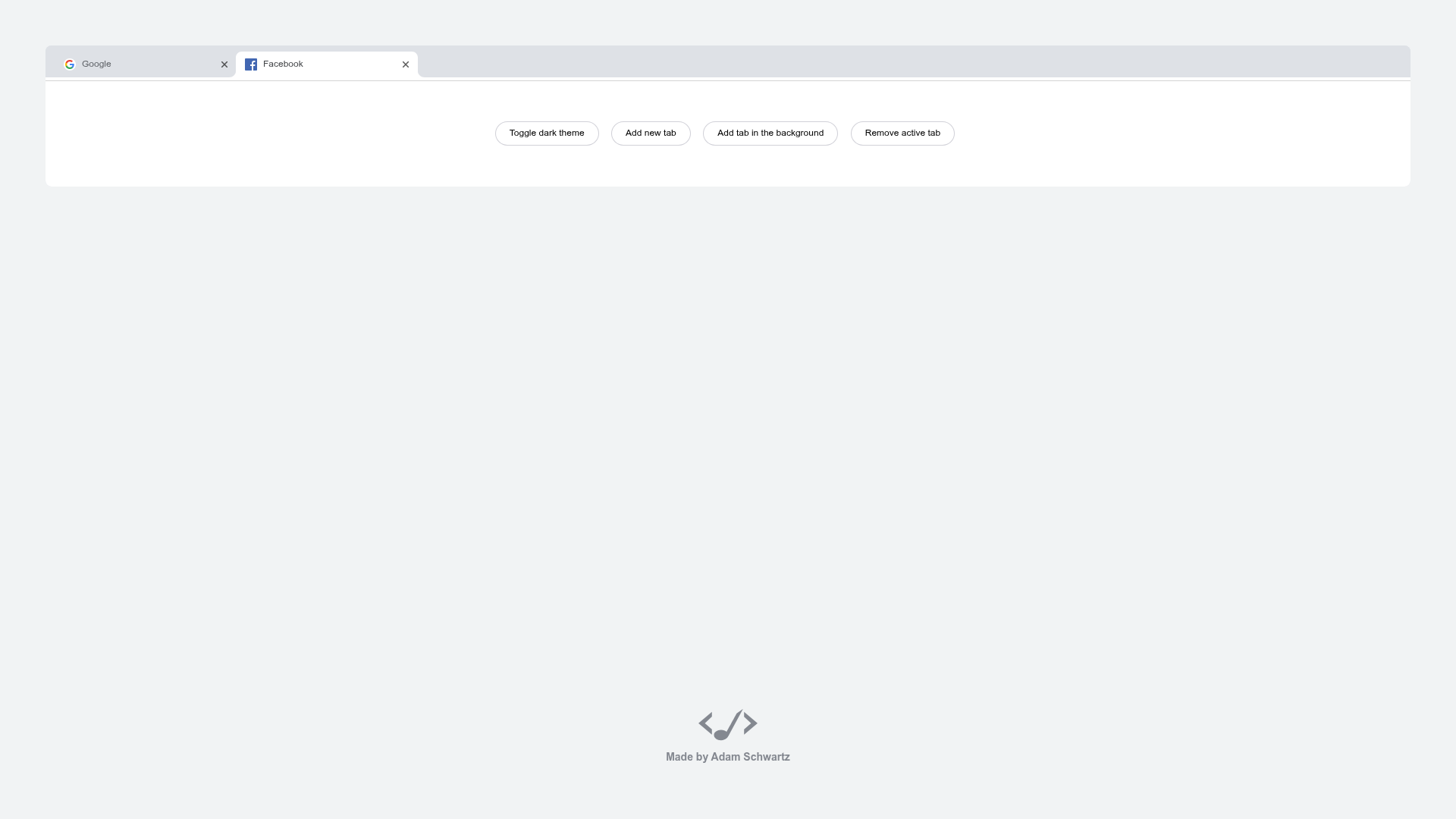
Chrome Tabs is a free, open-source HTML/CSS/JavaScript UI component that recreates the Google Chrome tab bar with draggable, closable tabs for use on any website.
What is Chrome Tabs?
Chrome Tabs is a vanilla ES6 JavaScript library that renders a replica of Chrome's tab strip in a web browser. It takes a container element and produces a set of draggable tabs with titles, close buttons, and active states, matching the look and feel of Google Chrome. The component has no framework dependencies and works with plain HTML, CSS, and JavaScript, making it simple to include in any project. The live demo is hosted at adamschwartz.co, and the source code is available on GitHub with over 1,700 stars.
Key Features
- Chrome-like appearance — Renders tabs with rounded tops, a bottom border, and a toolbar gradient that mimics Google Chrome's tab bar design.
- Drag-and-drop reordering — Uses the Draggabilly library (by @desandro) to let users drag tabs within the bar; the demo shows dragging a tab out to create a new window.
- Close buttons — Each tab includes a close button (X) to remove it from the strip, just like in Chrome.
- Active tab styling — Clicking a tab marks it as active, changing its color and elevation to match Chrome's selected-tab state.
- ES6 and CSS — Written entirely in ES6 JavaScript with plain CSS; no frameworks required. The styles are easily overridable through standard CSS.
Who is it for?
- Web developers building browser-like web apps or custom tabbed interfaces that need a familiar, functional tab strip.
- UI/UX designers prototyping Chrome's interactions in the browser to test user flows without opening a native browser.
- Developers of IDEs or code editors who want to display open files as tabs in a web-based workspace.
- Students and hobbyists learning how to recreate native browser components using web standards.
What can you do with it?
- Browser-like applications: Embed the tab strip in a file manager, PDF viewer, or web-based IDE to let users switch between open documents.
- Custom start pages: Build a new-tab page that presents bookmarks or open apps as draggable, closable tabs.
- Educational demonstrations: Show how Chrome's tab bar works under the hood, using the open-source code as a teaching example.
- UI experiments: Customize the CSS to create tab designs that keep the Chrome interaction model but adapt the colors and dimensions to your brand.
Pricing
Chrome Tabs is free and open-source. The source code is publicly available on GitHub, and the live demo can be used without any cost.
FAQ
Is Chrome Tabs free to use?
Yes, Chrome Tabs is open-source and free to use. The project is hosted on GitHub, and you can download or clone the code for personal or commercial projects.
Does Chrome Tabs work with React or Vue?
Chrome Tabs is framework-agnostic, written in vanilla ES6. You can include it in any page with a script tag or import it in a module-based build. It does not require React, Vue, or any other framework, though you can use it inside those applications.
How does tab dragging work?
Dragging is powered by Draggabilly, a small JavaScript library by Dave DeSandro. Draggabilly handles pointer events, so tabs can be dragged with a mouse, touch, or pen. The Chrome Tabs component uses it to enable reordering and to support dragging a tab out of the bar.
Can I customize the colors and styles?
Yes, the component is built with plain CSS, so you can override any style using CSS rules. The HTML structure is straightforward, giving you full control over the tab bar's appearance to match your site's design.
What are the system requirements for the live demo?
The live demo runs entirely in the browser and requires a modern web browser that supports ES6 modules and the Pointer Events API. No server-side setup is needed; you can open the demo page directly.