Template details
Hastie
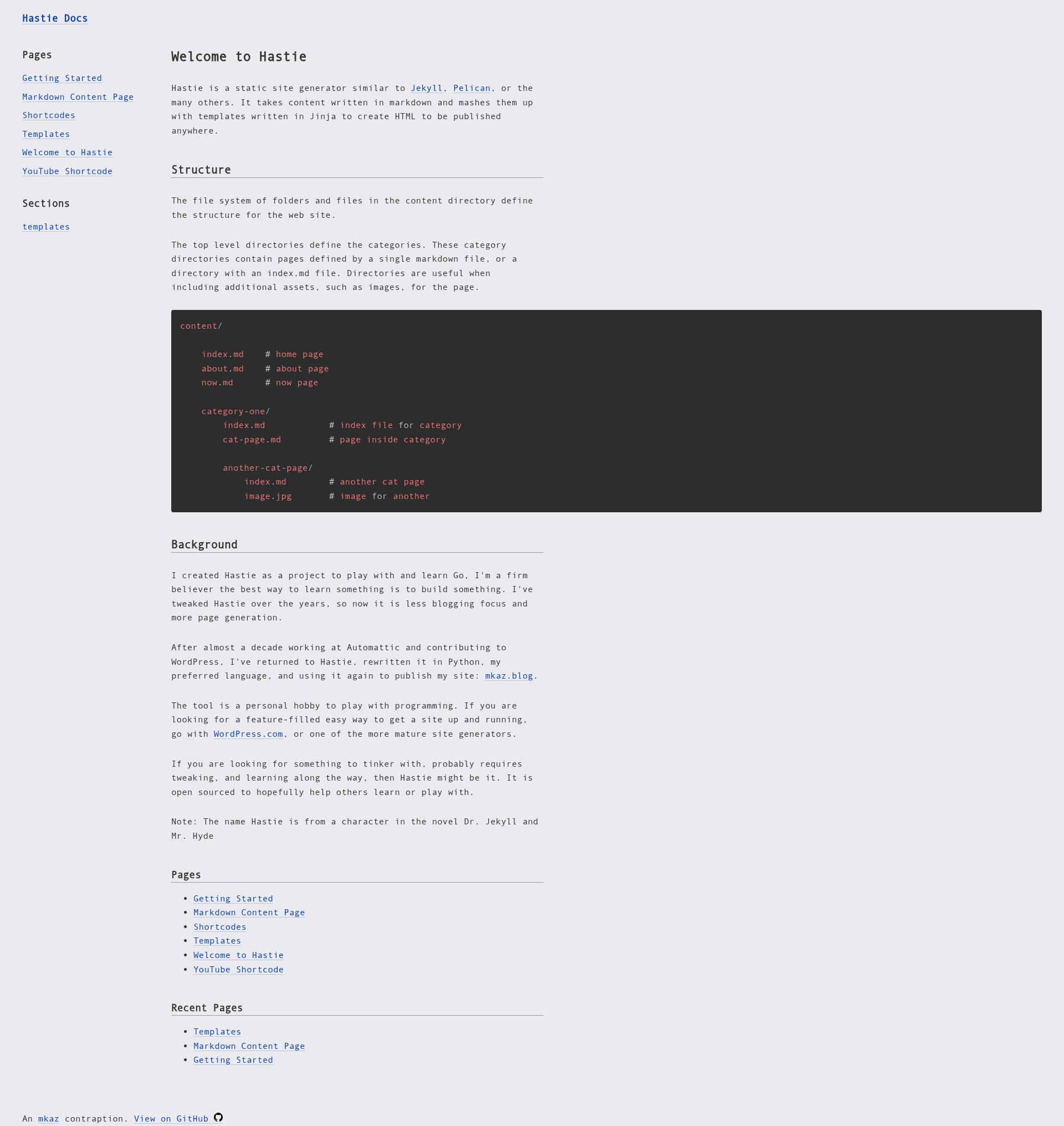
A static site generator written in Python that turns markdown and templates into a static HTML site.
About this template
Hastie is a static site generator written in Python that processes a folder of markdown text files, applies a template, and generates a static HTML site. It is maintained as an open-source project on GitHub and distributed under the MIT License.
What is Hastie?
Hastie is a command-line tool that takes markdown content organized in directories, combines it with templates specified in a hastie.toml configuration file, and produces a complete HTML site in an output/ directory. The tool was originally written in Go and later rewritten in Python by its author, who uses it to power the personal site mkaz.blog. Unlike blog-specific generators, Hastie does not assume reverse-chronological posts or generate extra pages for authors and tags; it is designed for sites made of categorized pages.
Key Features
Hastie's feature set is intentionally small, focusing on a simple content-to-HTML pipeline.
- Markdown-driven content — Content is authored in markdown, organized by directory structure, and each directory becomes a section of the site.
- Template configuration — Templates are declared in
hastie.toml, allowing a clean separation between content and presentation. - Static HTML output — The generated site is written to an
output/folder that can be uploaded to any static host or CDN. - Pip installation — Install directly from the GitHub repository with
python3 -m pip install git+https://github.com/mkaz/hastie. - Minimalist design — Built for collections of pages in categories, skipping blog-only features like chronological archives, author pages, and tag pages.
- MIT licensed — Free to use, modify, and redistribute under the terms of the MIT License.
- Self-hosting documentation — The project's own documentation site is generated using Hastie itself, with commands documented for
uv syncand runningmain.py.
Who is it for?
Hastie is aimed at users who prefer a no-frills static site generator that can be customized in Python.
- Python developers who want a lightweight, hackable static site generator that can be extended with a few lines of Python.
- Content site owners with pages organized into categories rather than a reverse-chronological blog, such as the author's mkaz.blog.
- Developers seeking a minimal alternative to heavier Python generators like Pelican, which come with more requirements and generate many additional pages.
- Documentation maintainers who need a simple pipeline from markdown to static HTML with custom templates.
What can you do with Hastie?
The tool is versatile enough for a variety of static sites.
- Personal content sites: Organize markdown by category and generate a clean static site without a database; the tool's creator uses this exact setup for mkaz.blog.
- Project documentation: Build a documentation site from markdown files; the Hastie docs site is a working example of this pattern.
- Template experimentation: Define multiple templates in
hastie.tomland combine them with markdown to quickly test different site layouts.
How does Hastie work?
- Create markdown content files and organize them by directory according to the site structure.
- Define which templates to apply in a
hastie.tomlconfiguration file. - Run Hastie to combine content and templates, writing the final HTML to the
output/directory. - Upload the
output/folder to any static web server or hosting service.
Alternatives
- Pelican — another Python static site generator; the author found it "does too much" with requirements around dates and template types, and it generates extra pages for authors and tags.
FAQ
Is Hastie free?
Yes, Hastie is open-source and released under the MIT License, so it is free to use, modify, and distribute.
What does Hastie do?
Hastie is a static site generator: it takes markdown files, applies a template via a hastie.toml config, and outputs a complete HTML site to an output/ directory.
How do I install Hastie?
Install it with pip directly from the GitHub repository using python3 -m pip install git+https://github.com/mkaz/hastie.
How is Hastie different from Pelican?
Hastie is more minimalist: it does not require date-based content or generate author and tag pages. It is designed for sites made of categorized pages, whereas Pelican includes many blog-specific features.