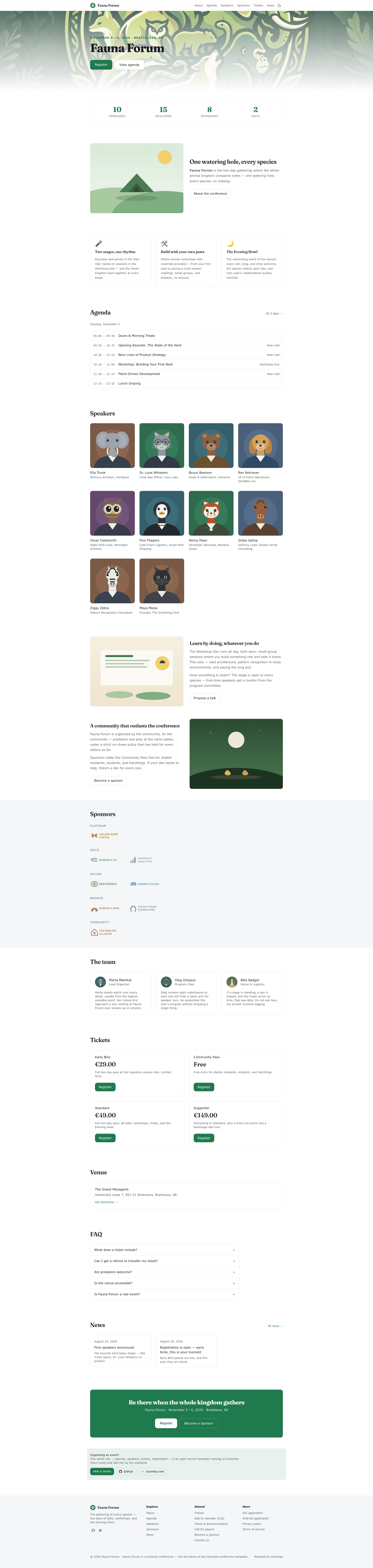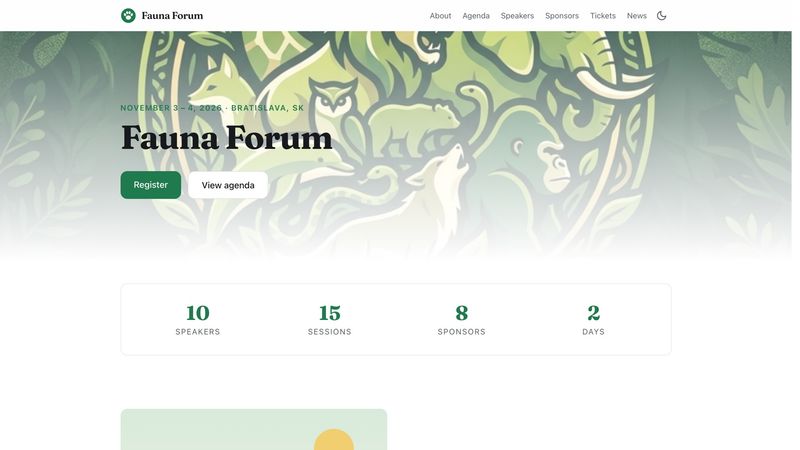
Cloomba Conference Template is an open-source conference website template that builds a complete static site — agenda, speakers, sponsors, tickets, and custom pages — from the Cloomba public API, with Cloomba handling registration and paid ticketing behind the scenes.
What is Cloomba Conference Template?
Cloomba Conference Template is an open-source, MIT-licensed website template that generates a static conference site from a hosted event backend. It runs on Astro with React islands and Tailwind CSS, and it's maintained by Cloomba, the event platform whose public API supplies the event data. The template takes a read-only API key and an event slug as input, then renders static HTML pages for the agenda, speakers, sponsors, ticket tiers, venue, and custom content. Because the site is static, it can be deployed to any static host and never touches payments or personal data.
Key Features
- Static build from a live API — At build time the template fetches your event from
api.cloomba.com/public/v1using a read-only key and renders the site as static HTML; the key is never shipped to the browser. - Astro + React islands + Tailwind — The site uses Astro for static generation, small React islands for live elements (agenda now/next and ticket availability), and Tailwind CSS for styling, with light and dark themes by default.
- Typed site configuration —
apps/astro-theme/site.config.tsholds your event slug, colors, fonts, section order, and navigation; build-time validation produces readable error messages when a value is wrong. - Markdown editorial content — Custom pages, FAQ, and news are written as markdown files in
apps/astro-theme/src/content/, separate from the event-shaped data that is edited on Cloomba. - Easy i18n via 81 strings — All UI labels live in
apps/astro-theme/strings.en.json(81 of them), and an emptystrings.tsfile lets you override any string per language without modifyingsite.config.ts. - Live ticket availability without payment handling — Two anonymous runtime endpoints power the agenda and ticket widgets, while registration runs inside Cloomba's embedded widget under the attendee's own account.
- Monorepo with typed packages — The workspace includes
@cloomba/client(generated from the OpenAPI spec),@cloomba/core(site-config schema, agenda formatting, iCal), and@cloomba/react(React bindings), alongside the Astro theme.
Who is Cloomba Conference Template for?
Conference organizers who want a fast, static marketing site while letting Cloomba manage registration, paid ticketing, and check-in benefit directly from this template. Developer teams can customize the Astro codebase, set branding in one typed config file, and write extra pages as markdown. Event agencies building multiple conference sites can reuse the same workspace and per-event config. Open-source contributors interested in a clean Astro and React architecture with an external event API can learn from the repository's packages and AGENTS.md contributor guidelines.
What can you do with Cloomba Conference Template?
- Organize a conference: Launch a complete site with agenda, speaker bios, sponsor listings, ticket tiers, and venue details, while Cloomba handles the registration flow.
- Update event content without code: Change agenda, speakers, sponsors, or ticket tiers by editing them on Cloomba; a rebuild publishes the changes to the static site.
- Customize design and pages: Set colors, fonts, and navigation in
site.config.ts, add FAQ or news as markdown, and override any of the 81 UI strings instrings.tsfor localization. - Deploy anywhere: Run
yarn buildto output the site toapps/astro-theme/dist, then host it on any static hosting service.
How does Cloomba Conference Template work?
The template works in two phases. At build time, it reads your event data from the Cloomba public API using a key stored in apps/astro-theme/.env as CLOOMBA_API_KEY and generates static pages. At runtime, two small React islands poll anonymous endpoints for live agenda and ticket availability, while registration and check-in are embedded from Cloomba's widget. For a new event, you create a free Read Public key, point site.config.ts at your event slug, and run yarn build.
FAQ
Do I need a Cloomba account to try the template?
No. A fresh clone of the repository renders the demo conference immediately without an account or API key. The build uses a shared, read-only key against the demo event, and that key can only read public event content, not attendee data.
How does the site handle payments and personal data?
The template never touches payments or personal data. Registration, paid ticketing, and check-in run inside Cloomba's embedded widget under the attendee's own account, so your static site has no payment processing or sensitive information.
Can I translate the conference site?
Yes. All 81 UI labels the template renders are in strings.en.json. The strings.ts file ships empty and is already wired in, so you can add overrides for any language without editing site.config.ts; anything you skip stays English.
Where do I edit event content?
Event-shaped content — agenda, speakers, sponsors, ticket tiers, and venue — is edited on the Cloomba dashboard and pulled in on the next build. Editorial content like custom pages, FAQ, and news is written as markdown files in apps/astro-theme/src/content/.
What tech stack does the template use?
The template is an Astro static site with React islands and Tailwind CSS. It's organized as a Yarn workspace with packages for a typed API client, core domain logic, and React bindings, and it produces a static output in apps/astro-theme/dist.