Template details
CRUDAdmin
Modern admin interface for FastAPI with built-in authentication, event tracking, and security features
About this template
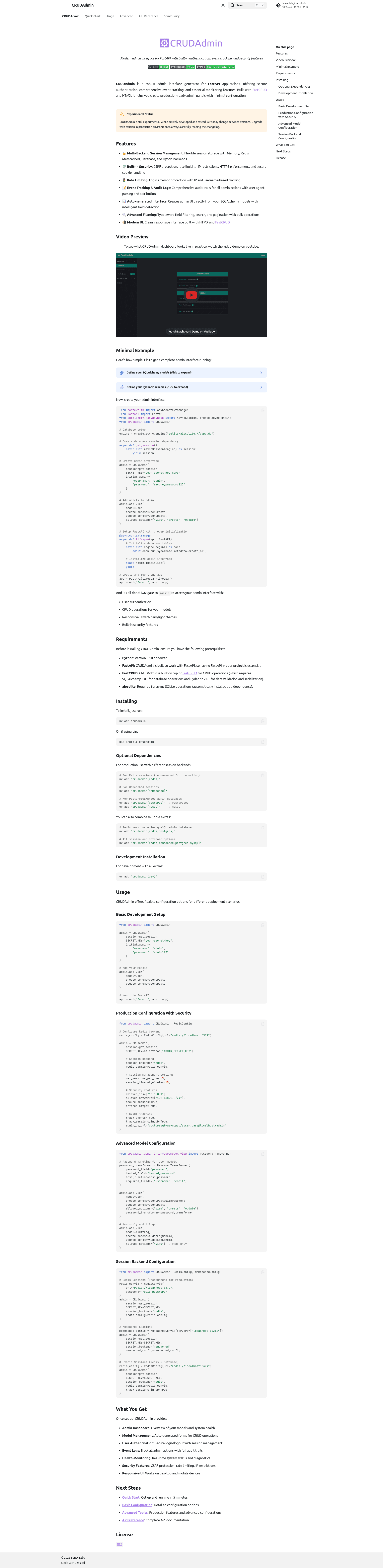
CRUDAdmin is an open-source admin interface generator for FastAPI that auto-creates a production-ready admin panel directly from your SQLAlchemy models, with built-in authentication, event tracking, and security features.
What is CRUDAdmin?
CRUDAdmin is a Python library that generates a complete admin interface for FastAPI applications. It takes SQLAlchemy models plus Pydantic v2 create/update schemas as input and outputs a mounted web application at a route like /admin with login, data tables, and CRUD forms. It is built on FastCRUD and HTMX, developed by Benav Labs (benavlabs), and distributed on PyPI for Python 3.x. The dashboard UI is responsive with dark/light themes.
Key Features
- Multi-backend session management — Supports Memory, Redis, Memcached, Database, and Hybrid session backends, with configuration for max sessions per user, session timeout, and cleanup interval.
- Built-in security — Includes CSRF protection, rate limiting, IP allow-list restrictions, allowed network CIDR rules, HTTPS enforcement, and secure cookies.
- Event tracking and audit logs — Records all admin actions with user attribution for audit trails.
- Auto-generated interface — Creates admin UI from SQLAlchemy models with intelligent field detection, plus forms generated from Pydantic schemas.
- Advanced filtering and bulk operations — Type-aware field filtering, search, pagination, and bulk actions on table views.
- Modern UI stack — Uses HTMX and FastCRUD for a clean, responsive interface toggleable between dark and light themes.
- Health monitoring — Provides real-time system status and diagnostics.
Who is it for?
- FastAPI developers who need an admin panel without writing frontend code — they can mount CRUDAdmin and register models in minutes.
- Python SaaS teams who want authenticated CRUD interfaces plus audit logs for compliance — the event tracking and session limits help meet that requirement.
- Prototype builders who want a working admin with login and CRUD for testing an API quickly — the default memory session backend gets them started instantly.
What can you do with CRUDAdmin?
- Backend teams: add an admin console to an existing FastAPI service by defining models and schemas and calling
admin.add_view(). - Security-conscious deployments: enforce HTTPS, IP restrictions, and secure cookies in production, and set session timeouts per user.
- Compliance-focused projects: keep an audit trail of admin actions with user attribution via the event tracking feature.
How does CRUDAdmin work?
Install with uv add crudadmin or pip install "crudadmin[redis]", then create a CRUDAdmin instance with a database session dependency and SECRET_KEY. Register models with create/update schemas and allowed actions, mount the returned app at a route, and call admin.initialize() inside the FastAPI lifespan to set up tables and the admin app.
Pricing
CRUDAdmin is free open-source software released under the MIT License.
Alternatives
- Django Admin, which is built into the Django framework.
- Flask-Admin, which provides a similar admin interface for Flask applications.
FAQ
Is CRUDAdmin free?
Yes, CRUDAdmin is open source under the MIT License, so it is free to use, modify, and distribute.
What does CRUDAdmin do?
CRUDAdmin generates a modern admin interface for FastAPI apps directly from SQLAlchemy models and Pydantic schemas. It provides authentication, CRUD operations, filtering, pagination, event tracking, and security features in a mounted web app.
Which session backends does CRUDAdmin support?
CRUDAdmin supports Memory, Redis, Memcached, Database, and Hybrid backends. The default is Memory for development; Redis is recommended for production. Redis and Memcached support can be added via optional install extras.
Is CRUDAdmin stable for production?
The project is still experimental. While actively developed and tested, APIs may change between versions. Version 0.4.0 introduced breaking changes to session backend configuration, so production users should read the changelog before upgrading.
What databases can CRUDAdmin use?
Any SQLAlchemy async database, since the session dependency is user-defined. The quick start uses SQLite with aiosqlite, and the documentation warns SQLite users to gitignore database files to avoid committing credentials and session tokens.