Template details
Dark Pro
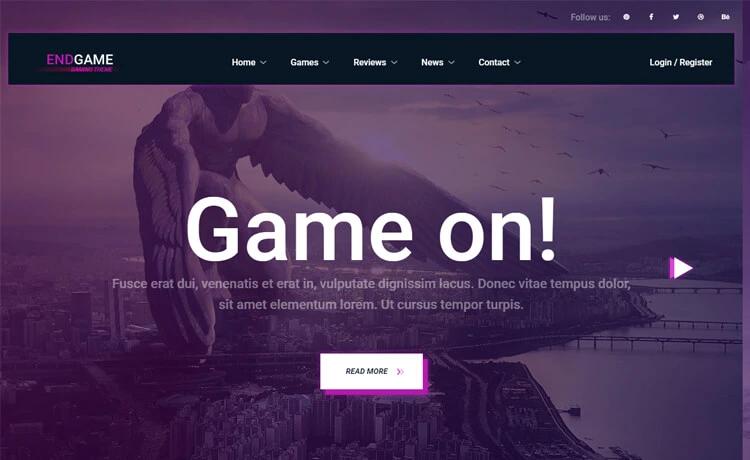
Dark Pro is a free HTML CSS template with JSliderNews, 4-column sections, drop-down menus, and a contact page with form and maps.
About this template
Dark Pro is a free HTML CSS website template from TemplateMo that pairs a JSliderNews jQuery news slider with 4-column content sections, a black drop-down navigation menu, and a contact page containing a form and maps.
What is Dark Pro?
Dark Pro is a static HTML/CSS template released by TemplateMo on 23 April 2012, designed for building multi-section websites with a dark gray to black diagonal grid background. The template takes hand-edited HTML and CSS files as input and produces a complete multi-page static website that can be uploaded to any web server without a build step. It is not tied to a specific JavaScript framework; instead it uses standard jQuery for the slider and drop-down menus. Since its release, the download page reports over 189,000 views and more than 47,000 downloads.
Key Features
- JSliderNews slider — A jQuery-powered slider on the homepage that cycles through news or featured content blocks.
- 4-column sections — Content areas arranged in four columns, suitable for services, features, or portfolio grids.
- Drop-down navigation — A black menu bar with drop-down sub-menus that lets visitors reach sub-pages directly.
- Dark gradient background — A diagonal grid background that gradients from dark gray to black, giving the site a coherent visual theme.
- Contact page with form and maps — The included contact page combines a working contact form (PHP script available separately) with embedded map support.
- Free for commercial use — TemplateMo grants permission to download, edit, and use the template on commercial or non-commercial sites without payment.
- Red and black color accents — The template’s design palette is tagged as red and black, which can guide your own content styling.
Who is Dark Pro for?
- Web designers building a dark-themed business or portfolio site can use the four-column sections and drop-down menus as a ready-made structure.
- Small business owners needing a simple online presence can download the template, replace placeholder text with their own, and publish a site that includes a contact form for customer inquiries.
- Developers who prefer plain HTML, CSS, and jQuery over modern frameworks can edit the template directly in a text editor and host it on any static web server.
What can you do with Dark Pro?
- Showcase services or products: Arrange up to four offerings side-by-side in the 4-column sections, each with its own heading and text block.
- Publish news or announcements: Use the homepage JSliderNews to rotate through multiple headlines or featured items without extra plugins.
- Receive visitor messages: The contact page provides a form that can collect inquiries; the linked PHP contact form script on the site handles submission processing.
How does Dark Pro work?
The template is distributed as a ZIP download from TemplateMo. After downloading, you edit the HTML files to change text and images, adjust the CSS for colors and spacing, and then upload the files to your web host. The included JSliderNews and drop-down menus operate with jQuery and do not require server-side processing, while the contact form needs a simple PHP script (offered as a separate download) to send messages.
Pricing
Dark Pro is 100% free. TemplateMo permits anyone to download, edit, and use the template for both commercial and non-commercial websites, with no license fee.
FAQ
Is Dark Pro free to use?
Yes, Dark Pro is 100% free to download. TemplateMo allows you to use it on personal or commercial websites without paying any license fee.
Does Dark Pro include a contact form?
The template includes a contact page with a form and maps. For the form to send messages, you need to connect it to a server-side script; a simple PHP contact form script is available from TemplateMo.
What technologies does Dark Pro use?
Dark Pro is built with standard HTML and CSS and uses jQuery for the JSliderNews slider and drop-down menu interactions. It does not rely on a modern JavaScript framework or a build tool.
Can I edit Dark Pro?
Yes, the download page says you are allowed to download and edit the template. It does not restrict modifications, so you can customize it to fit your own website’s content and styling.
How do I download Dark Pro?
You can download the ZIP file directly from the TemplateMo page for Dark Pro. The page also provides a Live View for previewing the template and a full-size screenshot to inspect the design before downloading.