Template details
DSFolio
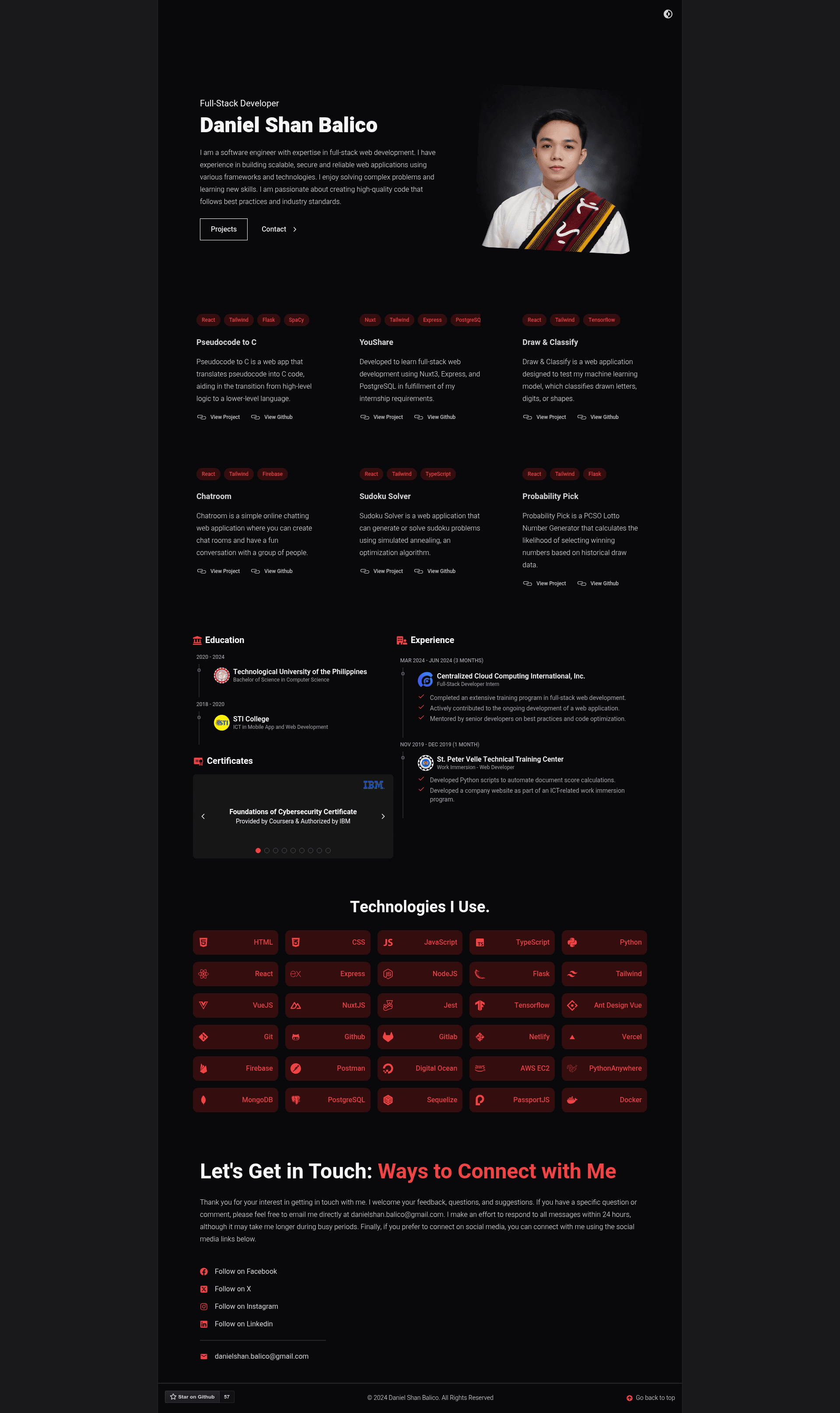
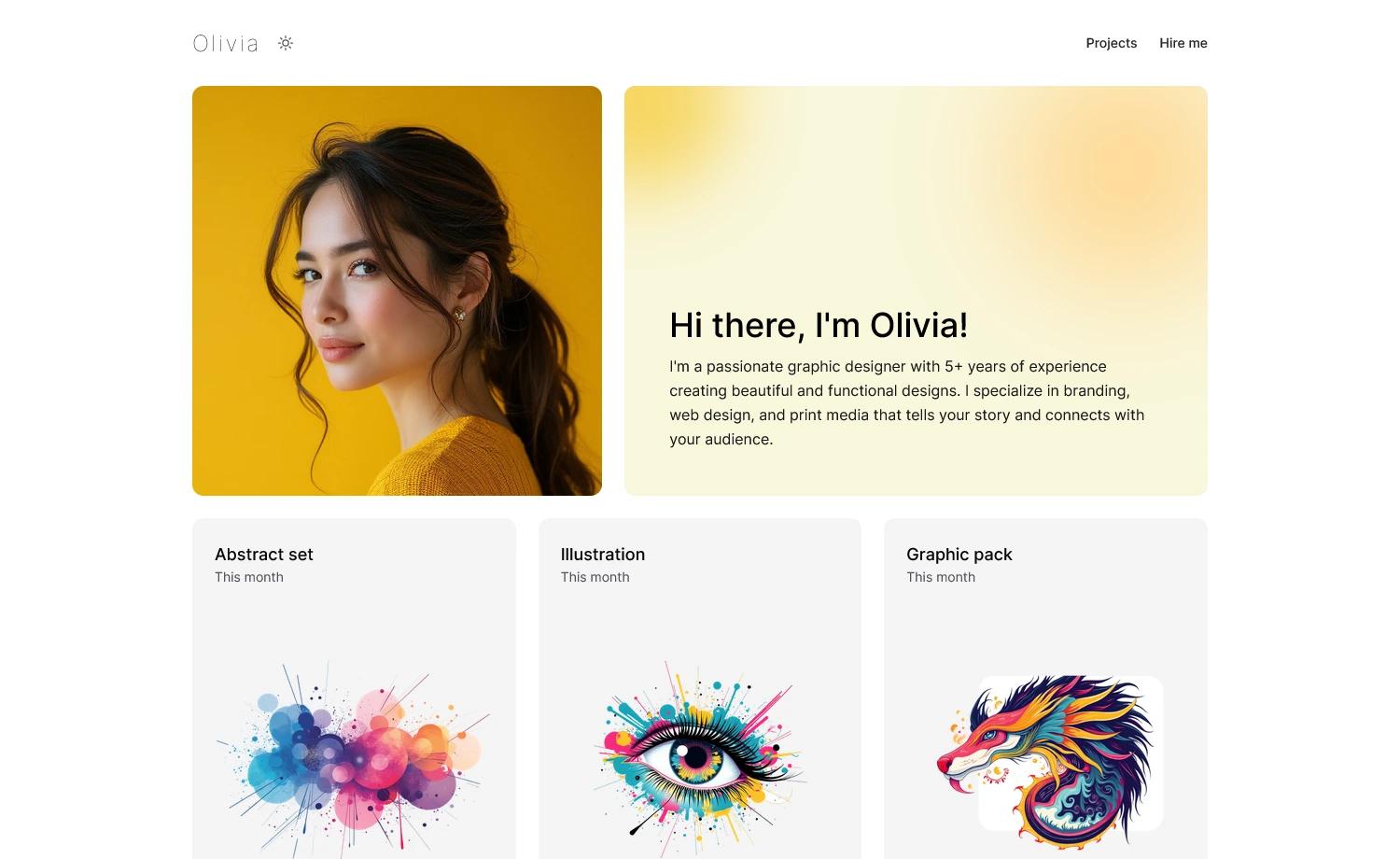
React & Tailwind CSS portfolio template with configurable content and Google Analytics integration.
About this template
DSFolio is a portfolio website template built with React and Tailwind CSS that lets developers publish a personal portfolio by editing a single data file. It is the first iteration of the creator's personal website, open sourced on GitHub, and suited for anyone who wants a modern, responsive portfolio without building from scratch.
What is DSFolio?
DSFolio is a single-page portfolio template that runs on a Vite-powered React front end styled with Tailwind CSS. It takes personal information from a configuration file and renders it as a polished portfolio page, ready to deploy to Netlify or Vercel. The template was created by the GitHub user dsbalico and the live demo is available at dsfolio-v1.vercel.app.
Key Features
- React + Tailwind CSS — The interface is built with React (JavaScript) and styled with Tailwind's utility classes, so you can customize the look by editing class names directly.
- Vite dev server — Run
yarn devand view the site at localhost:5173 for fast hot-reload during development. - Central content file — All personal data lives in /data/user_info.js; edit this single file to change your name, projects, and other details.
- Google Analytics integration — Add your MEASUREMENT ID in index.html to track visitors. The README reminds you to update or remove it before deploying.
- Yarn package management — Install dependencies with
yarn installand run scripts withyarn devoryarn build. - Deployment ready — The demo is hosted on Vercel, and the skill icons in the README reference Netlify, so the template works with either platform.
Who is DSFolio for?
- Developers who want a quick start on a personal portfolio without designing a UI from scratch.
- Designers looking for a minimal, Tailwind-based layout to showcase their projects and skills.
- Job seekers who need a simple online presence with project links and contact information, customizable through one data file.
What can you do with DSFolio?
- Publish a personal portfolio — Edit /data/user_info.js with your details and deploy the site to Vercel or Netlify in a few minutes.
- Learn React and Tailwind — Use the project structure as a reference for building components, managing state, and styling with Tailwind utility classes.
- Add analytics — Insert your Google Analytics MEASUREMENT ID in index.html to see traffic data on your portfolio.
How does DSFolio work?
Clone the repository, run yarn install to install dependencies, then yarn dev to start the development server. Modify the content in /data/user_info.js and update the Google Analytics ID in index.html. When you are ready, build and deploy the project to a static host like Vercel or Netlify.
FAQ
How do I change the content on the website?
All content is configured in the file /data/user_info.js. Edit that file to update your personal information, projects, and other data shown on the page. The README states this is the place to change the website's content.
Can I use DSFolio for free?
The template is open source and hosted on GitHub. The repository is available to clone and use for your own portfolio; the README encourages contributions and leaving a star if the project is useful.
What tech stack does DSFolio use?
The template uses React, JavaScript, and Tailwind CSS, with Vite as the development server and Yarn for package management. The README also references HTML and CSS, and the skill icons include Netlify for deployment.
How do I set up Google Analytics?
Find the MEASUREMENT ID in the index.html file and replace it with your own. The README warns to remove or update this ID before deploying the website.