Template details
Ryze
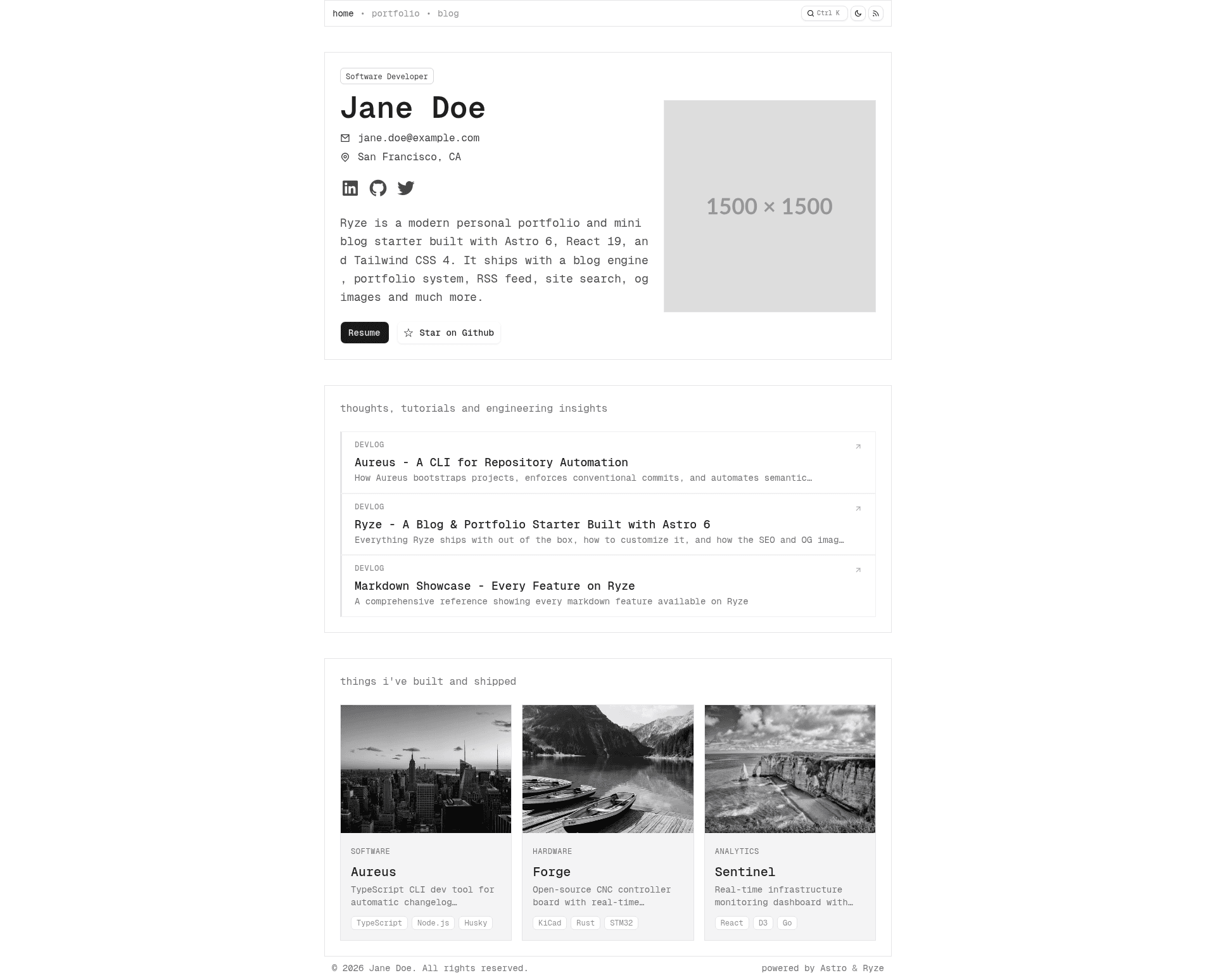
A modern Astro 6 blog & portfolio starter with Pagefind search, dynamic OG images, Mermaid support, RSS, and SEO.
About this template
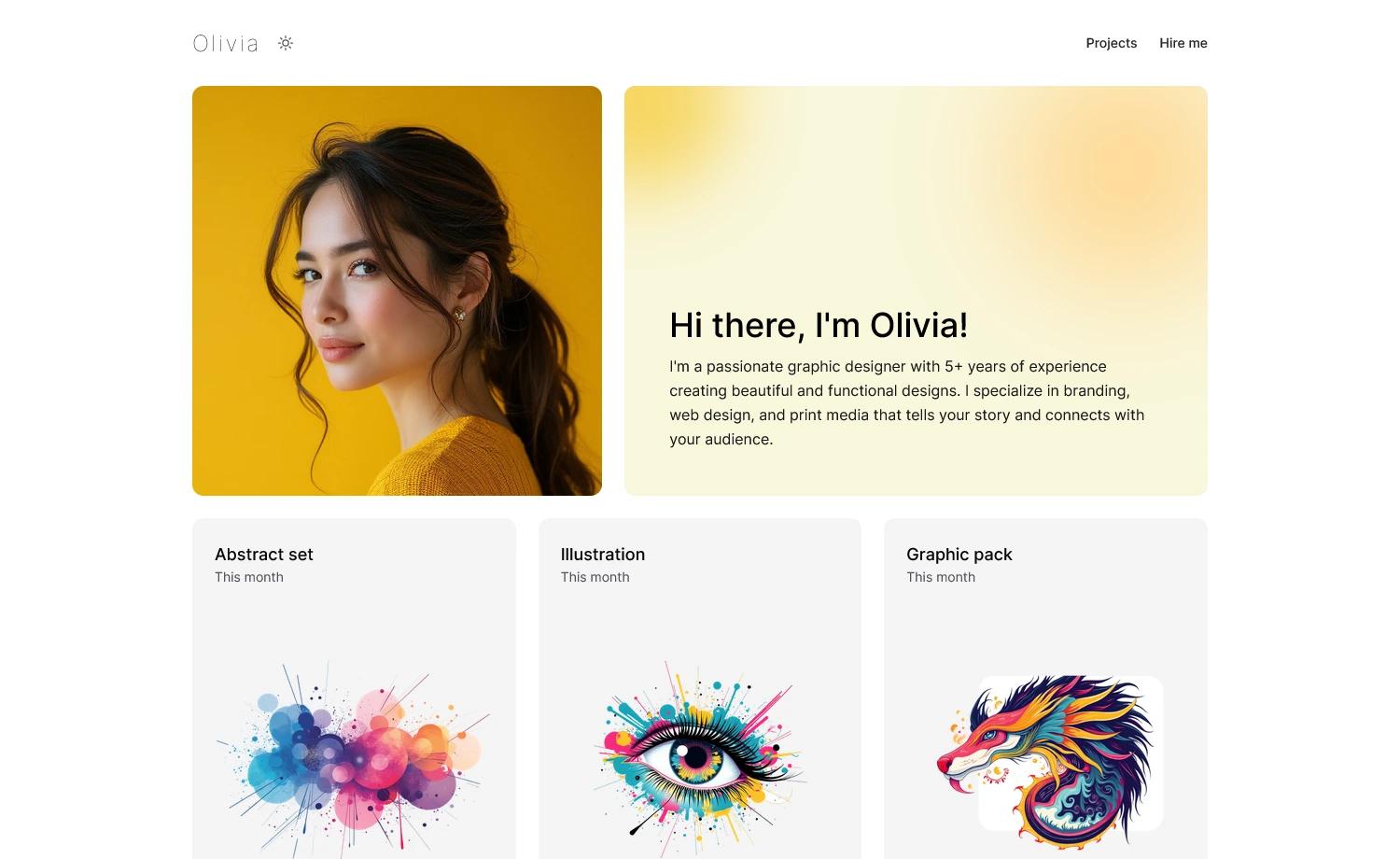
Ryze is an Astro 6 starter template for personal portfolio and blog sites that ships with a blog engine, portfolio system, RSS feed, full-text search, and dynamic OG images, all configured through JSON files.
What is Ryze?
Ryze is a production-ready starter for personal portfolio and blog sites built on Astro 6, React 19, Tailwind CSS 4, and shadcn/ui. It takes markdown and MDX content plus JSON configuration as input and produces a fully static site with a blog, portfolio gallery, resume page, RSS feed, sitemap, and dynamic Open Graph images. The template is developed by GitHub user A58361 and is licensed under GPL v3.0.
Key Features
- Blog engine — Supports Markdown and MDX via Astro Content Collections, with Zod-validated frontmatter, draft posts, categories (engineering, workflow, strategy, devlog), tags, and previous/next navigation.
- Portfolio system — JSON-driven project data with six categories (AI, analytics, gameplay, hardware, software, robotics), per-project tags, image galleries with thumbnail strip navigation, YouTube embedding, and tabbed project details.
- Full-text search — Pagefind indexes all blog posts at build time and provides a keyboard shortcut (mod+k) to open a search popover.
- Dynamic OG images — Satori and Sharp generate unique Open Graph PNG images at build time for every page, including per-post and per-project images with title, description, category, and date.
- Markdown rendering — Automatic KaTeX math, Shiki syntax highlighting with dual GitHub light/dark themes, Mermaid diagrams with automatic theme switching, and GFM support with auto figure elements and external link handling.
- SEO & metadata — Open Graph tags, Twitter Card summary_large_image, canonical URLs, article metadata, XML sitemap, dynamic robots.txt, full-content RSS feed, Google site verification via environment variable, and author meta tag.
- UI component kit — Curated shadcn/ui components in the base-vega style built on Base UI React, including Button, Breadcrumb, Checkbox, and Popover, with Remixicon icons.
- Developer tooling — Husky git hooks for commit message validation and version bumps, GitHub Actions release workflow, issue/PR templates, code of conduct, strict TypeScript, and
@/path aliases.
Who is it for?
Ryze is for developers and designers who want a portfolio and blog without building the infrastructure themselves. It's suited for technical writers who need Markdown/MDX authoring with math and diagrams, freelancers who want a resume page with JSON-driven data, and open-source contributors who want a personal site with a sponsor button and GitHub integration.
What can you do with Ryze?
- Technical bloggers: Publish Markdown or MDX posts with KaTeX math, Shiki syntax highlighting, and Mermaid diagrams, and let Pagefind index them for instant full-text search.
- Portfolio showcases: Organize projects under six categories with image galleries and YouTube video embeds, all controlled from a JSON array.
- Career site: Build a full resume page driven by resume-config.json, including work experience, education, skills, projects, certifications, and volunteering sections.
- Static site deployers: Generate a static dist/ folder that can be deployed to Cloudflare Pages, Netlify, Vercel, or GitHub Pages with no server needed.
How does Ryze work?
Clone the repository from GitHub, install dependencies with pnpm, and run pnpm dev to start a local server at localhost:4321. Content is added as .md or .mdx files in src/content/blog and as JSON entries in portfolio-config.json; configuration is centralized in site-config.json, portfolio-config.json, and resume-config.json. Run pnpm build to output static files to dist/ and index content with Pagefind.
FAQ
Is Ryze free?
Yes, Ryze is open source under the GNU General Public License v3.0. You can use, modify, and distribute it freely, including for commercial projects, as long as you share your source code under the same license.
What Node.js version is required?
The quick start lists Node.js 22.12 or later as a prerequisite, with pnpm recommended for package management. Older Node versions may not work with Astro 6.
Does Ryze support dark mode?
Yes, Ryze includes light and dark mode with persistence via localStorage and respect for the system's prefers-color-scheme setting. It also supports reduced motion preferences.
Can I remove features I don't need?
Each feature is independently removable. Set bPageFind, bThemeToggle, bRssFeed, bNavigation, or bIntroduction to false in site-config.json, or set the portfolio section's visible flag to false to hide it.
What output does the build produce?
Running pnpm build outputs a fully static site to the dist/ directory with all pages pre-rendered, plus a Pagefind index. The static files can be deployed to any CDN or static hosting provider.