Template details
Easy Jekyll Starter
A (lightly) opinionated Jekyll starter designed to replace jekyll new
About this template
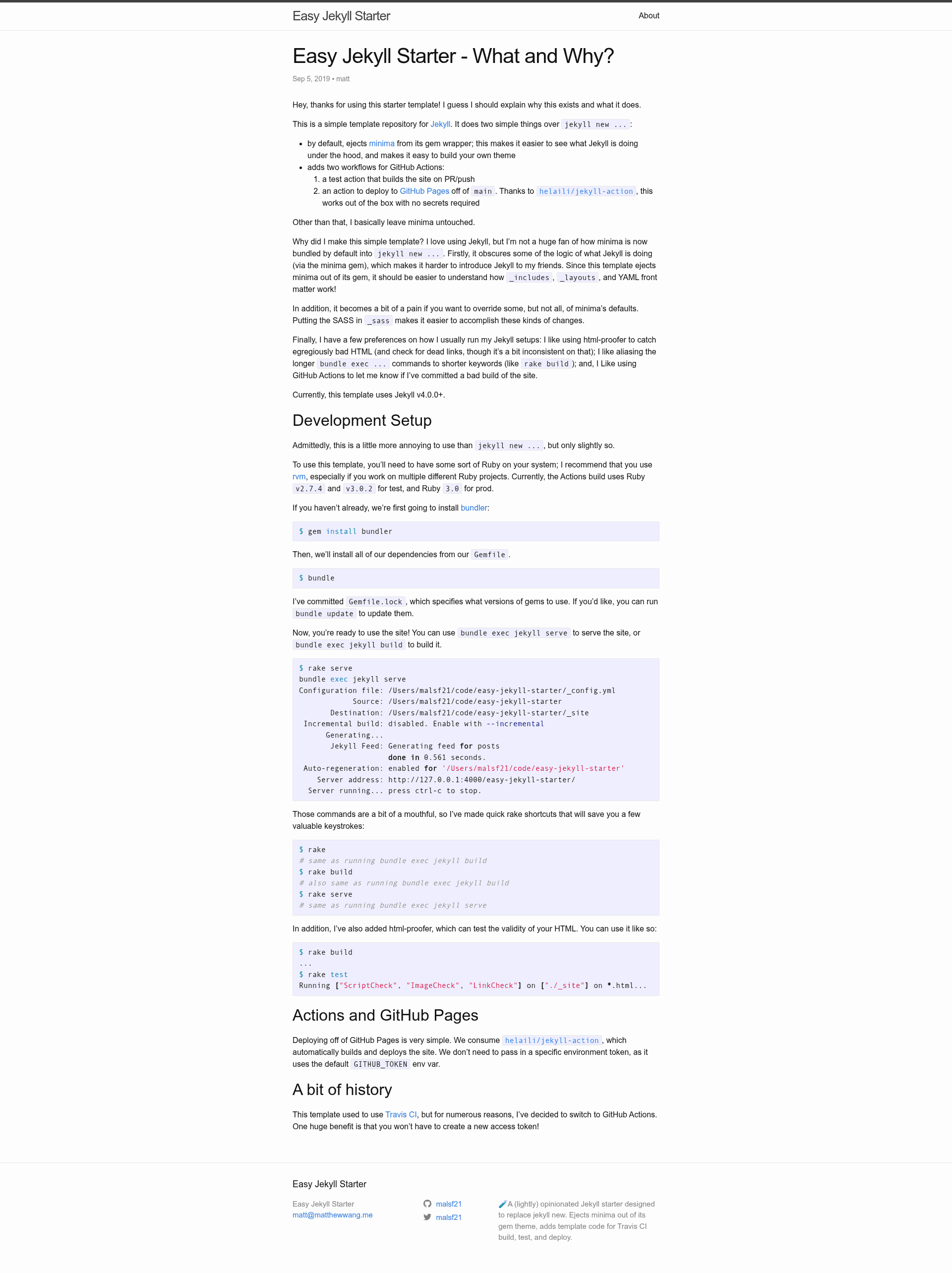
Easy Jekyll Starter is a template repository for Jekyll that replaces the default jekyll new scaffolding with an ejected minima theme and preconfigured GitHub Actions for testing and deploying to GitHub Pages.
What is Easy Jekyll Starter?
Easy Jekyll Starter is a GitHub template repository for building static sites with Jekyll. It provides a starting point that ejects the minima theme into the source tree so you can see and modify every file that generates your site, instead of hiding it inside a gem. The template runs on any Jekyll environment and outputs a static site in _site via bundle exec jekyll serve. It is maintained by developer mattxwang and includes two GitHub Actions workflows for continuous integration and deployment.
Key Features
- Ejected minima theme — The minima gem's files are copied into the repository, making the theme's layout files, includes, and styles openly visible and editable, which simplifies customizing your own theme.
- GitHub Actions test workflow — A
test.ymlworkflow builds the Jekyll site on every pull request and push, catching build errors before deployment. - GitHub Pages deployment workflow — A
gh-deploy.ymlworkflow deploys the built site to GitHub Pages from themainbranch using thehelaili/jekyll-action, requiring no secrets configuration. - No secrets required for deployment — Because the deployment uses GitHub's built-in Pages token, you can publish straight from a public or private repository without creating personal access tokens.
- Simple development commands — Two Rake tasks are included:
rake serveruns the local server with auto-regeneration and incremental build disabled, whilerake buildproduces the static output. - Jekyll Feed preconfigured — The default Jekyll Feed plugin is active, generating an RSS feed for posts during build.
Who is it for?
- Jekyll beginners — People who want to see how Jekyll assembles a site from templates and posts can inspect the ejected minima files to learn the structure.
- Theme developers — Developers building a Jekyll theme can start from the ejected minima code and modify layouts, includes, and Sass without unpacking a gem.
- GitHub Pages users — Anyone who wants automated testing and one-command deployment to GitHub Pages can clone or use this template with no extra service setup.
- Technical bloggers — Writers who want a minimal, hackable blogging platform can use the included post layout, feed generation, and local preview workflow.
What can you do with Easy Jekyll Starter?
- Launch a blog quickly — Use the template as a GitHub repository template, write Markdown posts, and push to
main; the included workflow publishes them to GitHub Pages automatically. - Learn Jekyll internals — Inspect the ejected minima files to understand how Jekyll processes layouts, includes, and configuration.
- Prototype a custom theme — Modify the
_layouts,_includes, and_sassdirectories that come from minima and test changes withrake servelocally. - Set up CI/CD for a Jekyll site — The two workflows give you a ready-made pipeline that runs on GitHub Actions without additional YAML authoring.
How does Easy Jekyll Starter work?
The repository is designed to be used as a GitHub template: fork it, install Ruby dependencies with bundle, and run rake serve to preview locally. When you commit and push to the main branch, the GitHub Actions workflow gh-deploy.yml checks out the code, runs the Jekyll build, and publishes the generated _site directory to GitHub Pages. Pull requests trigger test.yml to build the site and verify there are no errors before merging.
FAQ
Is Easy Jekyll Starter free?
Yes, it is an open-source template repository hosted on GitHub. There are no licensing fees, and all configuration files and workflows are available for you to reuse and modify.
Do I need to configure secrets for GitHub Pages deployment?
No. The deployment workflow uses the helaili/jekyll-action which automatically authenticates with GitHub Pages using the built-in token, so no secrets are required in the repository settings.
Does it work with an existing Jekyll site?
This template is intended as a new project starter. If you have an existing Jekyll site, you could manually copy the ejected minima files and the .github/workflows directory from this repository.
What Ruby version is required?
The README does not specify a Ruby version. You will need Ruby and the Bundler gem installed to run the bundle and rake commands shown in the setup instructions.