Template details
Vercel Blob SvelteKit Starter
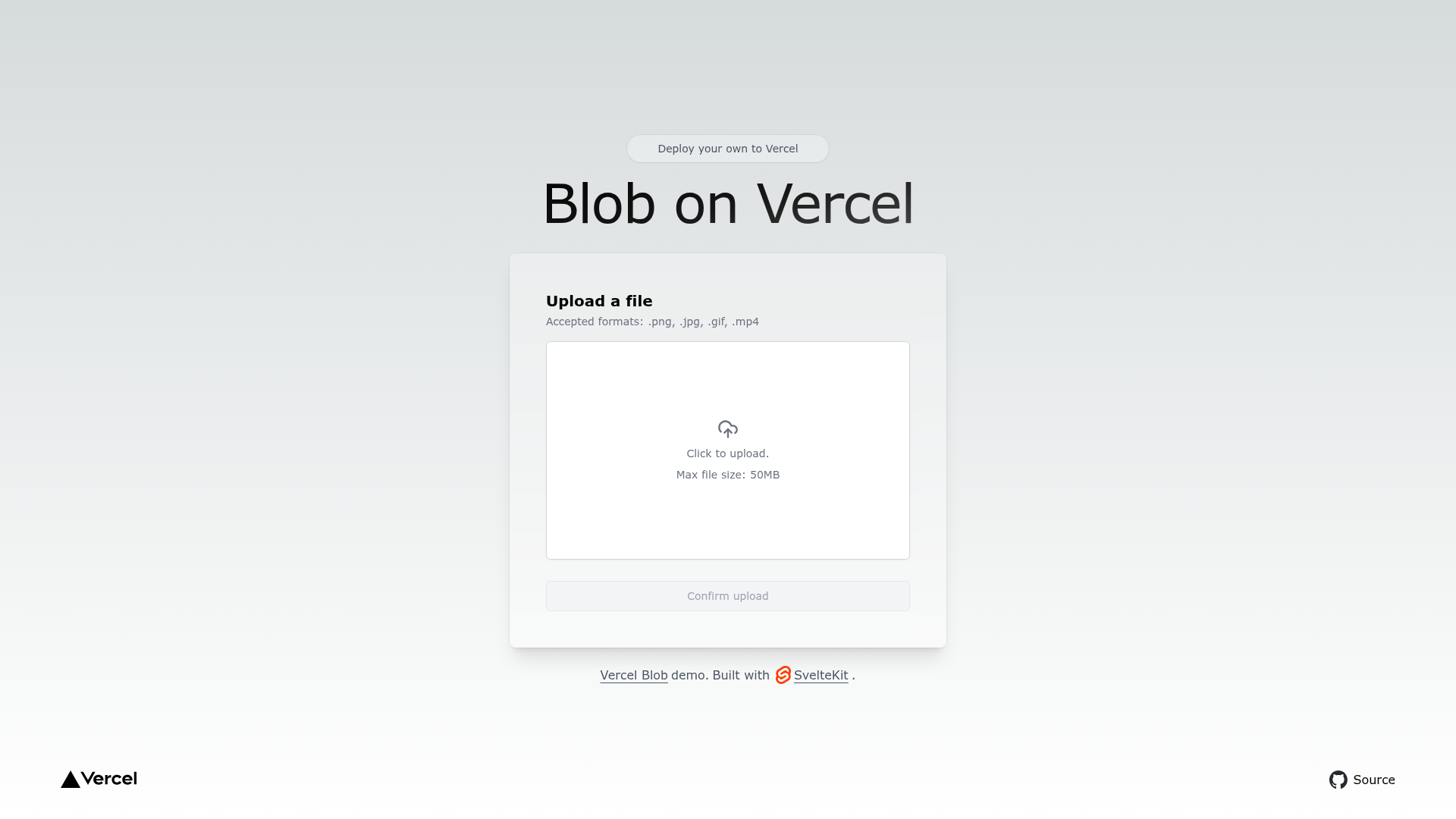
Simple SvelteKit template that uses Vercel Blob to upload a file.
About this template
Vercel Blob SvelteKit Starter
The Vercel Blob SvelteKit Starter is a minimal SvelteKit template from Vercel that demonstrates uploading a file directly to Vercel Blob storage. It is part of the official Vercel examples repository and gives developers a working file-upload pattern they can one-click deploy or clone locally.
What is the Vercel Blob SvelteKit Starter?
The template is a small SvelteKit application that accepts a file upload and stores it using Vercel Blob, Vercel's object storage service. It accepts a file as input and produces a stored blob with a returned URL, showing the integration in a real app. The template runs on Vercel's platform and is created by Vercel as part of their public examples collection. It uses SvelteKit as the framework, Tailwind CSS for styling, and the Vercel Blob SDK for storage.
Key Features
- SvelteKit framework — The template runs on SvelteKit, a meta-framework for Svelte that supports server-side rendering, routing, and API endpoints.
- Tailwind CSS styling — The UI is styled with Tailwind CSS utility classes, giving a clean, responsive default look without a separate CSS setup.
- Vercel Blob integration — Demonstrates storing uploaded files in Vercel Blob and retrieving the resulting URL.
- One-click deploy — A Vercel deploy button lets you clone and deploy the repository directly to your Vercel account with a preconfigured Blob store.
- Local development workflow — Clone with
npx degit, install dependencies withpnpm install, copy.env.exampleto.env.local, and runpnpm devfor local development. - Environment variable automation — You can pull storage credentials automatically with
vercel env pull .env.localif you already have a Vercel project. - Single-page upload form — The template consists of one page with a file input and a submit action, making it a minimal example.
- Live demo — A hosted demo is available at https://blob-sveltekit.vercel.app/ shows the upload pattern in action.
Who is it for?
- SvelteKit developers — Want a minimal reference for integrating Vercel Blob into a SvelteKit project, from upload to stored URL.
- Vercel users — Need a starting point for building an app with Vercel's managed Blob storage and want a preconfigured deploy flow.
- Developers learning object storage — Want to see a working file-upload example with environment variables and SDK usage that they can adapt to their own app.
How does it work?
You can use the one-click deploy button to create a project on Vercel, which automatically provisions a Blob store. For local development, the readme instructs you to clone the example into a folder with npx degit, install dependencies with pnpm install, copy .env.example to .env.local, and fill in the credentials from your Vercel Storage Dashboard. Alternatively, if you have the Vercel CLI and an existing project, you can run vercel env pull .env.local to fetch the variables, then start the dev server with pnpm dev.
Use cases
- Prototyping file uploads — Add a quick upload form to a SvelteKit prototype and store files with Vercel Blob.
- Learning Vercel Blob — Use the template as a reference for the SDK calls, environment variables, and deployment flow.
- Building a starter for your own app — Fork the template and extend it with authentication, image processing, or additional storage patterns.
FAQ
How do I deploy this template to Vercel?
Use the one-click deploy button provided in the readme. It clones the repository, creates a new Vercel project, and attaches a Blob store automatically.
What environment variables do I need?
The template uses a .env.example file with variables that match your Vercel Storage Dashboard. You can copy it to .env.local and fill them in, or run vercel env pull .env.local if you have the Vercel CLI.
Does this template use a database?
No, it only uses Vercel Blob, which is object storage for files, not a relational database. Related templates in the same examples collection cover Postgres with SvelteKit.
Can I use it with other package managers?
The readme uses pnpm install for dependency installation, but SvelteKit works with npm and yarn as well. The template doesn't enforce a specific manager.
Is there a demo I can try?
Yes, the template has a live demo at https://blob-sveltekit.vercel.app/ where you can upload a file and see the returned blob URL.