Template details
Elementary
Free open-source Astro theme for elementary schools, daycare centers, and preschools with fully static multi-page sites.
About this template
Elementary is a free, open-source Astro theme that builds a fully static website for elementary schools, daycare centers, preschools, and other educational organizations.
What is Elementary?
Elementary is a free, open-source website theme built with Astro 6 that generates a fully static, multi-page site from a single configuration file and Markdown content. It takes your site name, contact information, social links, and blog posts as input and outputs an HTML/CSS/JS site ready to deploy to any static hosting provider. The theme is distributed on GitHub and its repository describes it as "An Astro theme for elementary schools."
Key Features
- Fully static site — The build produces plain HTML/CSS/JS with no server-side rendering, so the site can be hosted on Netlify, Vercel, Cloudflare Pages, or any static file host.
- Tailwind CSS v4 styling — Utility-first styling with custom brand colors and fonts defined as CSS custom properties in
src/styles/global.cssunder the@themeblock. - Content Collections for news — Blog posts are stored as Markdown files in
src/content/blog/; adding a new file with YAML frontmatter automatically creates a post on the/blogindex. - Centralized configuration — Site name, phone, email, address, social media links, navigation, and teacher profiles are edited in TypeScript data files under
src/data/. - Accessible design — Built with semantic HTML and keyboard-navigable navigation, plus a slide-in mobile menu for small screens.
- Ready-to-use components — Includes 20+ Astro components:
Video,Stats,ProgramCards,Agenda,Teachers,Testimonials,BlogList,Faq, and three forms (FormContact,FormEnrollment,FormNewsletter). - Netlify-ready adapter — The
@astrojs/netlifyadapter is included, and the theme builds successfully for other static hosts. - Type-safe codebase — All components are written in TypeScript, with shared prop interfaces in
src/types.ts.
Who should use Elementary?
- School administrators — Set up a professional school website in minutes by editing one config file and deploying to a static host.
- Teachers and office staff — Publish school news by creating a Markdown file in
src/content/blog/; no coding knowledge is required once the site is deployed. - Daycare and preschool owners — Showcase programs, staff, and schedule using the included
ProgramCards,Teachers, andAgendacomponents, and collect inquiries with the enrollment form.
What can you do with Elementary?
- Launch a school site quickly: Customize
src/data/config.tsandsrc/styles/global.css, add a few blog posts, then runnpm run buildand deploy thedist/folder to Netlify. - Publish announcements: Drop a new Markdown file with title, date, description, and image into
src/content/blog/and it appears on the news index automatically. - Showcase programs and staff: Populate teacher profiles in
src/data/teachers.tsand use theProgramCardscomponent to highlight art, science, sports, and other programs.
How does Elementary work?
Elementary follows a standard Astro workflow. With Node.js 22.12.0 or newer installed, run npm install then npm run dev to start a local server at localhost:4321. Customize the theme by editing data files and CSS variables, then run npm run build to generate the production site in ./dist/. Deployment is as simple as connecting a repository to Netlify and setting the build command to npm run build and publish directory to dist/.
Pricing
Free — Elementary is released as an open-source theme at no cost. The documentation mentions no premium tiers or paid add-ons.
FAQ
Is Elementary free?
Yes, Elementary is free and open-source. No pricing or premium version is mentioned in the documentation or repository.
What does Elementary do?
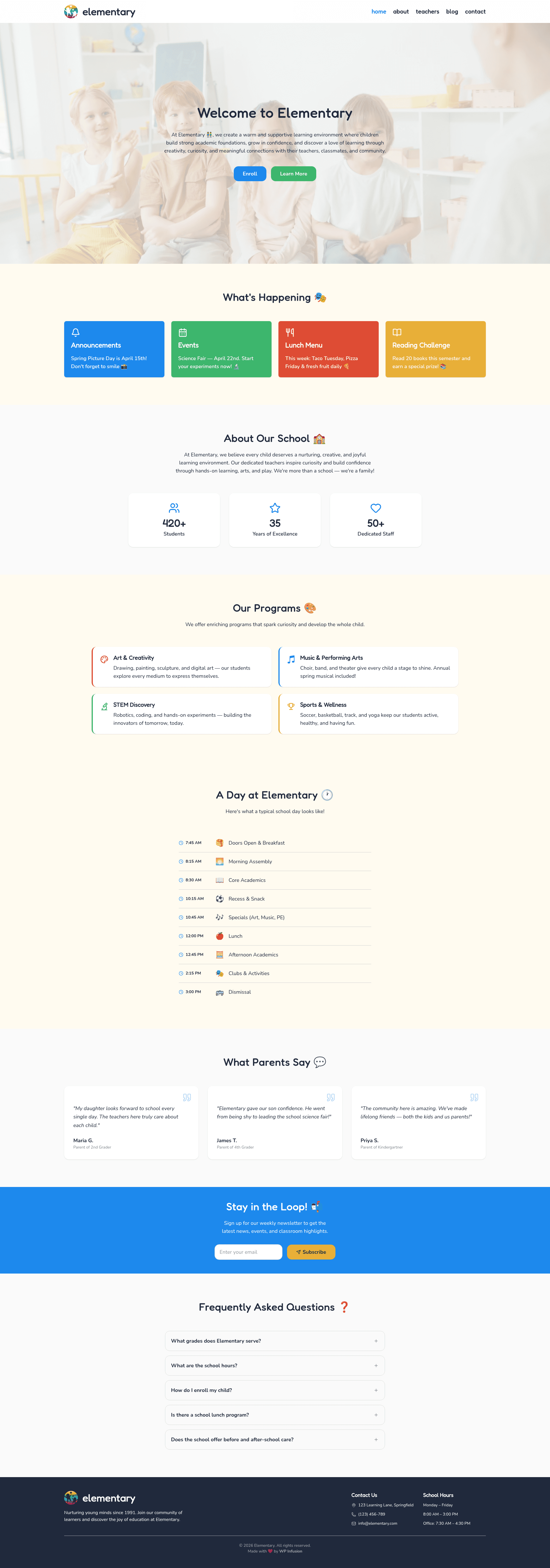
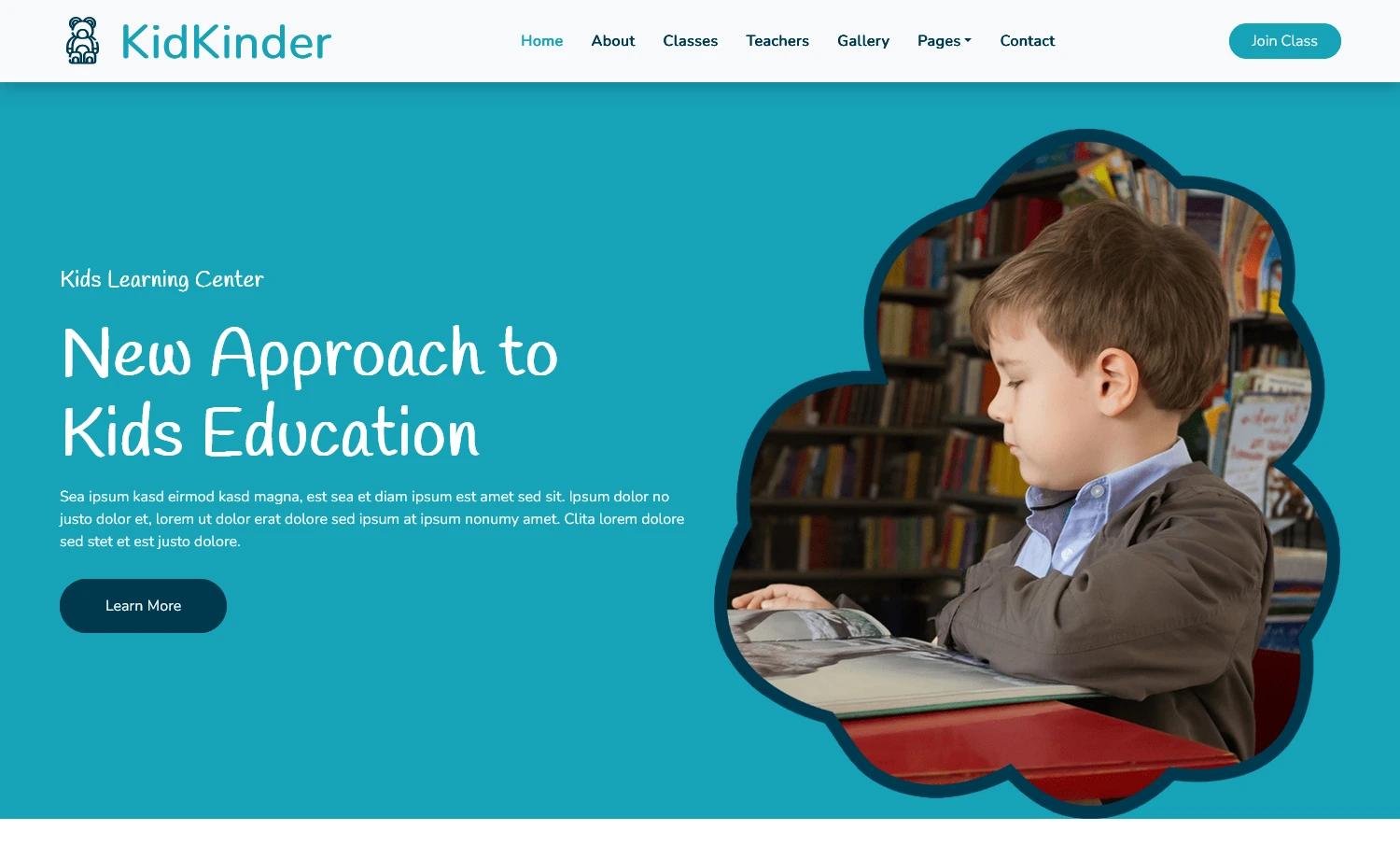
Elementary is a static website theme for educational organizations. It provides a home page with hero, news, programs, schedule, testimonials, and FAQ sections, plus dedicated teachers, blog, and contact pages. Content is managed through Markdown files and a central TypeScript config.
How do I add a blog post?
Create a new .md file in src/content/blog/ with YAML frontmatter containing title, date, description, and image. The post is automatically included in the /blog listing after the next build.
What are the system requirements?
Local development requires Node.js version 22.12.0 or newer. The built site is fully static and can be hosted on any web server or static hosting service without a Node runtime.
Can I customize the colors and fonts?
Yes. Brand colors, fonts, and design tokens are defined as CSS custom properties in src/styles/global.css under the @theme block, and can be changed without touching component code.