Template details
Jekyll App Site
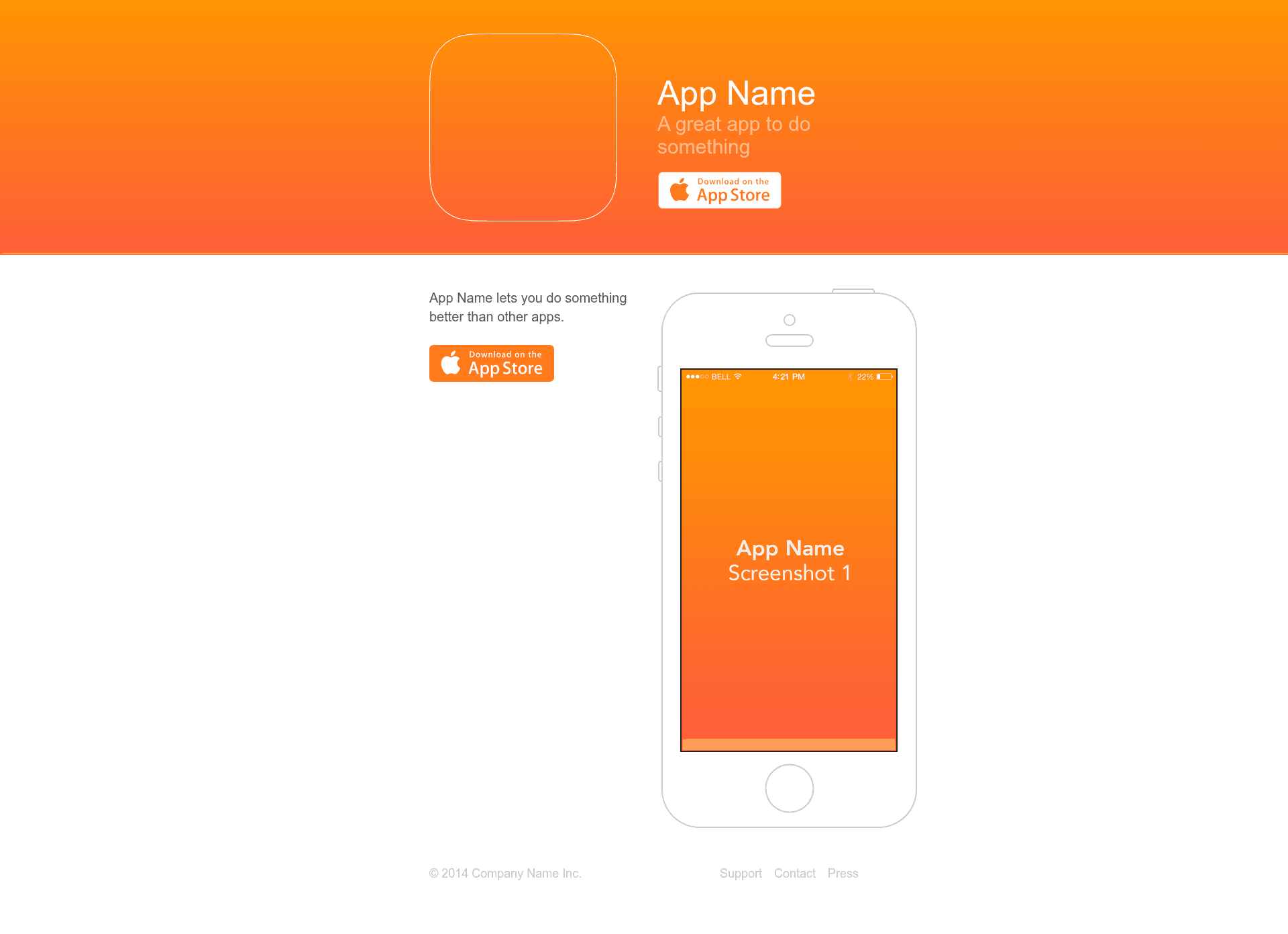
Small Jekyll template to present an iPhone app with a static site
About this template
Jekyll App Site is a small Jekyll template for building a static website that presents an iPhone app, complete with a landing page, press page, and support page.
What is Jekyll App Site?
Jekyll App Site is a minimal Jekyll-based template that creates a static website for showcasing an iPhone app. It takes your app metadata (name, tagline, colors, images) configured in _config.yml and content written in Markdown files, and outputs a fully compiled HTML site in the _site directory. The template runs on Jekyll and uses Sass for styling with the Bourbon mixin library. The HTML and Sass were originally written for Sinatra by Sam Soffes, and the template is MIT licensed.
What makes Jekyll App Site stand out?
The template's main appeal is its straightforward, rake-driven build system and the small set of customization points. Here are its most notable features:
- Rake-powered workflow — Four rake tasks handle the build:
rake(same asrake serve),rake serve(compile and run with auto reload),rake build(compile only), andrake clean(remove generated directories). - Static site output — The compiled
_sitedirectory can be uploaded to any static HTML host such as AWS S3, with no server-side dependencies. - Sass and Bourbon styling — Styles are authored in Sass and use Bourbon mixins; global variables like colors are centralized in
_assets/stylesheets/globals/variables.scss. - Three included pages — The template ships with an index page (
index.md), a press page (press/index.md), and a support page (support/index.md) for simple app marketing. - Easy configuration — Site constants like name and tagline are set in
_config.yml, and rebranding only requires editingfavicon.ico, images in_assets/images, and the Sass variables. - MIT license — The template is free to use, modify, and redistribute for personal or commercial projects.
Who should use Jekyll App Site?
This template fits anyone who needs a clean, static site to promote an iPhone app without managing a web server. It works well for:
- Independent iOS developers — Present their iPhone app with a clean, static site without maintaining a web server.
- Startups launching a single app — Quickly set up a landing page, press page, and support page using Markdown content.
- Designers who want a minimal base — Customize colors and images via Sass variables and asset folders rather than building the site from scratch.
What can you do with Jekyll App Site?
The three Markdown pages give you the core blocks for an app marketing site. You can:
- Publish an app landing page — Edit
index.mdto describe your app features and include a link to the App Store. - Create a press kit — Use
press/index.mdto share screenshots, logos, and press materials with journalists. - Add a support page — Populate
support/index.mdwith an FAQ or contact information for your users.
How does Jekyll App Site work?
The template relies on four rake tasks to compile and manage the site. Run rake serve (or just rake) to compile and preview with automatic reload. Use rake build to generate static files without previewing, then upload the _site folder to a static host. rake clean deletes the _site and assets directories to start fresh.
Pros and cons
These are the main trade-offs to know before adopting the template:
- Pros: Simple static output, customizable via Sass variables, free MIT license, and a straightforward rake workflow.
- Cons: The template includes only three content pages (index, press, support), and building locally requires Jekyll, Sass, and rsync installed.
Pricing
Jekyll App Site is MIT licensed, making it free to download, modify, and use without cost.
FAQ
What are the requirements to run Jekyll App Site?
You need Jekyll, Sass, and rsync installed on your system. The README lists installing Jekyll with gem install jekyll, Sass with gem install sass, and rsync from its official site.
How do I deploy the site?
Run rake build to compile the site, then upload the generated _site directory to any static HTML server, such as AWS S3. Because the output is fully static, no server-side processing is needed.
Which files should I customize?
The README suggests editing _config.yml for site constants, favicon.ico for the favicon, index.md, press/index.md, and support/index.md for content, and _assets/stylesheets/globals/variables.scss for colors.
Is Jekyll App Site free?
Yes, the template is MIT licensed, so you can use it freely, modify it, and distribute it with attribution to the original source.
Does the template include a blog?
No, the template only includes an index, press, and support page. It does not include a blog or other content types beyond what you add manually.