Template details
Event Jekyll Theme
Jekyll Theme package for your event
About this template
Event Jekyll Theme is a Jekyll-based multi-page website kit for conferences and events, built on the Agency Jekyll Theme and organized by year so you can reuse it for every edition of your event.
What is Event Jekyll Theme?
Event Jekyll Theme is an open-source Jekyll theme for building conference and event websites. It takes event information — agenda, speakers, sponsors, FAQs, team bios, and registration links — and produces a static multi-page site that you can host on GitHub Pages or any Jekyll-compatible host. The theme is a modified version of the Agency Jekyll Theme by y7kim, with files reorganized for reuse year after year and separate data folders for each year edition.
What makes Event Jekyll Theme stand out?
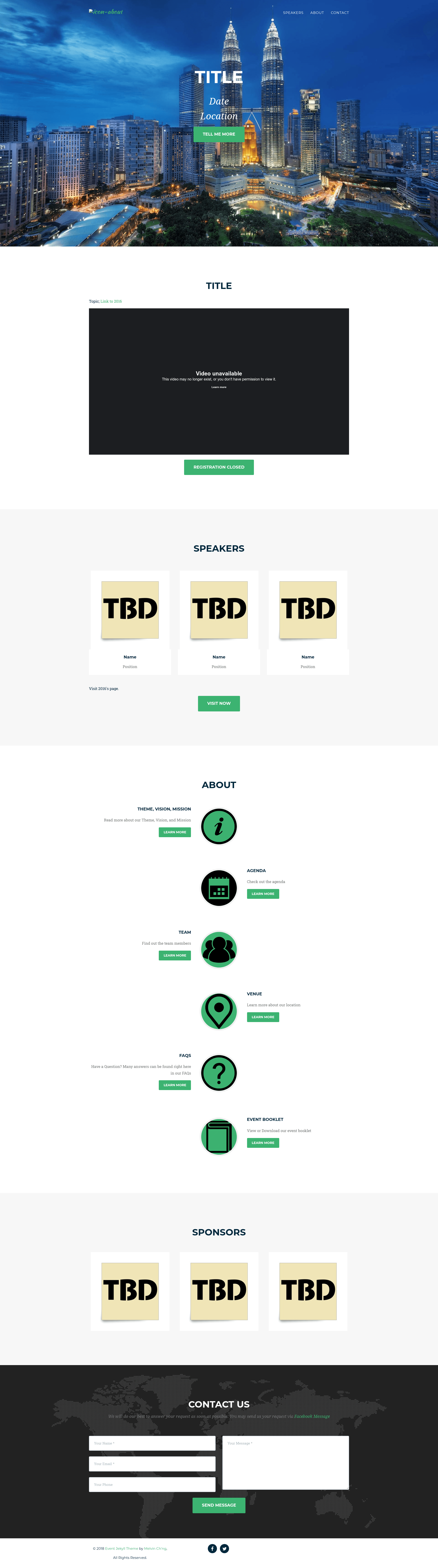
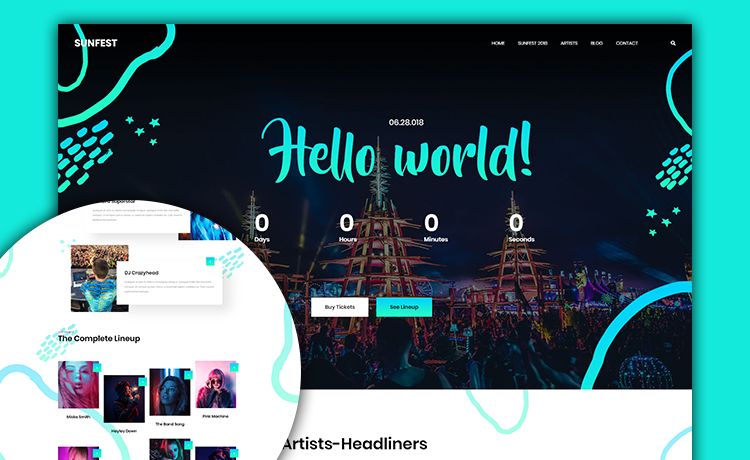
- Multi-page event structure — includes index, agenda, team profile, location, FAQs, mission/vision/objectives, and register pages.
- Year-based content organization — store subpages and data in folders like _2016_pages, _2017_pages, and _data/twenty_16, making it straightforward to create a new site each year at paths like YOUR-LINK.github.io/2015.
- Speaker popups — click a speaker on the index page to see their profile with name, title, and bio.
- Sponsor showcase — a section on the homepage displays event sponsor logos.
- Agenda table — a table with time and event title columns; speaker names are color-highlighted and their positions shown in italics.
- Contact form via Formspree — the contact section integrates with Formspree for form submissions.
- Google Map integration — the location page embeds a Google Map that requires your own API key.
- Built-in analytics and SEO — Google Analytics snippet (replace UA-xxxxxxxx-x) in _includes/2016_data/head.html and SEO tags configured in _config.yml.
Who is Event Jekyll Theme for?
- Student technology conference organizers — set up a full event site with agenda, speaker profiles, registration redirect, and FAQ without building from scratch.
- Annual event committees — reuse the same theme each year by adding new year subfolders and YAML data files, instead of rebuilding the site.
- Open-source and community event teams — publish a static, low-maintenance event site on GitHub Pages with no backend.
What can you do with Event Jekyll Theme?
- Annual tech conferences: create a site with a homepage, agenda, speakers, sponsors, and a register page redirect, then copy the structure for next year's event.
- Student organizations: showcase team member bios in one of two profile layouts (picture with name/email or full user profile with title, position, and bio).
- Event committees: embed PDFs (e.g., brochures) from Google Drive by setting sharing to "Public on the web" and using the theme's PDF display feature.
How does Event Jekyll Theme work?
To get started, install Ruby and NodeJS, then install Jekyll and the required gems (jekyll-sitemap, jekyll-seo-tag) with gem install. Run jekyll serve from the root directory to preview the site at localhost:4000. Each section of the homepage is stored in _2016_data or _2017_data and can be removed by commenting out an include line in the corresponding home layout. Update speaker, agenda, and team data in the YAML files inside _data/twenty_16 and _data/twenty_17.
FAQ
Is Event Jekyll Theme free?
Yes, the theme is freely available on GitHub and can be used and modified. The repository does not list a specific license in the README, so check the repo if you need formal licensing.
Do I need to configure a Google Maps API key?
Yes, the location page includes a Google Map, and the README notes that you must replace the default with your own API key.
Can I use the theme for an event that happens more than once a year?
Yes, the theme is organized by year folders (e.g., _2016_pages, _2017_pages) so you can create subpath sites for each occurrence. The author notes it works if your event is once a year, but you could adapt the pattern for monthly events.
How do I add a contact form?
The contact section uses Formspree. The README says to refer to Formspree's documentation to set up the form endpoint.
What if I edit _config.yml on GitHub's online editor?
The README warns that if you fork the repo and edit _config.yml online, GitHub Pages may not work; you'll need to make changes locally (via CLI or GUI git) and push.