Template details
Explore
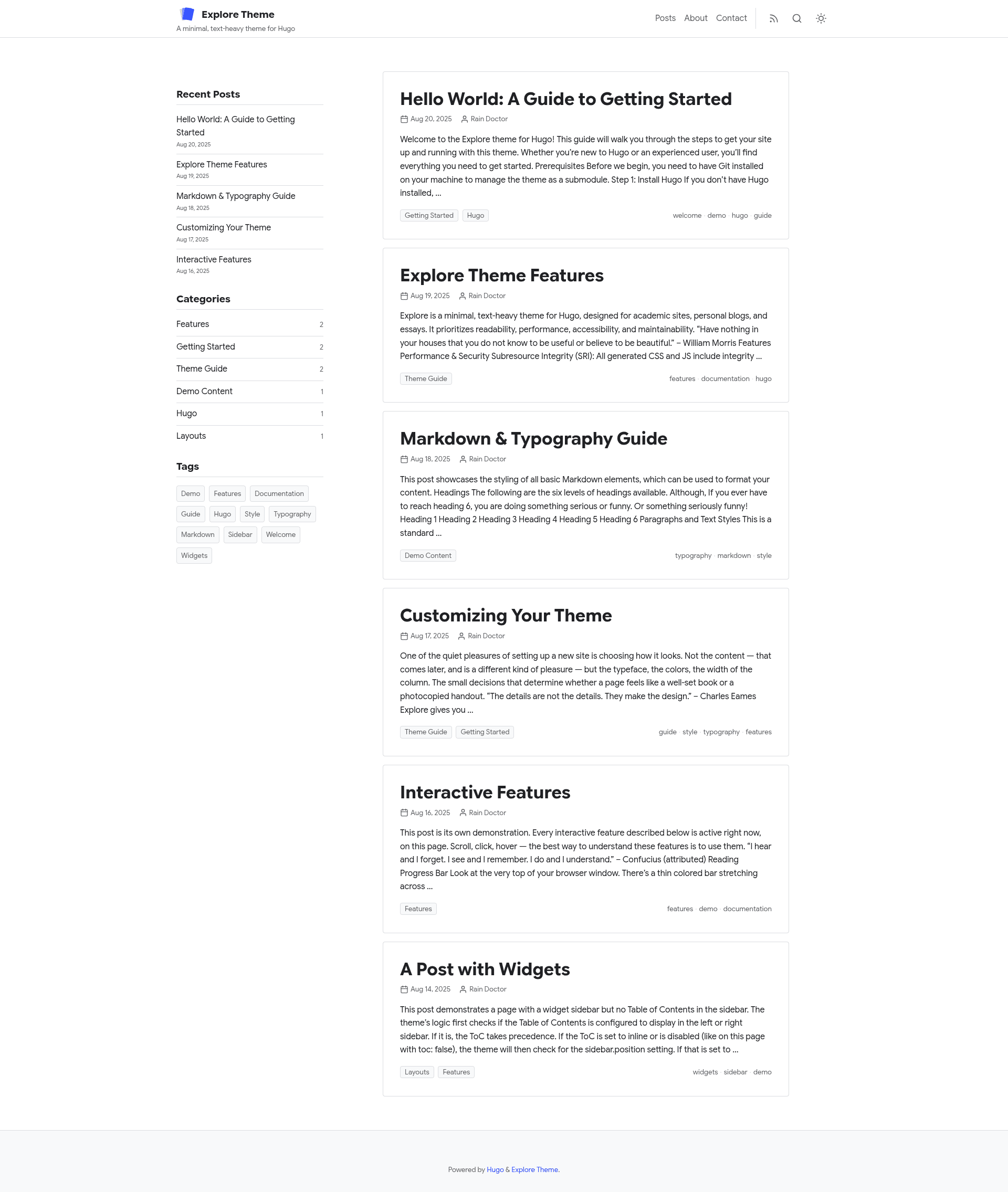
A minimal, text-heavy Hugo theme for academic sites, personal blogs, and essays, with dark mode and client-side search.
About this template
Explore - A Hugo Theme
Explore is a minimal, text-heavy Hugo theme built for academic sites, personal blogs, and essays, prioritizing readability, performance, accessibility, and maintainability over decoration.
What is Explore?
Explore is a Hugo theme — a template that runs on the Hugo static site generator. It takes Markdown content and a config.toml configuration as input and produces a static HTML site with CSS and JavaScript. It is developed and maintained on GitHub by the user yogirk, with a live demo at yogirk.github.io/explore, and is distributed under the MIT license.
Key Features
The theme bundles a set of built-in features that require little to no configuration to activate. The most notable ones are:
- Dark mode — Includes automatic detection based on system settings, a manual toggle, and per-palette dark overrides so each color scheme stays legible.
- Self-hosted font presets — Ships with two font presets, Inter and Google Sans, both served locally with zero external font requests.
- Four color palettes — Offers
default,ocean,forest, andslatepalettes, or you can define custom primary and accent colors when using the default palette. - Client-side search — Supports Fuse.js with zero configuration for small to medium sites, or Pagefind for larger sites (requires an extra CLI step after building).
- Readability and navigation aids — Reading progress bar, code copy button, ScrollSpy table of contents, and breadcrumbs are all generated automatically.
- Accessibility and SEO — Meets WCAG 2.1 AA with semantic HTML, ARIA landmarks, and keyboard navigation; includes JSON-LD structured data, OpenGraph, and Twitter Cards.
- Asset pipeline — Uses Hugo Pipes to process assets with SRI hashes and IIFE scripts, improving security and performance.
- Homepage and archives — Multi-section homepage with section badges and year/month grouped archives.
Who is it for?
Explore suits anyone who wants a distraction-free writing and reading experience in Hugo. It is particularly well matched for the following roles:
- Academic researchers and students — Publish papers, essays, and lecture notes in a clean, citation-friendly layout with high readability.
- Personal bloggers — Create a minimal blog with automatic table of contents, related posts, and client-side search without needing a separate search service.
- Essay writers and technical writers — Use the text-heavy design to keep the focus on content, with options to group posts by year or month and show section badges.
What can you do with Explore?
With Explore, you can publish a complete static site and tailor it to your needs through configuration rather than custom code. Concrete things you can accomplish include:
- Launch a blog quickly — Following the quickstart, add the theme as a Git submodule, copy the example
config.toml, and runhugo serverto have a fully featured site on localhost:1313. - Customize the look without code — Choose a font preset, color palette, sidebar position, and list view entirely through
config.tomlparameters. - Add search to a large site — Set
searchEngine = "pagefind", install the Pagefind CLI, and runnpx pagefind --site publicafter building to index the static output. - Embed responsive images — Use the included figure shortcode to generate WebP images with LQIP blur-up and responsive
srcsetautomatically.
How does Explore work?
Setup follows three steps: add the theme as a Git submodule with git submodule add https://github.com/yogirk/explore.git themes/explore, copy the example site configuration to the root with cp themes/explore/exampleSite/config.toml ., and run hugo server to start a local development server. All theme options are set in the [params] section of your site's config.toml, and every parameter has a built-in default so you only override what you need.
Pros and cons
The theme trades some flexibility for simplicity: it is easy to configure, but certain features like Pagefind search require extra manual steps.
- Pros: Fully self-hosted fonts; multiple color palettes; automatic accessibility features; no runtime dependencies for Fuse.js search.
- Cons: Pagefind search requires an extra command-line indexing step after every Hugo build.
Pricing
The theme is open source and free to use under the MIT license.
Alternatives
- PaperMod — another minimal Hugo theme focused on fast loading and built-in SEO.
FAQ
Is Explore free to use?
Yes, Explore is licensed under the MIT license, which allows free use, modification, and distribution. The source code is available on GitHub.
Does Explore support dark mode?
Yes. The theme includes automatic dark mode detection based on system preferences, a manual toggle, and per-palette dark overrides that adjust contrast for each color palette.
How do I add search to my site?
Set searchEngine = "fuse" for zero-configuration fuzzy search (ideal for small to medium sites), or set it to "pagefind" and run npx pagefind --site public after building for larger sites.
Which font presets and color palettes are available?
The theme ships with two self-hosted font presets, Inter and Google Sans, and four color palettes: default, ocean, forest, and slate. Custom primary and accent colors can be set when using the default palette.
What is the difference between Fuse.js and Pagefind?
Fuse.js is a lightweight fuzzy search library that requires no build steps and works with the JSON output from Hugo. Pagefind is a static search engine that requires a separate indexing command after building and is better suited to larger sites.