Template details
Free Developer Portfolio Template
A free, open-source Next.js portfolio template for software engineers to showcase projects and skills.
About this template
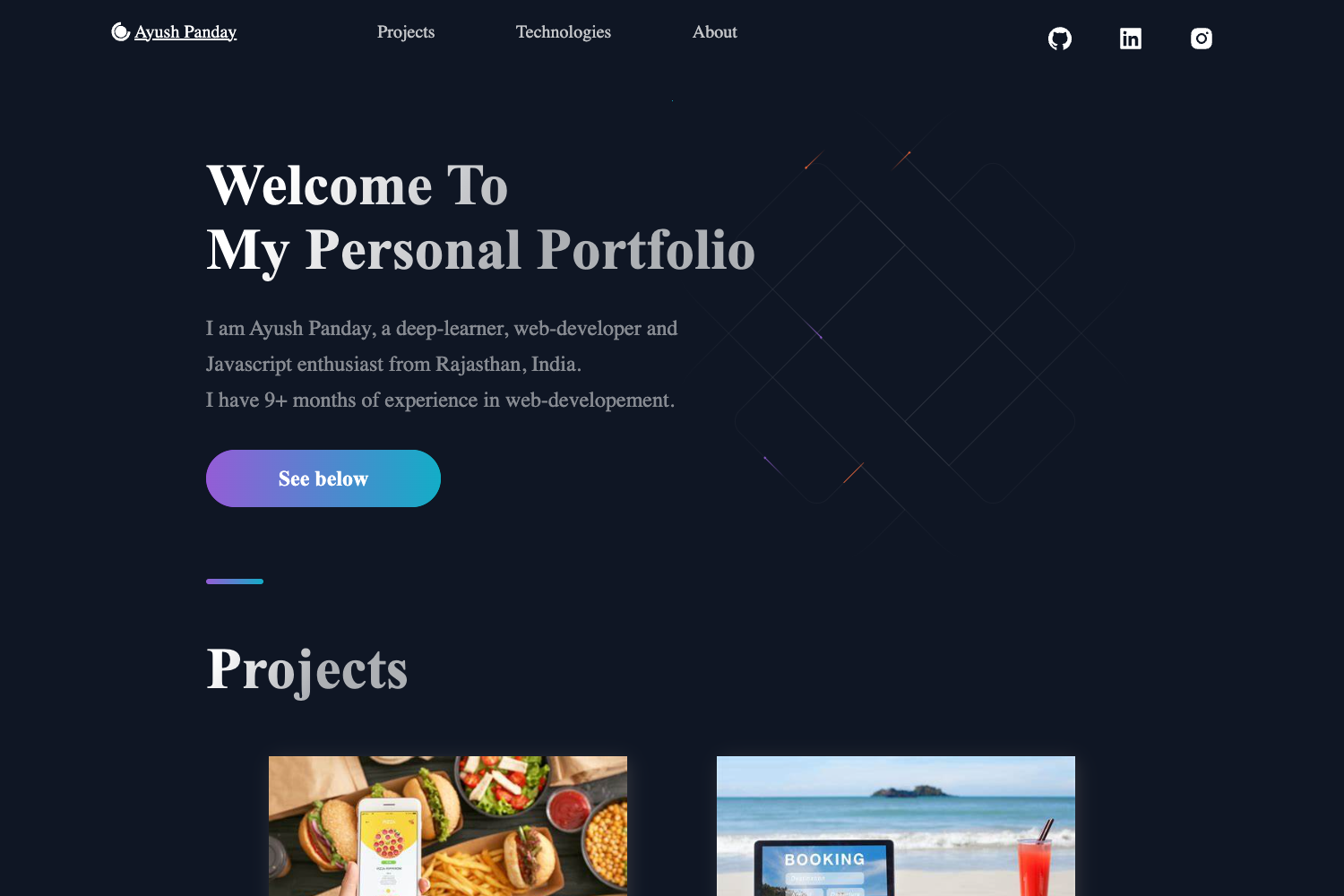
The Free Developer Portfolio Template by Vito Medlej is an open-source, MIT-licensed portfolio website template built for software engineers to display their projects, skills, and professional experience. It is a Next.js and React application written in TypeScript, with animations powered by GSAP (GreenSock), and it ships as a ready-to-deploy static site that you clone, install, and host on any service.
What is the Free Developer Portfolio Template?
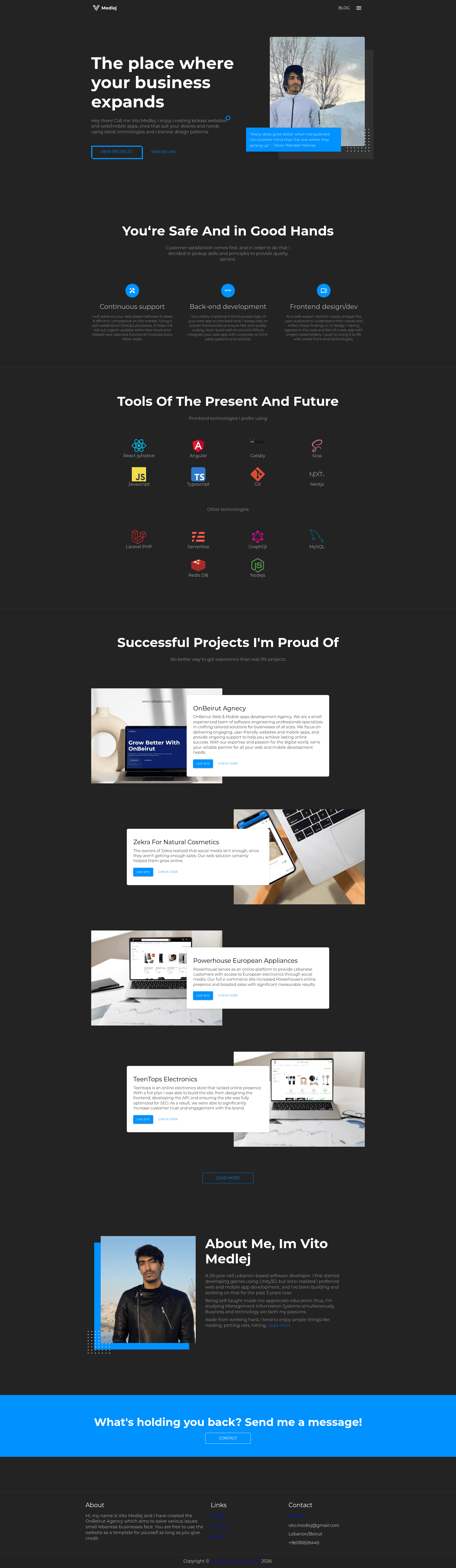
The Free Developer Portfolio Template is a free, open-source personal portfolio website built specifically for software engineers and developers. It takes your content — projects, skills, work experience, social links, and contact details — and renders them into a responsive, animated single-page portfolio. Built on the Next.js framework with React and TypeScript, the template is authored by Vito Medlej and distributed under the MIT License, meaning you can use, modify, and redistribute it freely.
Key Features
- Animations with GSAP — The template includes scroll and entrance animations powered by the GSAP library, giving the portfolio a polished, motion-rich feel without writing animation code from scratch.
- Responsive design — The layout adapts to mobile, tablet, and desktop viewports so the portfolio reads well on any screen size.
- Customizable sections for skills, projects, and experience — These three core content areas are pre-built as editable sections; you replace the placeholder data with your own work history, project links, and skill lists.
- Contact form — A built-in contact form lets site visitors send you messages, with the form UI included in the template ready to be wired to a backend or form service.
- Social media links — The template provides visible social links in the header/footer area so visitors can reach your GitHub, LinkedIn, Twitter, or other profiles.
- Open-source and MIT-licensed — The full source code is available on GitHub, and the license permits personal and commercial use with attribution.
Who is it for?
- Software engineers and developers who want a personal portfolio site without designing one from scratch — they clone the repo, edit the content sections, and deploy.
- Job seekers in tech who need a clean, animated online resume to share with recruiters, highlighting their projects, skills, and experience in one place.
- Freelance developers who want a quick personal brand page with a contact form to receive client inquiries and links to their social profiles.
- Open-source contributors who want a simple website for their projects and can also contribute improvements back to the template's GitHub repository.
What can you do with the Free Developer Portfolio Template?
- Present your projects: Fill the projects section with live demo links and source code repositories, giving visitors a clickable portfolio of your work.
- Showcase your skill set: List your programming languages, frameworks, and tools in the skills section, with the layout already structured for readability.
- Collect messages: Use the included contact form to receive inquiries from potential employers or clients without exposing your email address directly.
- Share your professional history: Structure your experience section to display past roles, companies, and dates in a visually organized timeline.
How does the template work?
The repository README describes a three-step workflow: clone or download the repository, install the dependencies, then deploy the website to your preferred hosting service. Because it is a Next.js project, you can build it as a static export or deploy to platforms like Vercel, Netlify, or any Node.js-compatible host. After installation, you edit the content sections to replace placeholder data with your own projects, skills, and experience, then publish the site.
FAQ
Is the Free Developer Portfolio Template free?
Yes, the template is free to use and open-source. It is distributed under the MIT License, and the full source code is available on GitHub, allowing personal and commercial use with attribution.
What technology stack does the template use?
The template is built with Next.js, React, and TypeScript, with animations powered by GSAP. It is a single-page portfolio site that you can deploy as a static export or on any Node.js-compatible host.
How do I get started with this template?
The README outlines three steps: clone or download the repository, install the dependencies, and deploy to your preferred hosting service. After that, you customize the content sections with your own projects, skills, and experience.
Does the contact form work out of the box?
The template includes the contact form UI as a feature, but the README does not mention a built-in backend. You would need to wire the form to a form service or your own API endpoint to receive submissions.