Template details
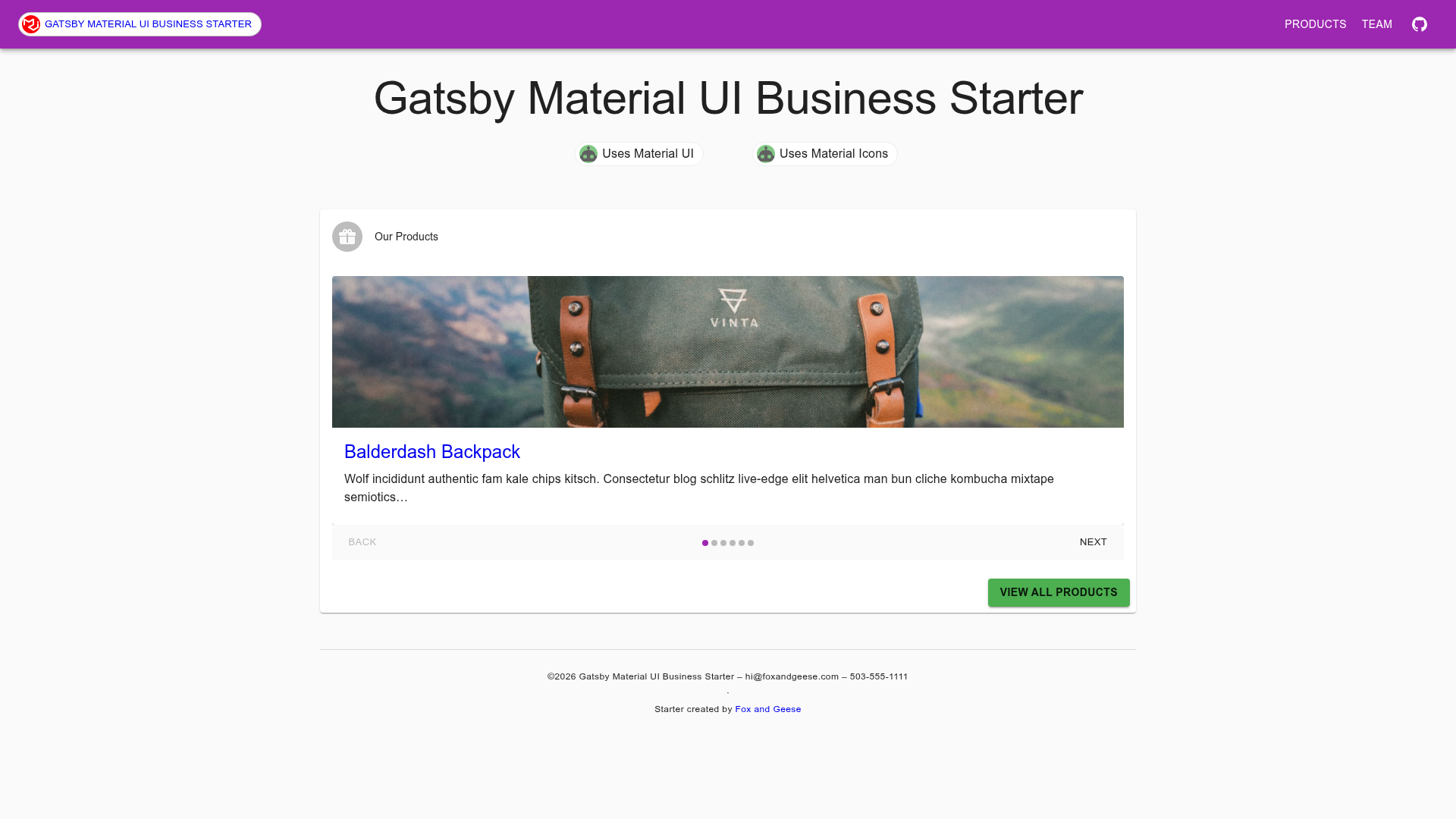
Gatsby Material UI Business Starter
A stripped-down Gatsby starter for small business sites with Material UI, Stylus, and Material Design icons pre-configured.
About this template
Gatsby Material UI Business Starter is a minimal Gatsby starter for small business sites that pre-configures Material UI, Stylus, and Material Design icons so you can start building immediately.
What is Gatsby Material UI Business Starter?
Gatsby Material UI Business Starter is a stripped-down Gatsby starter designed for small business websites. It takes a Gatsby project skeleton and produces a site with Material UI components, Stylus styling, and Material Design icons pre-integrated. The starter runs on the Gatsby static site generator, and the project is hosted on GitHub under the bluepeter account, with a live demo at bluepeter.github.io.
Key Features
- Material UI pre-configured — The starter is fully configured to work with Material UI out-of-the-box in both production builds and development with hot-reloading.
- Stylus styling — CSS is written in Stylus; you can edit the
style.stylfile directly to add global classes. - Material Design icons — Material Design icons are included in the starter, so you can add icons without extra setup.
- Markdown-based product pages — Add a new markdown file in the
productsfolder and it automatically becomes a product page. - Centralized configuration — Contact details and menu items are edited in
gatsby-config.js. - Theme palette customization — Adjust the Material UI theme palette colors in
getPageContext.js. - withStyles() example —
HomeFeatures.jsdemonstrates how to use Material UI'swithStyles()for component-level class overrides and theme color access. - Yarn scripts — Use
yarn run developfor local development with hot-reload andyarn run buildfor production builds; the repository recommendsyarn runover directgatsbycommands to avoid version mismatches.
Who is it for?
- Developers building small business sites — Use the starter to skip Gatsby and Material UI configuration and focus on adding content and components.
- Agencies delivering simple client sites — Use the markdown-based product pages and centralized config to quickly assemble an informational site for a client.
- Freelancers prototyping a business site — Use the pre-configured theme palette and Stylus to customize branding without writing boilerplate.
What can you do with it?
- Add products easily — Create a new markdown file in
src/pages/productsand the site automatically includes it, ideal for expanding a catalog. - Customize branding — Edit the theme colors in
getPageContext.jsand the Stylus filestyle.stylto match a business identity. - Style components selectively — Use Material UI's
withStyles()as shown inHomeFeatures.jsto override styles per component rather than globally. - Deploy to production — Run
yarn run buildto generate a production build suitable for hosting on any static host.
How does it work?
Clone the repository and run yarn install, then use yarn run develop to start a local server with hot-reload. Edit gatsby-config.js to update contact details and menu items, and drop markdown files into the products directory to add product pages. Styling is handled either by editing style.styl or by using Material UI's withStyles() inside components, with theme colors defined in getPageContext.js.
Alternatives
Another starter mentioned in the repository is the Tiny Agency starter by foxandgeese, which is similar but even simpler.
FAQ
How do I add a new product?
Create a new markdown file in the products folder (src/pages/products) and it is automatically included in the site. No additional configuration is needed.
How do I change the theme colors?
Open src/utils/getPageContext.js and adjust the Material UI palette colors defined there.
What's the difference between editing style.styl and using withStyles()?
Editing style.styl applies global CSS classes across the site, while withStyles() lets you override or dynamically set classes within a specific component, as demonstrated in HomeFeatures.js.
How do I run the project?
Run yarn run develop for local development with hot-reload, and yarn run build to create a production build. The repository recommends using yarn run instead of calling gatsby directly to avoid version conflicts between local and global installs.