Template details
GHCi
GHCi-like Hugo theme for portfolio sites with selectable color schemes and typing animations.
About this template
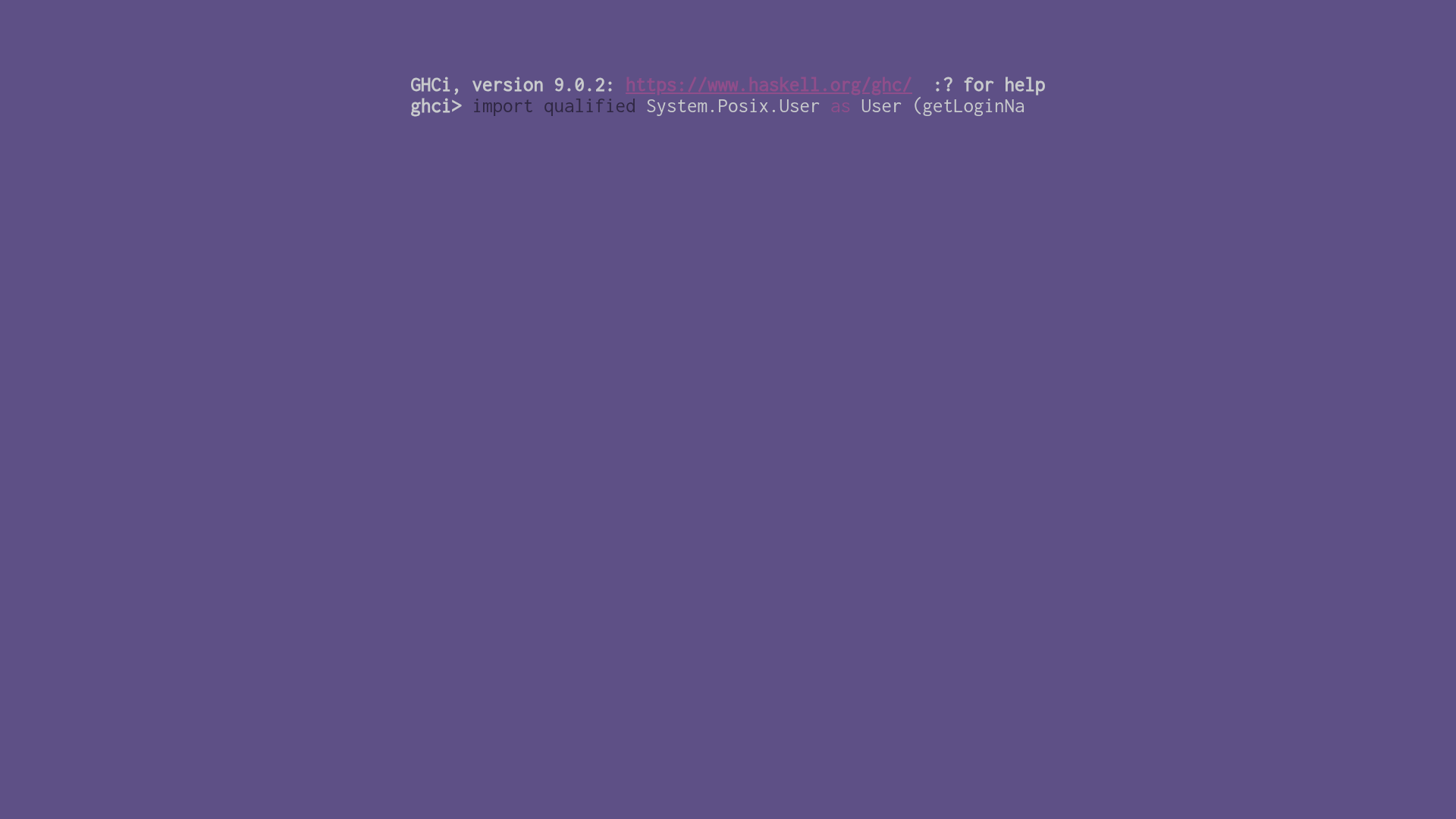
GHCi is a Hugo theme for portfolio sites that mimics the Haskell GHCi terminal prompt with selectable color schemes and typing animations.
What is GHCi?
GHCi is a Hugo theme that recreates the Haskell GHCi REPL interface as a portfolio website. It takes Hugo content files in Markdown or Org format and renders a terminal-style page with a typed prompt, profile information, and an activity list. The theme is a fork of hugo-theme-shell by Yukuro, maintained by Binary-Eater, and requires Hugo version 0.85.0 or higher with the extended build.
Key Features
- Selectable color schemes — Choose from built-in schemes (Haskell, prompt-powershell, prompt-ubuntu, prompt-retro, prompt-white) or any Mayccoll/Gogh theme by setting the
schemeparameter in config.toml. - Typing animation — The heading, prompt, stdout, and code blocks are animated with configurable delays (
headingDelay,promptDelay,stdoutDelay,codeDelay); setting a delay to 0 disables that animation. - MathJax integration — Enable math rendering per post by adding
math: trueto front matter; this requires all typing delays to be 0. - Configurable GHCi heading — Displays "GHCi, version [ghcVersion]: [ghcURL] :? for help" using values set in the config.
- Profile output — Shows login name, host name, a description, and an optional profile picture loaded from GitHub by username or from a custom source URL.
- Activity tree — Renders a list of named links (e.g., ["C", "https://..."], ["Haskell", "https://www.haskell.org/"]) as a filesystem-style output via the
getActivityfunction. - Responsive minimal layout — The terminal theme is responsive and works with draft posts using the
-Dbuild flag.
Who is it for?
- Haskell developers — Present a portfolio with an authentic GHCi look and feel.
- Terminal/REPL enthusiasts — Anyone who wants a shell-like theme can use the PowerShell, Ubuntu, retro, or white color schemes.
- Technical writers — Publish Markdown or Org content with optional LaTeX math rendered by MathJax.
What can you do with it?
- Build a terminal-style portfolio — Configure the profile section with your username, hostname, description, and optional picture to greet visitors like a GHCi session.
- Showcase projects and links — Fill the activity tree with project names and URLs or local content paths to create a "files" listing of your work.
- Write math-heavy posts — Set typing delays to zero and
math: truein front matter, then use LaTeX-like syntax in your articles. - Experiment with themes — Switch instantly between built-in palettes or adopt any of the 100+ Gogh color themes by setting the scheme name.
How does it work?
The theme is installed as a git submodule (git submodule add https://github.com/Binary-Eater/hugo-theme-ghci.git themes/hugo-theme-ghci). Configure config.toml with the Params blocks for Prompt, Profile, and Tree, then run hugo server -t hugo-theme-ghci -w -D to preview. The theme reads these settings to generate the animated terminal output, and if a post returns 404, the README notes you may have forgotten the -D build drafts flag or the post still has draft: true in front matter.