Template details
HTML_CodeSniffer
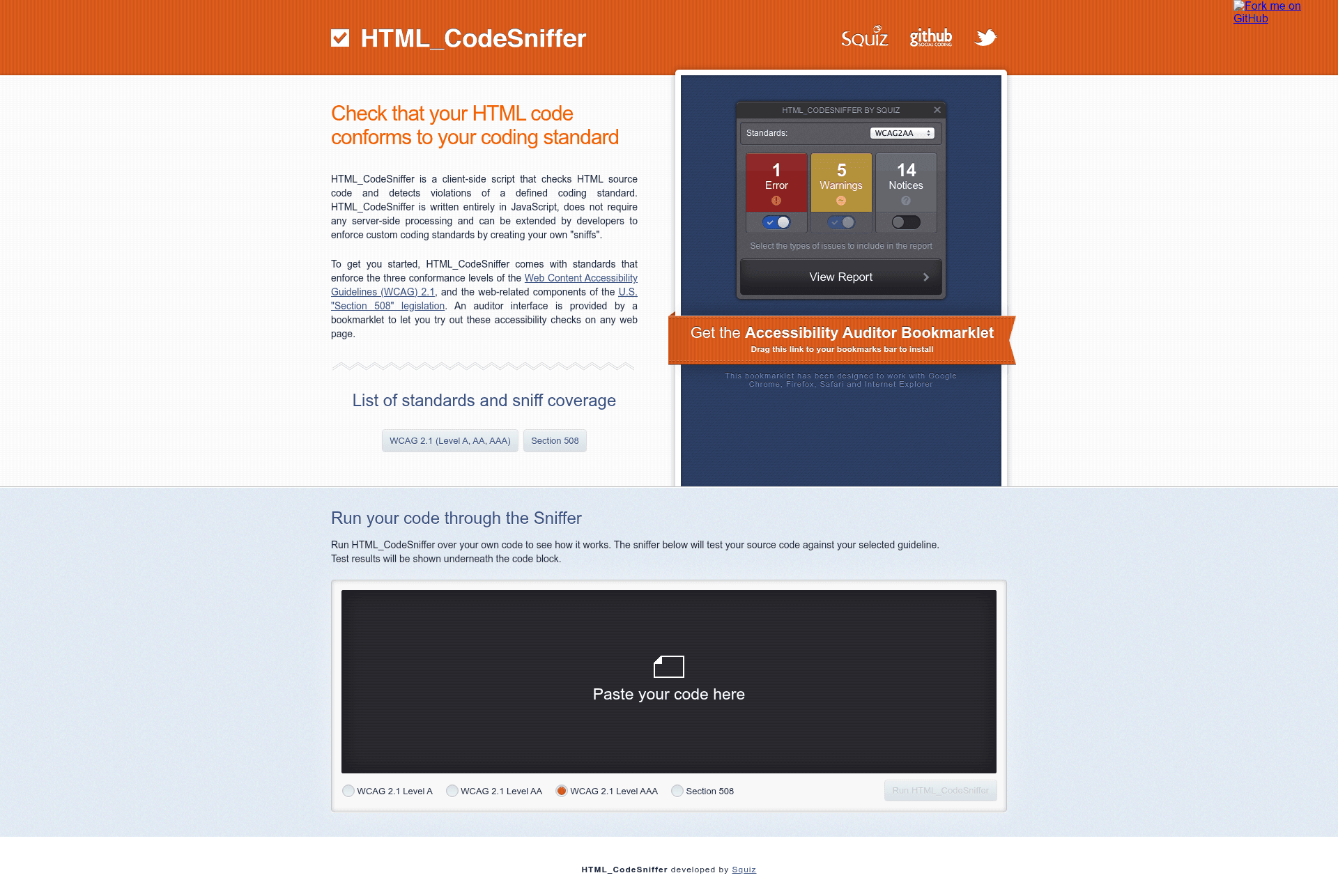
HTML_CodeSniffer is a client-side JavaScript tool that checks HTML documents against accessibility standards like WCAG 2.1 and Section 508.
About this template
HTML_CodeSniffer is a client-side JavaScript application that audits HTML documents and source code against accessibility standards including WCAG 2.1 and Section 508. It returns a list of known and potential violations to the calling script, and can be run in a browser, as a Node.js module, or on the command line with headless browsers.
What is HTML_CodeSniffer?
HTML_CodeSniffer is an open-source JavaScript library developed by Squiz Labs, released under the BSD 3-Clause License. It takes HTML source or a URL as input and produces a list of accessibility and coding-standard violations as output, along with pointers to the offending elements. It runs directly in the browser, and can also be installed via npm as html_codesniffer for server-side use.
Key Features
- Built-in standards — Includes rules for all three conformance levels (A, AA, AAA) of WCAG 2.1, plus the U.S. Section 508 legislation.
- Custom standards authoring — Write your own standards to enforce project-specific coding or accessibility rules across a website.
- Pop-up auditor interface — A bookmarklet opens an interactive auditor that lists violations and highlights the exact HTML element causing each issue.
- Command-line execution — Run audits in PhantomJS or headless Chrome via Puppeteer, or in Node.js with JSDom for server-side fragment testing.
- Translations — Built-in language support for English, French, and Polish, with community contributions for Japanese, Italian, and Dutch; additional languages can be added by building a custom version.
- Source testing area — The project site provides an interactive area to test your own HTML source against the built-in standards.
Who is it for?
- Web developers — Integrate automated accessibility checks into their build and CI pipelines using Puppeteer or Node.js scripts.
- QA testers — Quickly audit any page with the bookmarklet and review a list of issues without writing code.
- Accessibility specialists — Author custom standards to enforce organization-specific accessibility requirements and test against them.
- Agencies and compliance teams — Verify that client sites meet WCAG 2.1 and Section 508 legal requirements.
What can you do with it?
- Audit a live page — Drag the bookmarklet to your toolbar, open any URL, and get a detailed violation list with element references.
- Add accessibility checks to CI — Use a Puppeteer script to load a URL, inject HTML_CodeSniffer, and log results to the console for automated regression testing.
- Validate HTML fragments — Run JSDom on an arbitrary snippet and call the runner with a standard like
WCAG2AAto check it server-side. - Build custom rules — Extend the framework with your own standards and compile them using Grunt for distribution.
How does it work?
The library runs in the browser, evaluating the DOM against the selected standard and returning an array of violation messages. It can be called directly in JavaScript, or through the bookmarklet interface which also points to the offending elements. For automated testing, the command-line scripts drive headless browsers and print results to the console.
FAQ
Is HTML_CodeSniffer free?
Yes, it is open-source software licensed under the BSD 3-Clause "New" or "Revised" License, so it can be used and modified freely.
What standards does HTML_CodeSniffer support?
It comes with WCAG 2.1 conformance levels A, AA, and AAA, plus the U.S. Section 508 legislation. You can also author your own standards for custom requirement sets.
Can I run it without a browser?
Yes, you can run it in Node.js with JSDom on HTML fragments, or via PhantomJS and headless Chrome through Puppeteer for full-page command-line processing.
Does HTML_CodeSniffer have translations?
It includes English, French, and Polish by default. Community contributions have added Japanese, Italian, and Dutch; further languages can be added by editing translation files and rebuilding with Grunt.
How do I build it from source?
Clone the repository, install Node.js and Grunt CLI, run npm install, then grunt build for minified output or grunt build-debug for an unminified debug build.